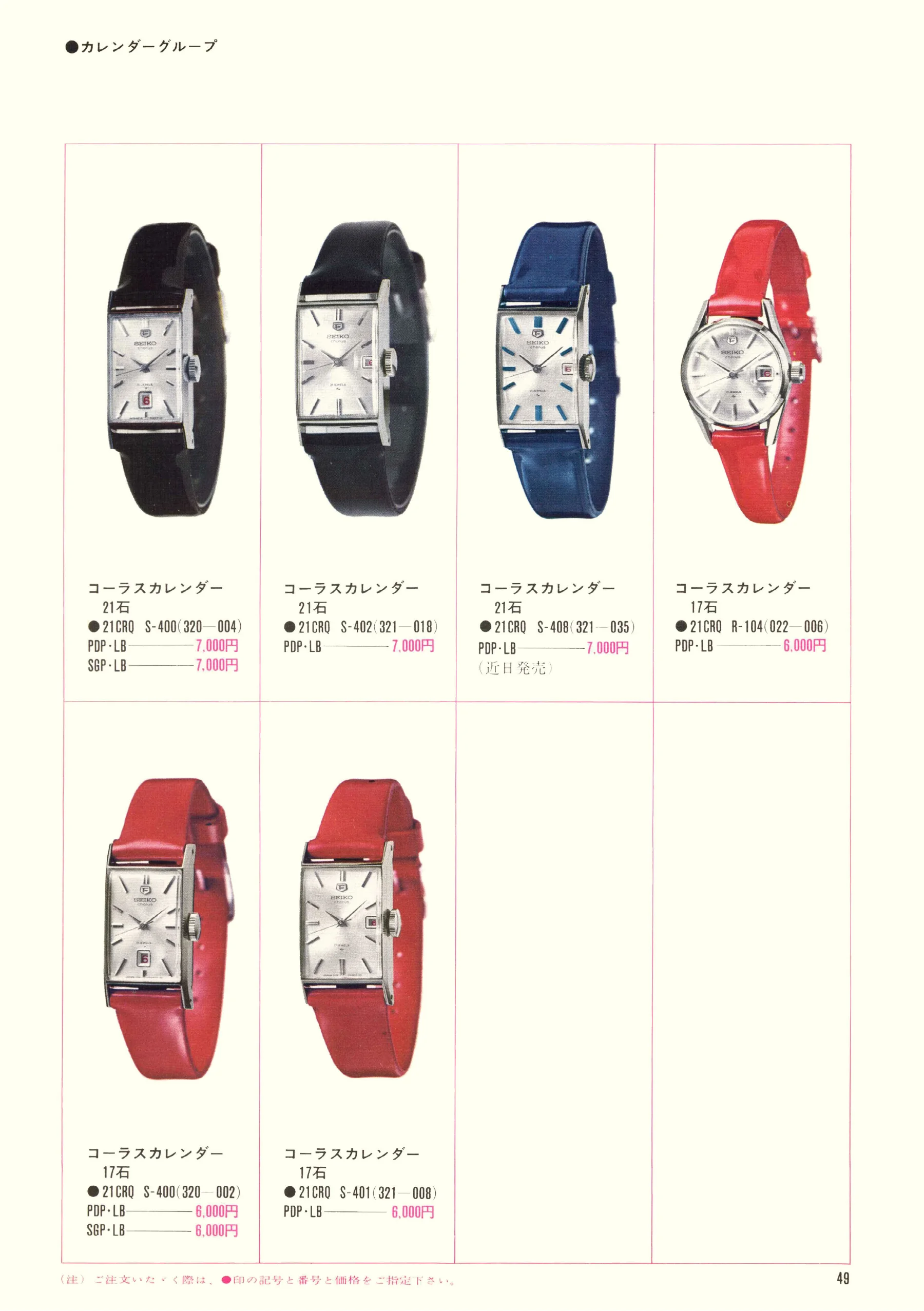
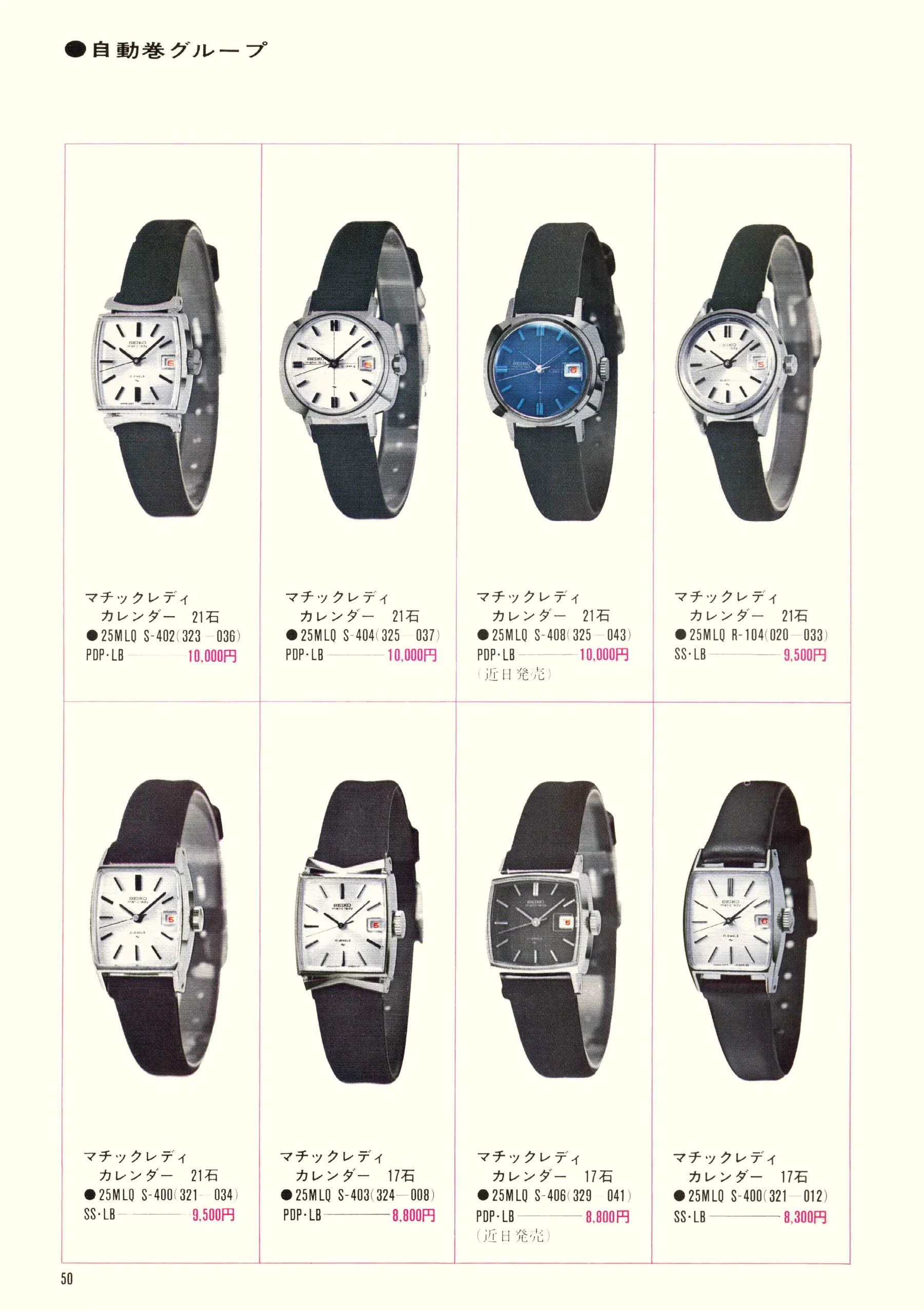
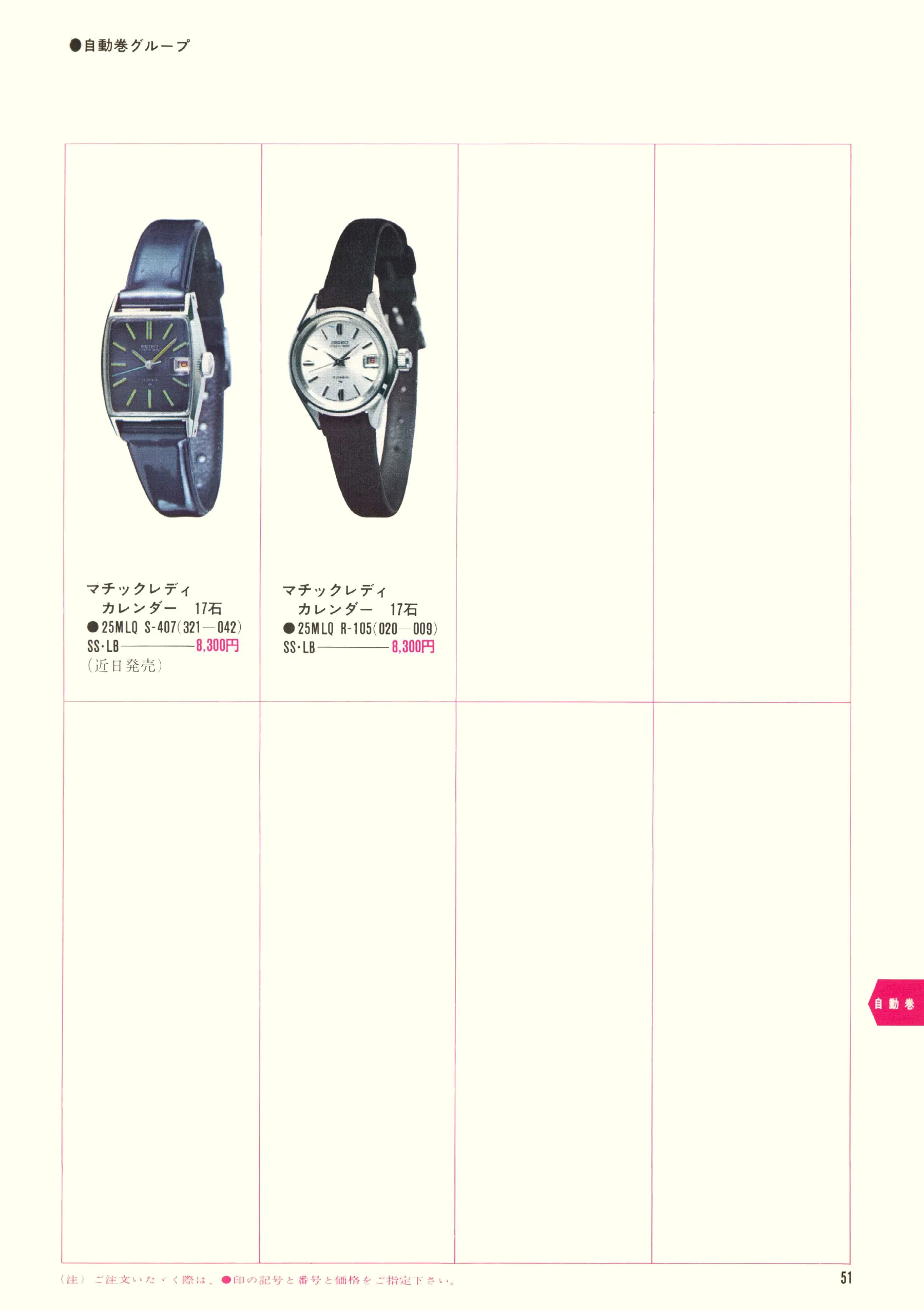
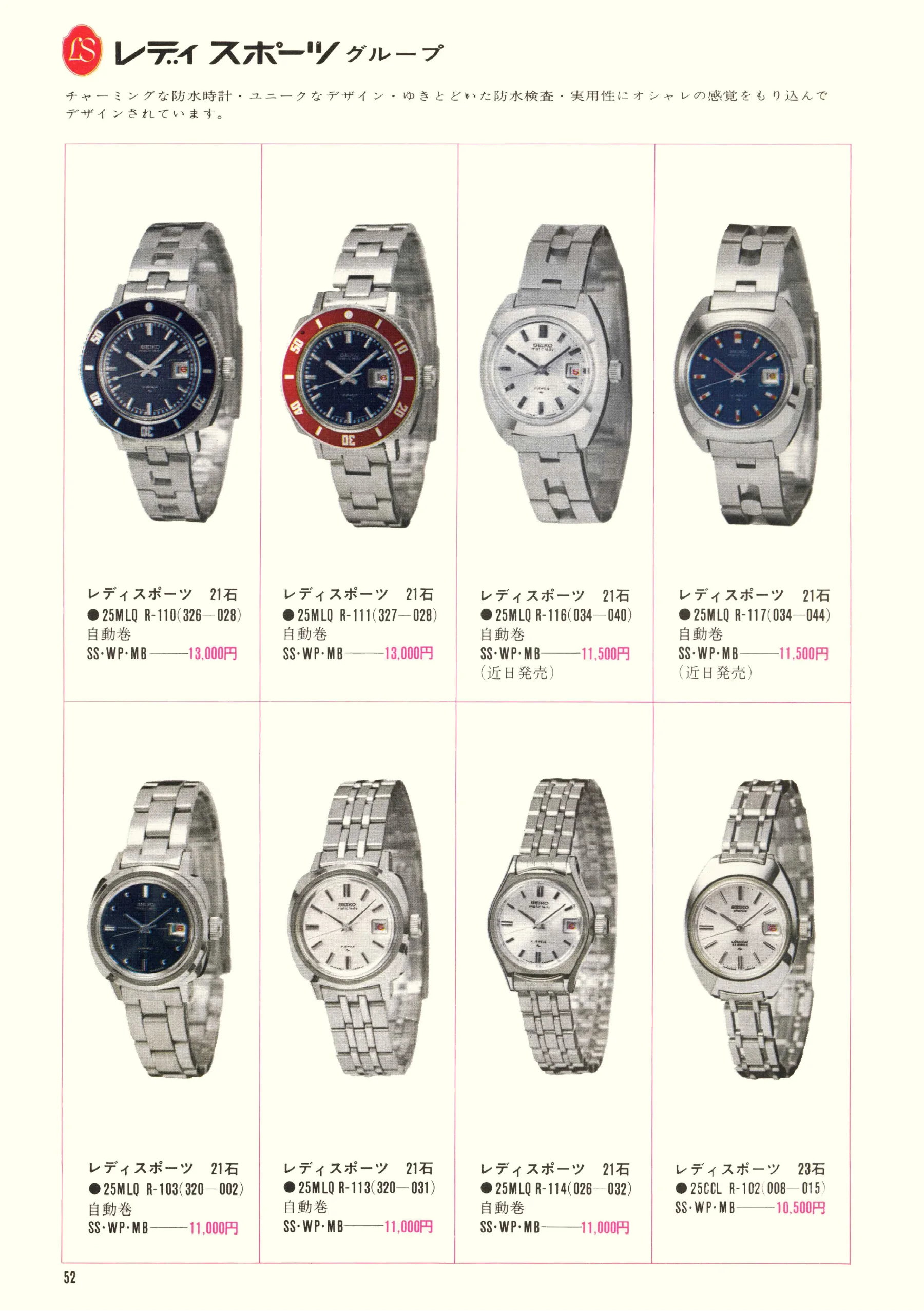
Free 3–7 day shipping across the United States

Seiko 1969 No. 1

A look through Seiko's Japanese collection at the close of the sixties. 67 pages.
Scans courtesy of Plus9Time
150%
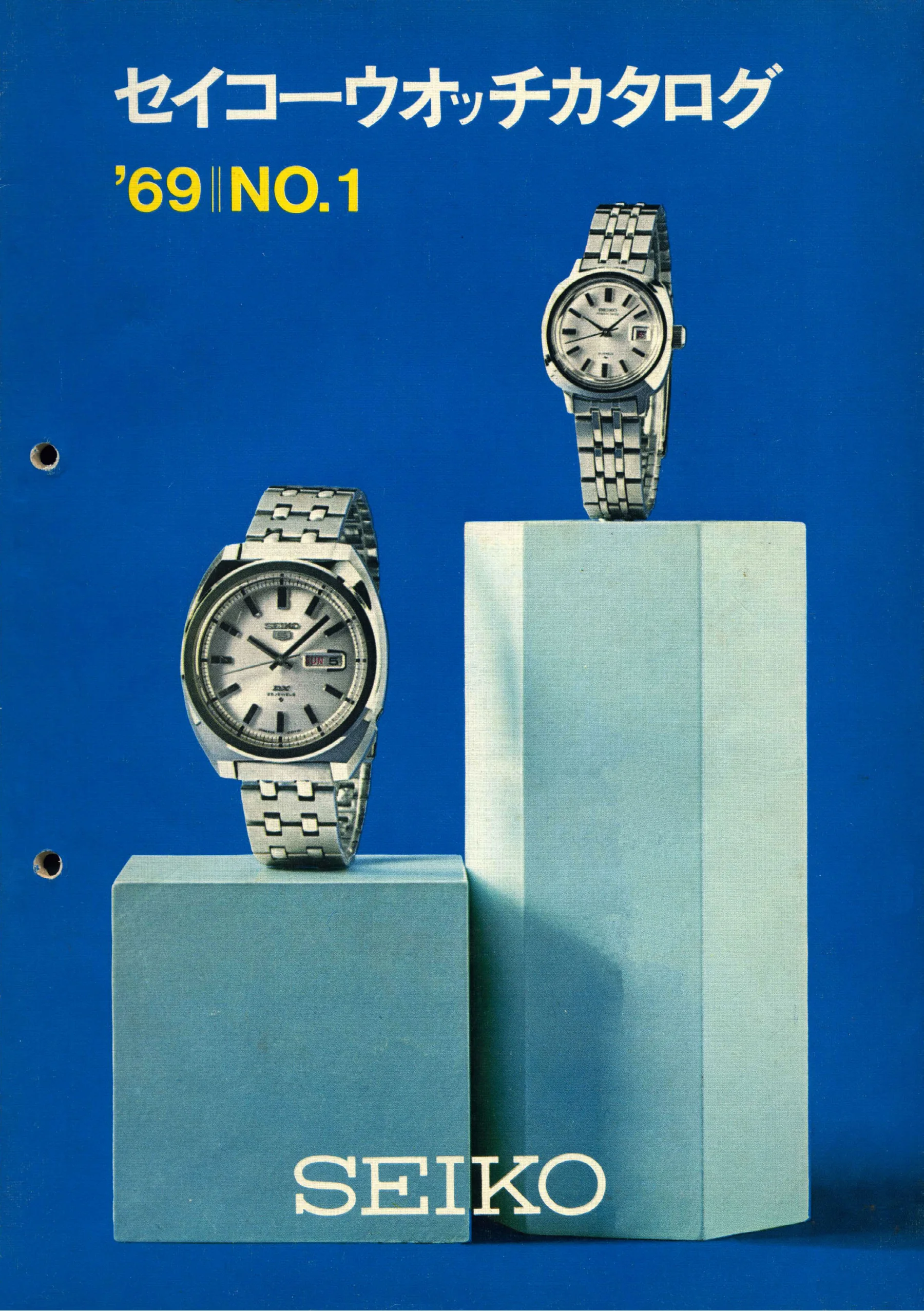
Seiko 1969, Front cover. Use the selection controls to identify a watch.
Front cover · Scan page 1
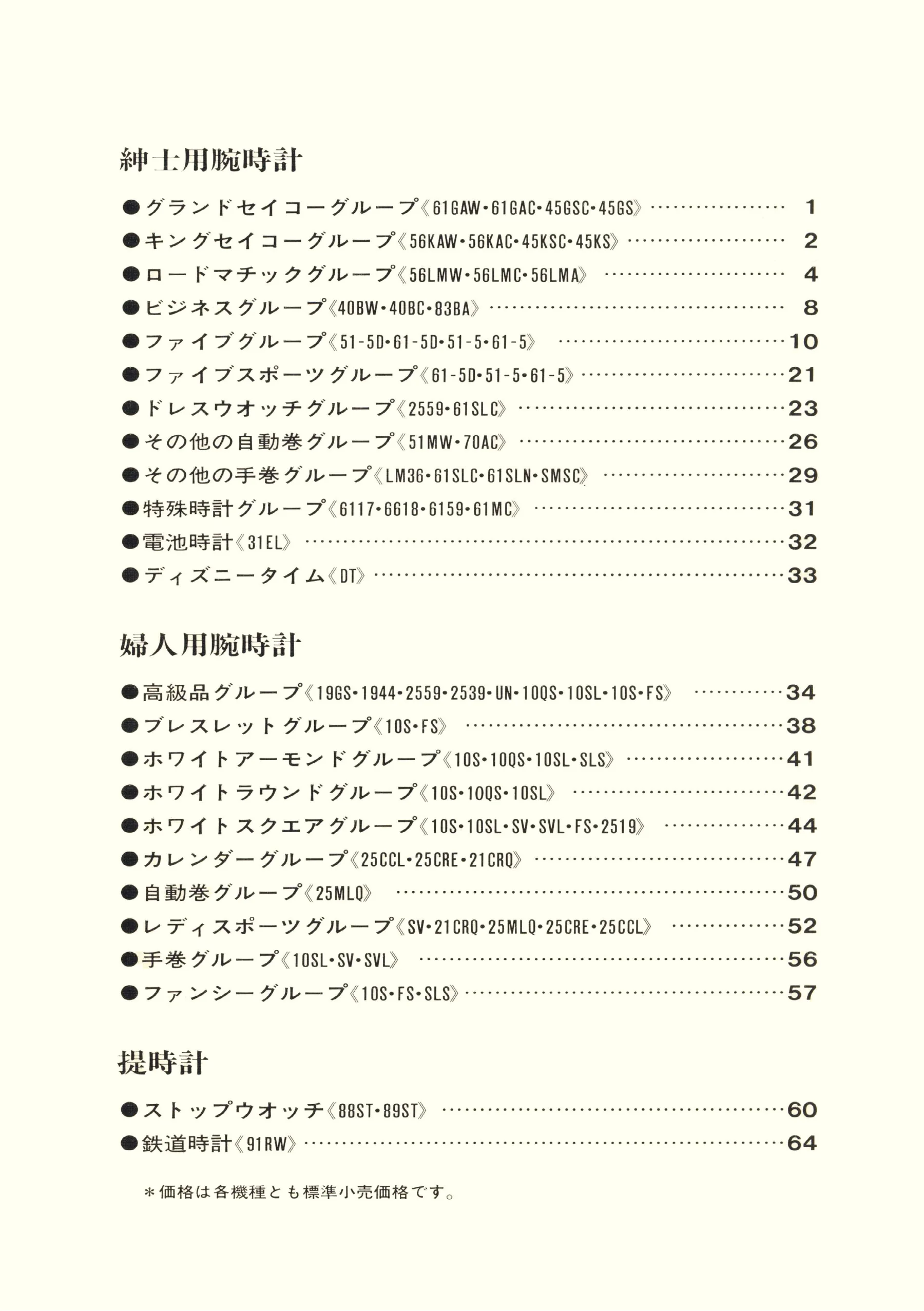
Seiko 1969, Scan page 2. Use the selection controls to identify a watch.
Scan page 2
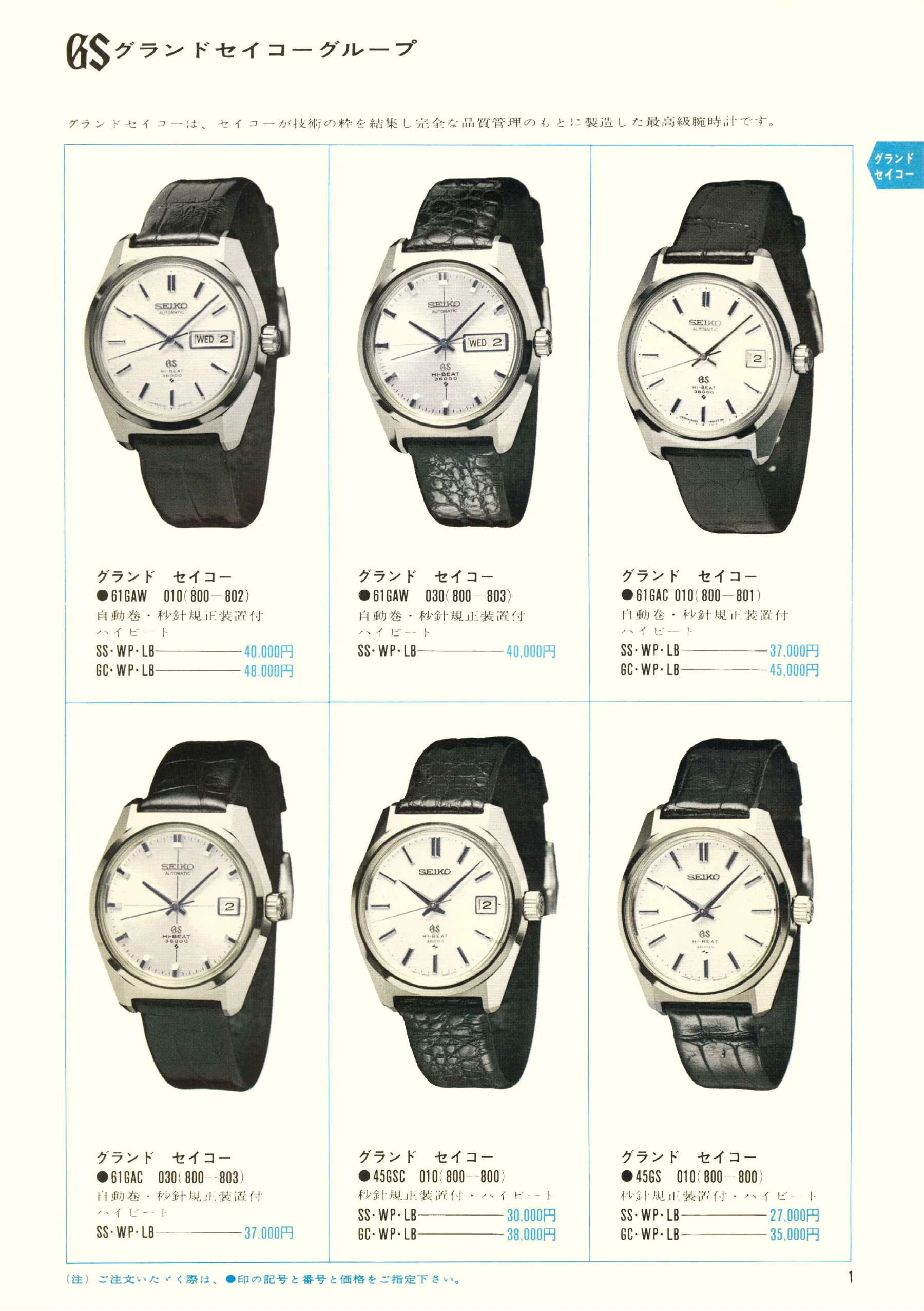
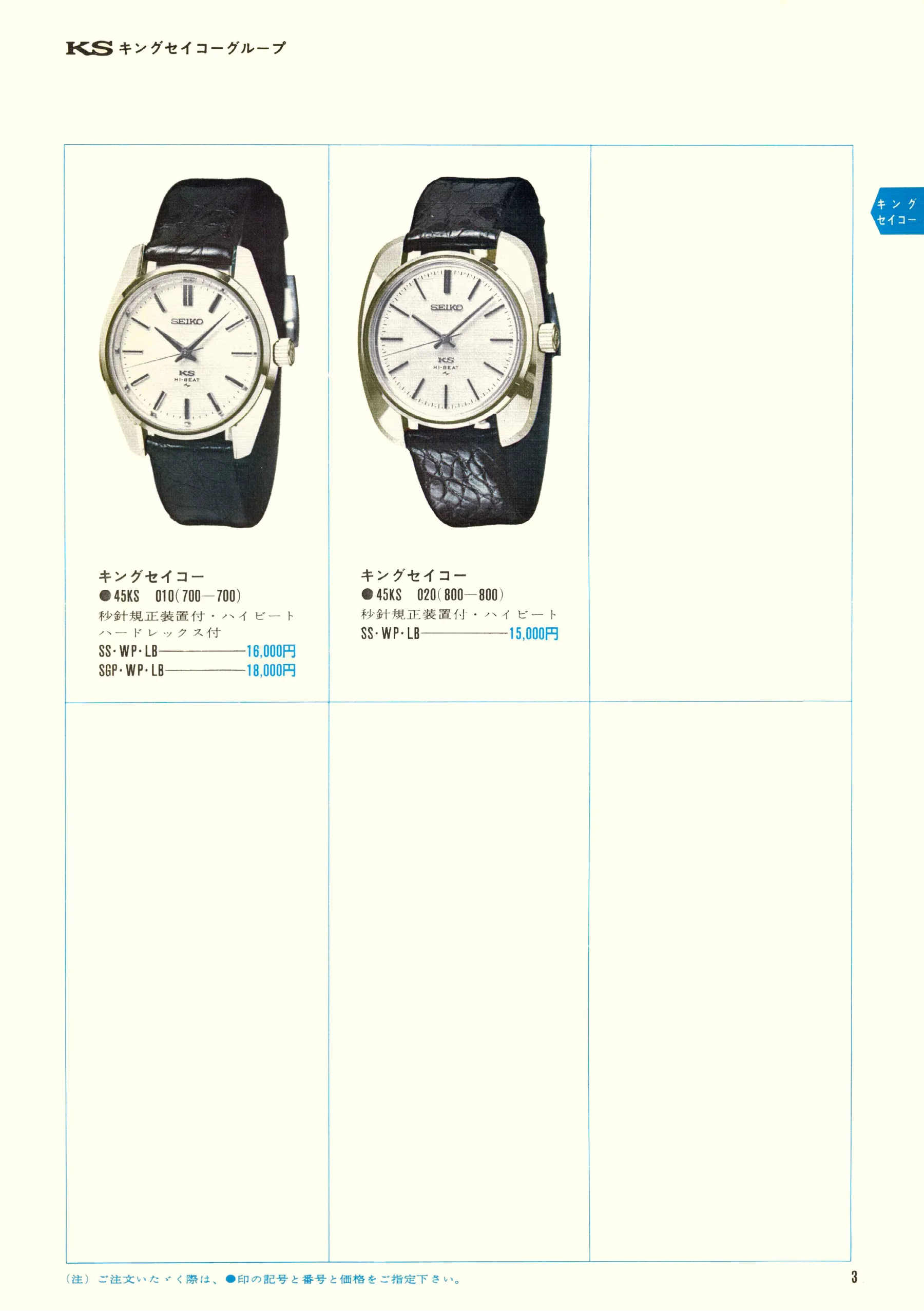
Seiko 1969, Scan page 3. Use the selection controls to identify a watch.
Scan page 3
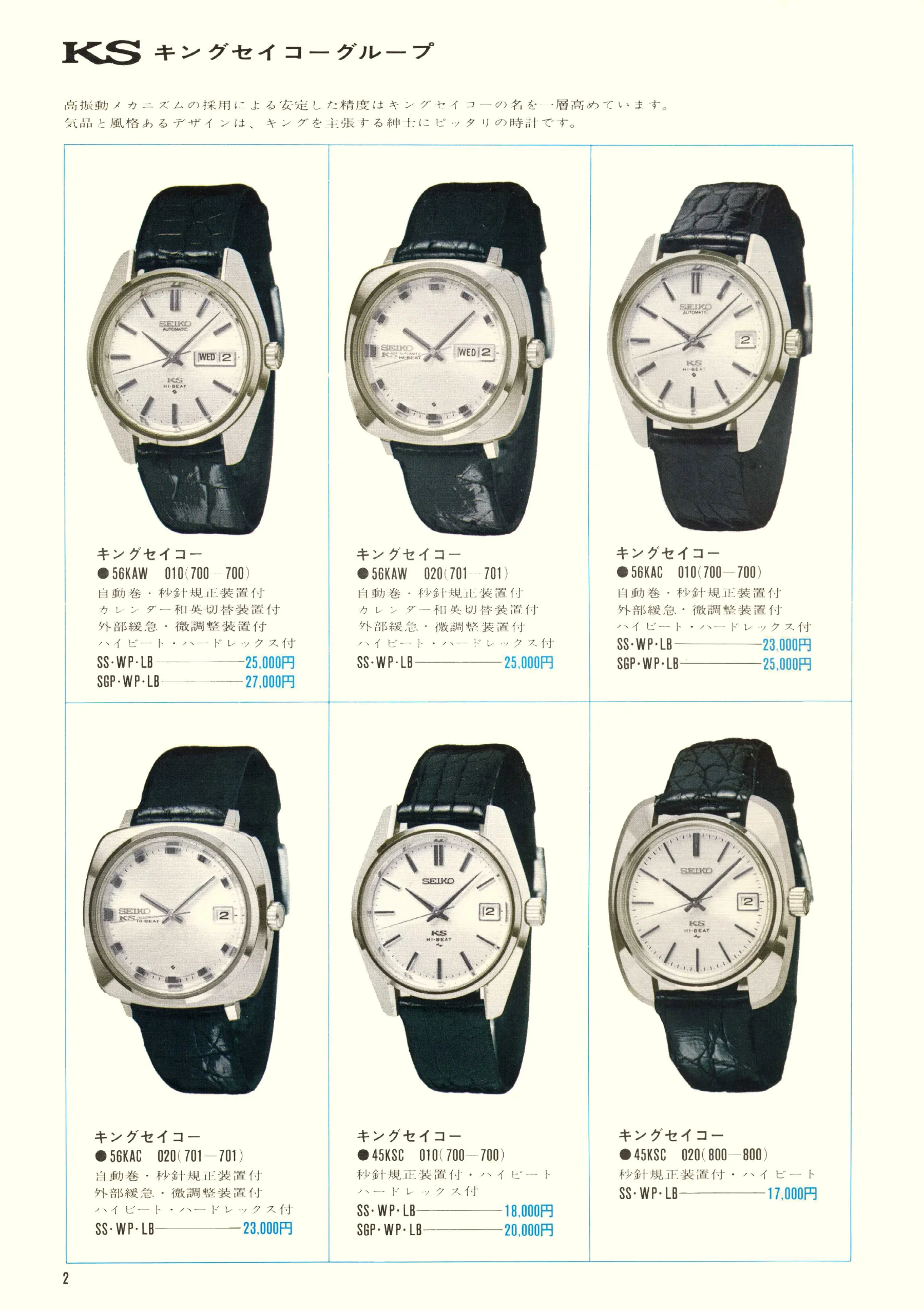
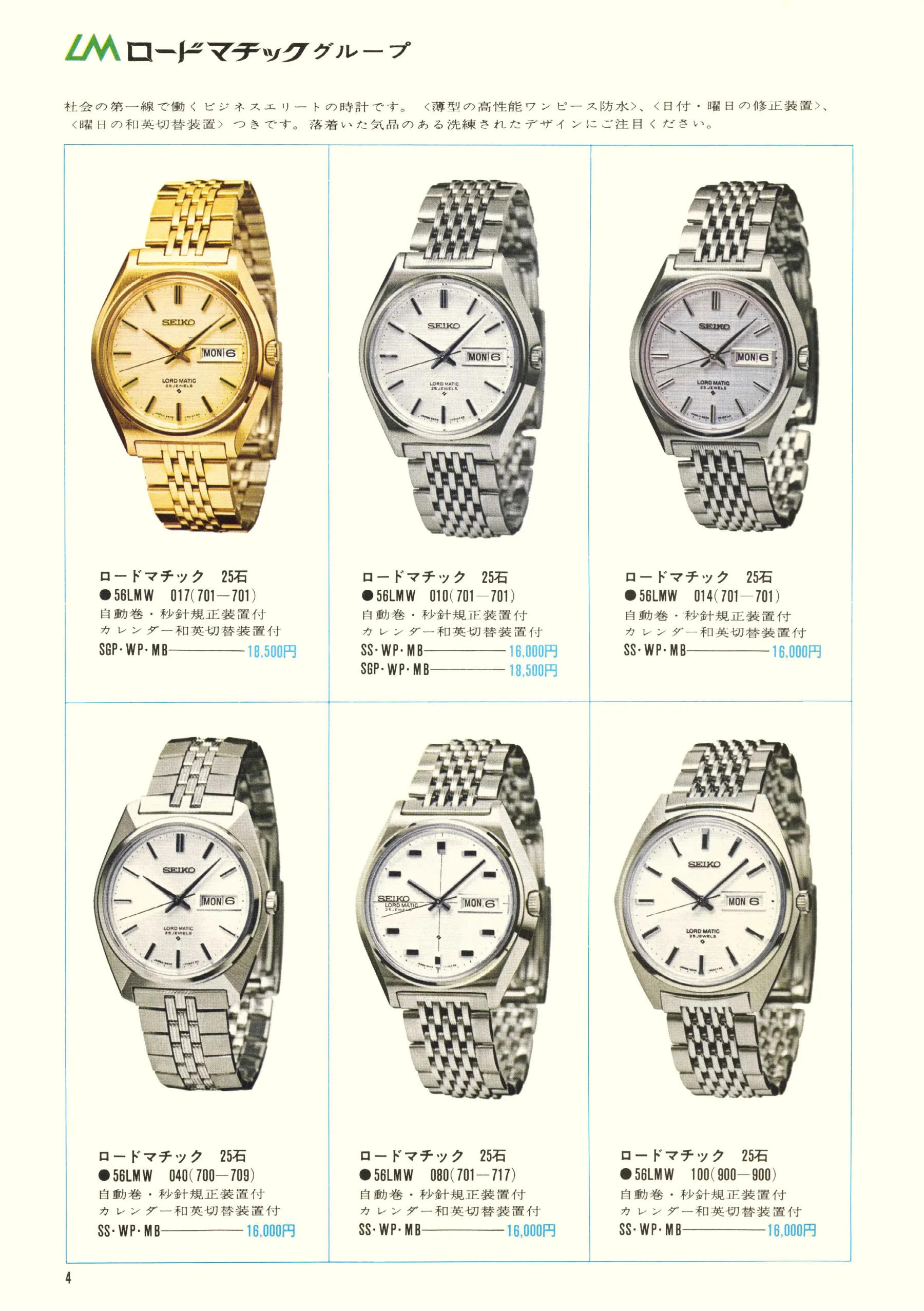
Seiko 1969, Scan page 4. Use the selection controls to identify a watch.
Scan page 4
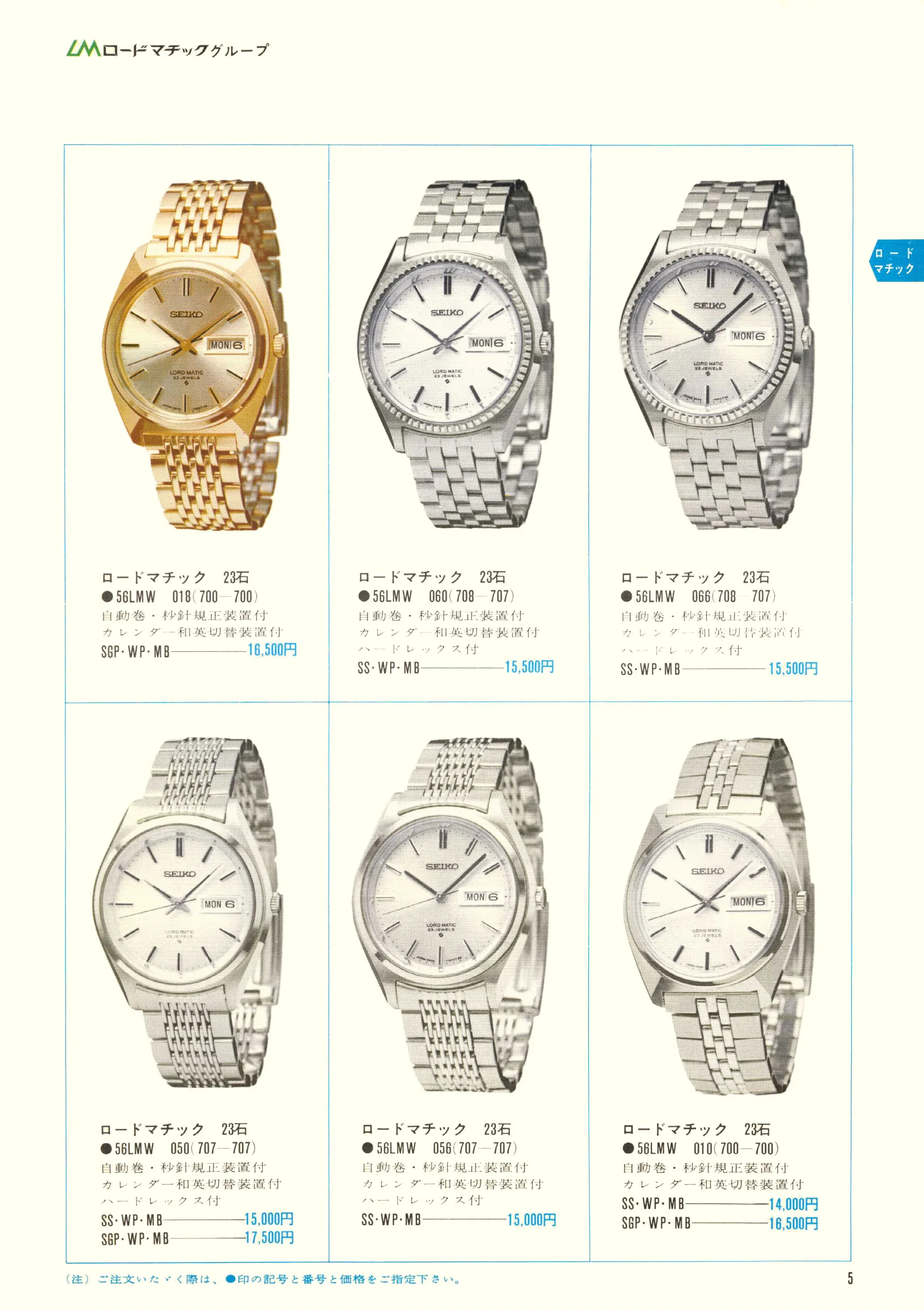
Seiko 1969, Scan page 5. Use the selection controls to identify a watch.
Scan page 5
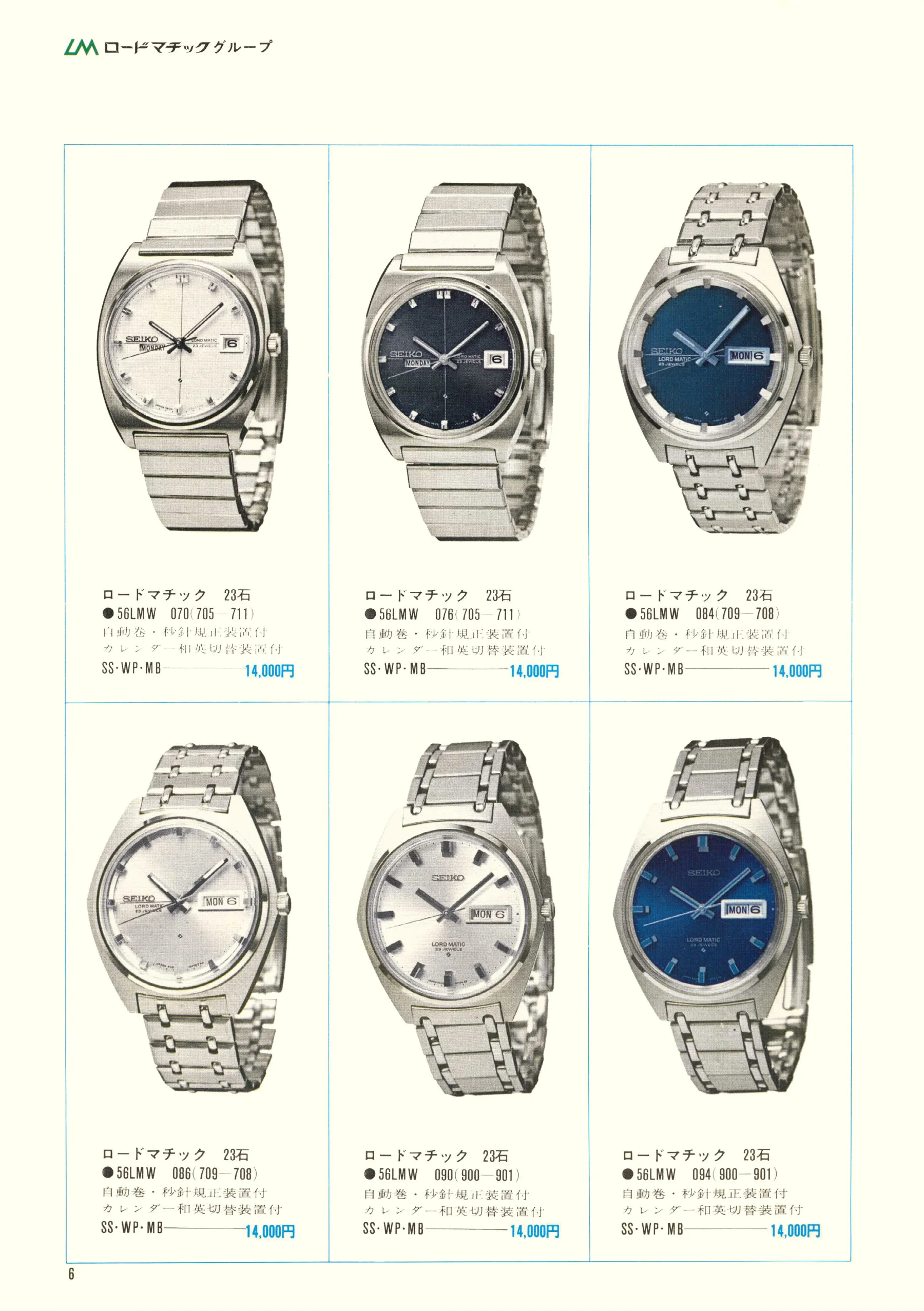
Seiko 1969, Scan page 6. Use the selection controls to identify a watch.
Scan page 6
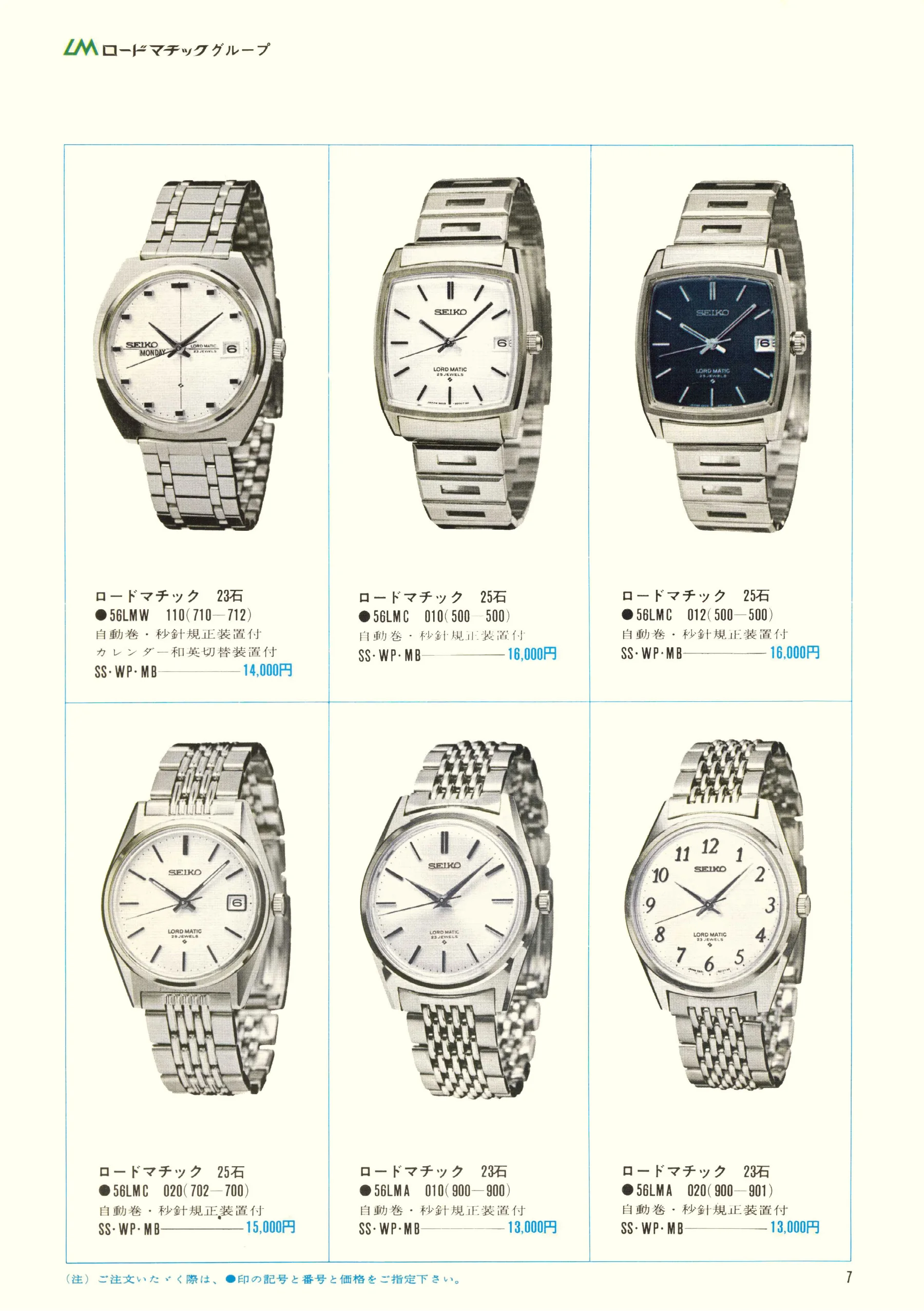
Seiko 1969, Scan page 7. Use the selection controls to identify a watch.
Scan page 7
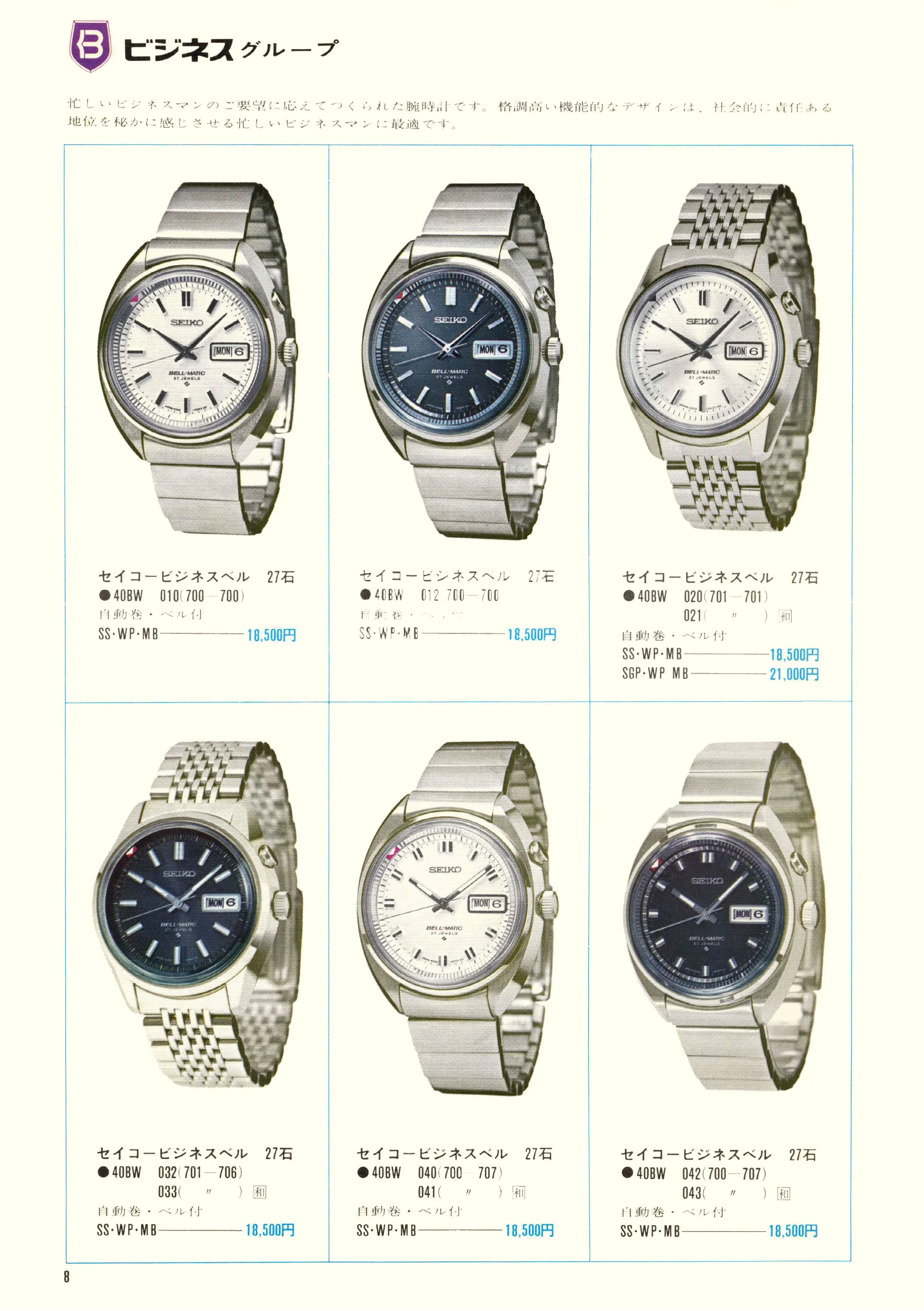
Seiko 1969, Scan page 8. Use the selection controls to identify a watch.
Scan page 8
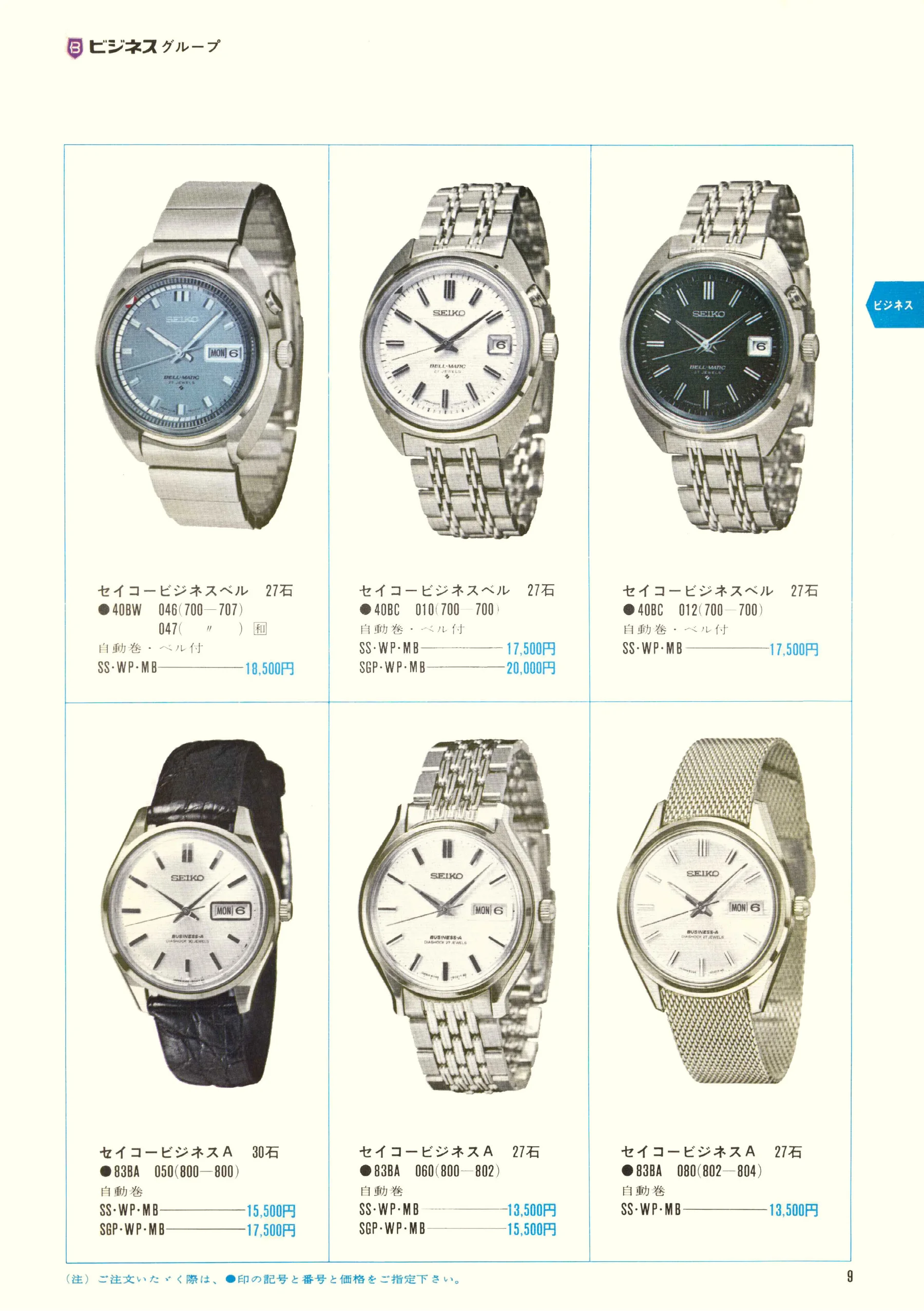
Seiko 1969, Scan page 9. Use the selection controls to identify a watch.
Scan page 9
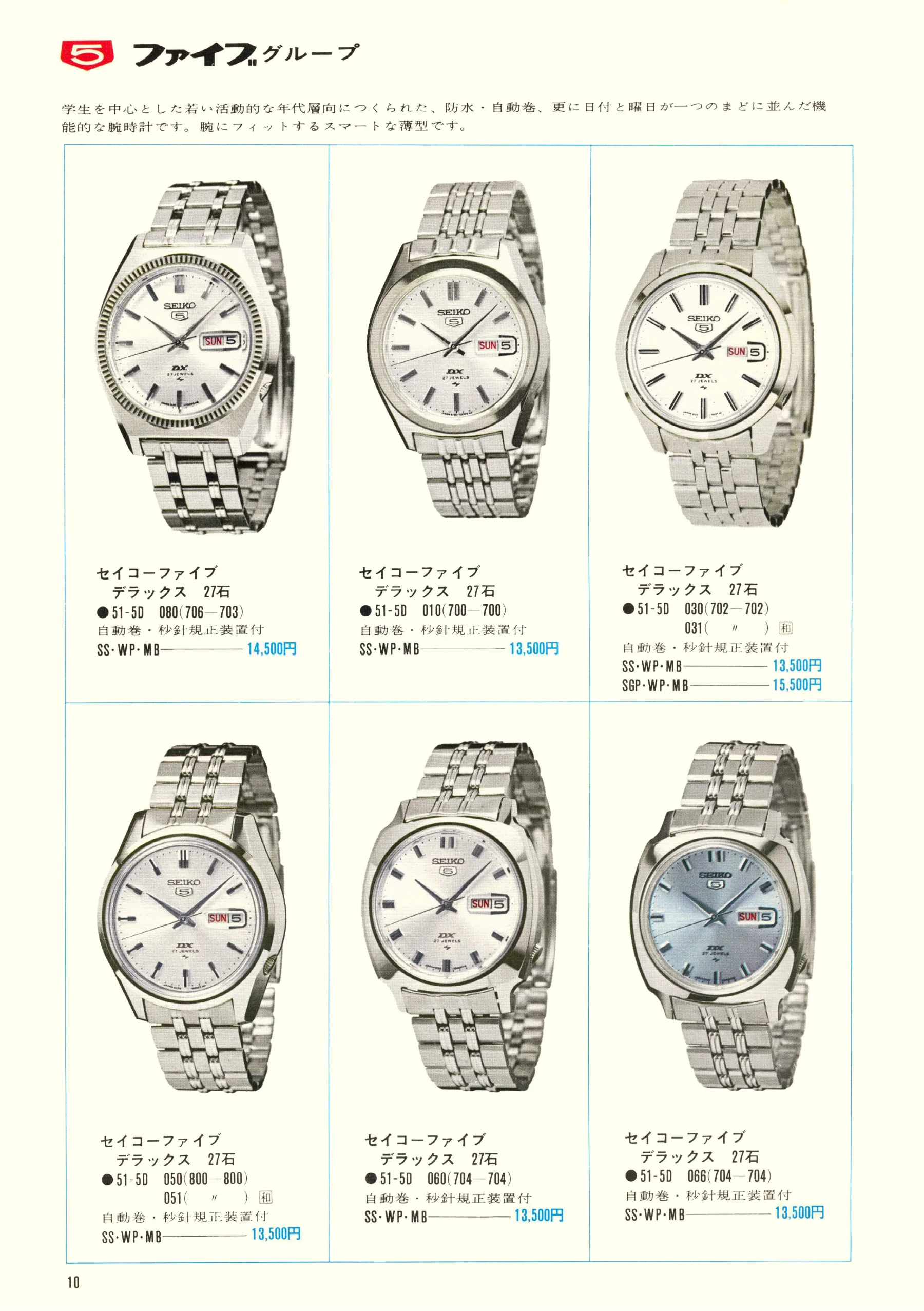
Seiko 1969, Scan page 10. Use the selection controls to identify a watch.
Scan page 10
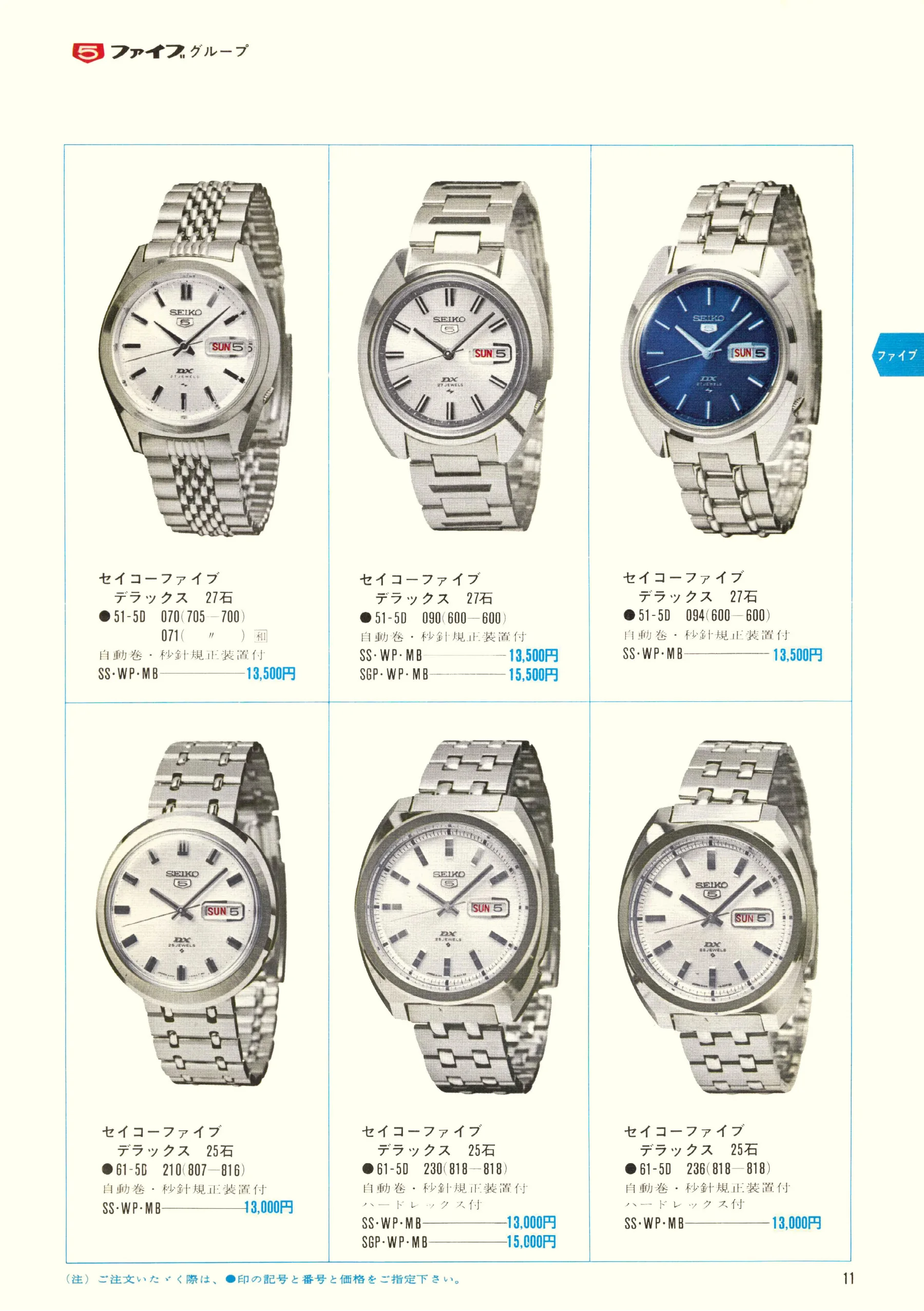
Seiko 1969, Scan page 11. Use the selection controls to identify a watch.
Scan page 11
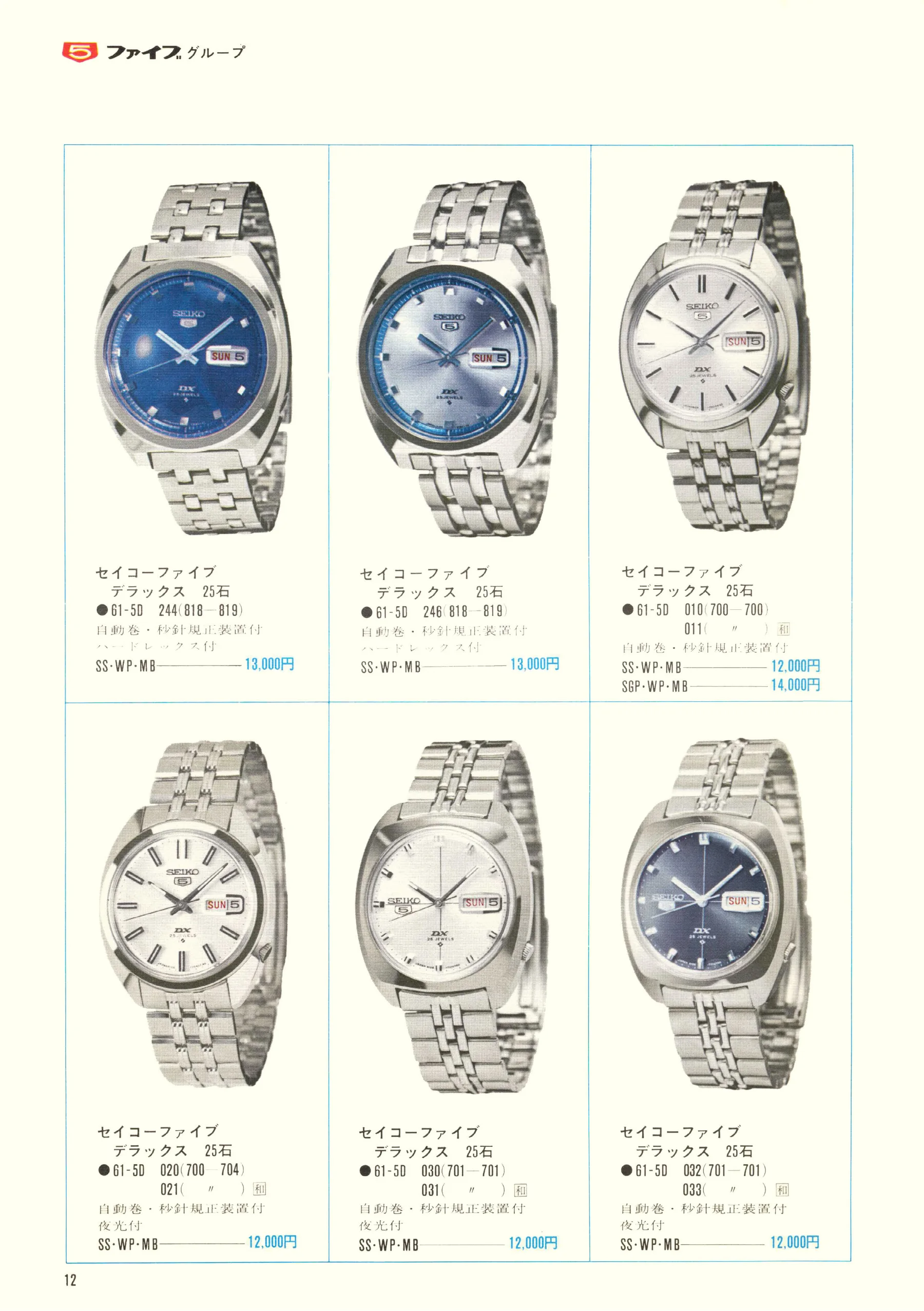
Seiko 1969, Scan page 12. Use the selection controls to identify a watch.
Scan page 12
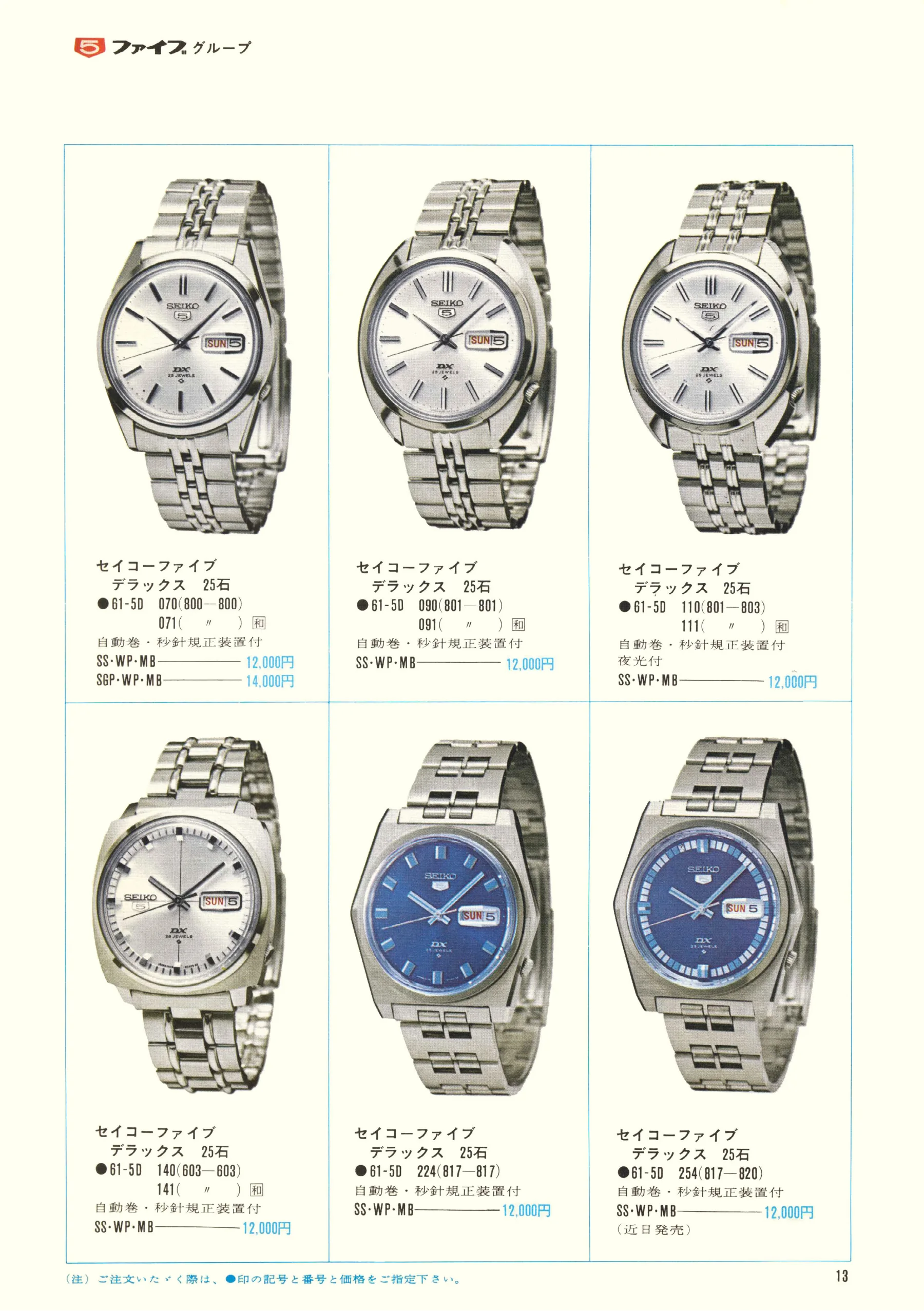
Seiko 1969, Scan page 13. Use the selection controls to identify a watch.
Scan page 13
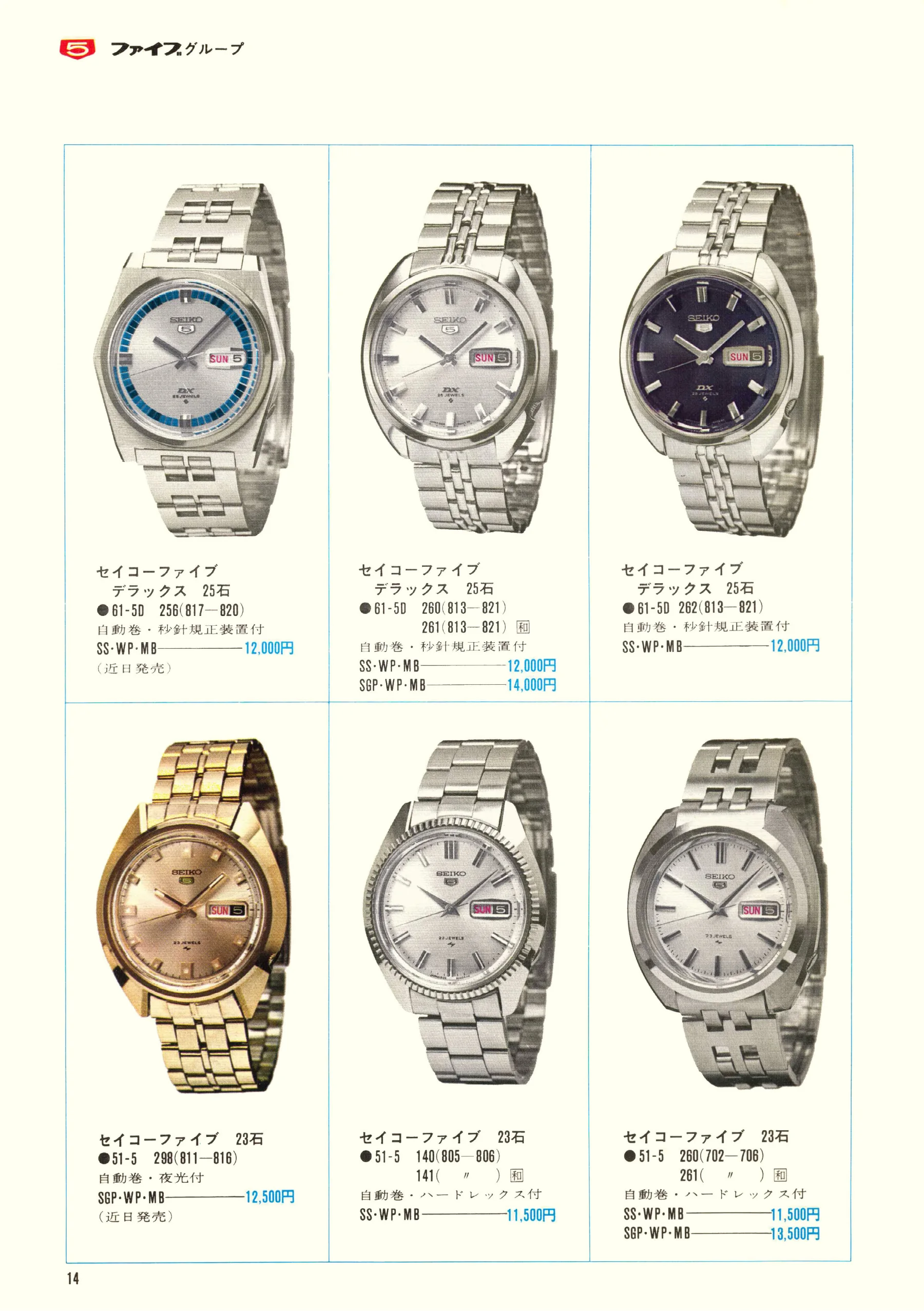
Seiko 1969, Scan page 14. Use the selection controls to identify a watch.
Scan page 14
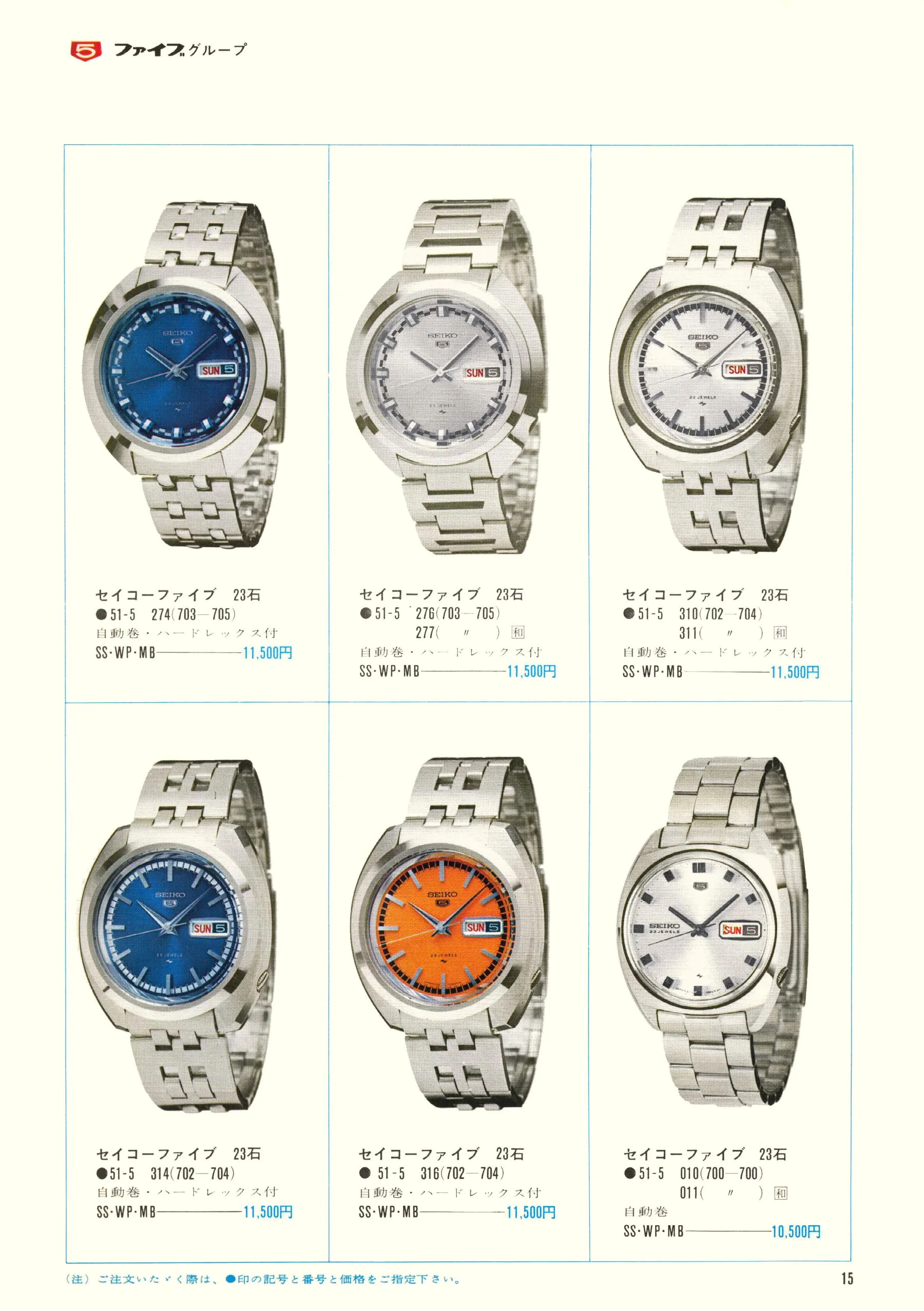
Seiko 1969, Scan page 15. Use the selection controls to identify a watch.
Scan page 15
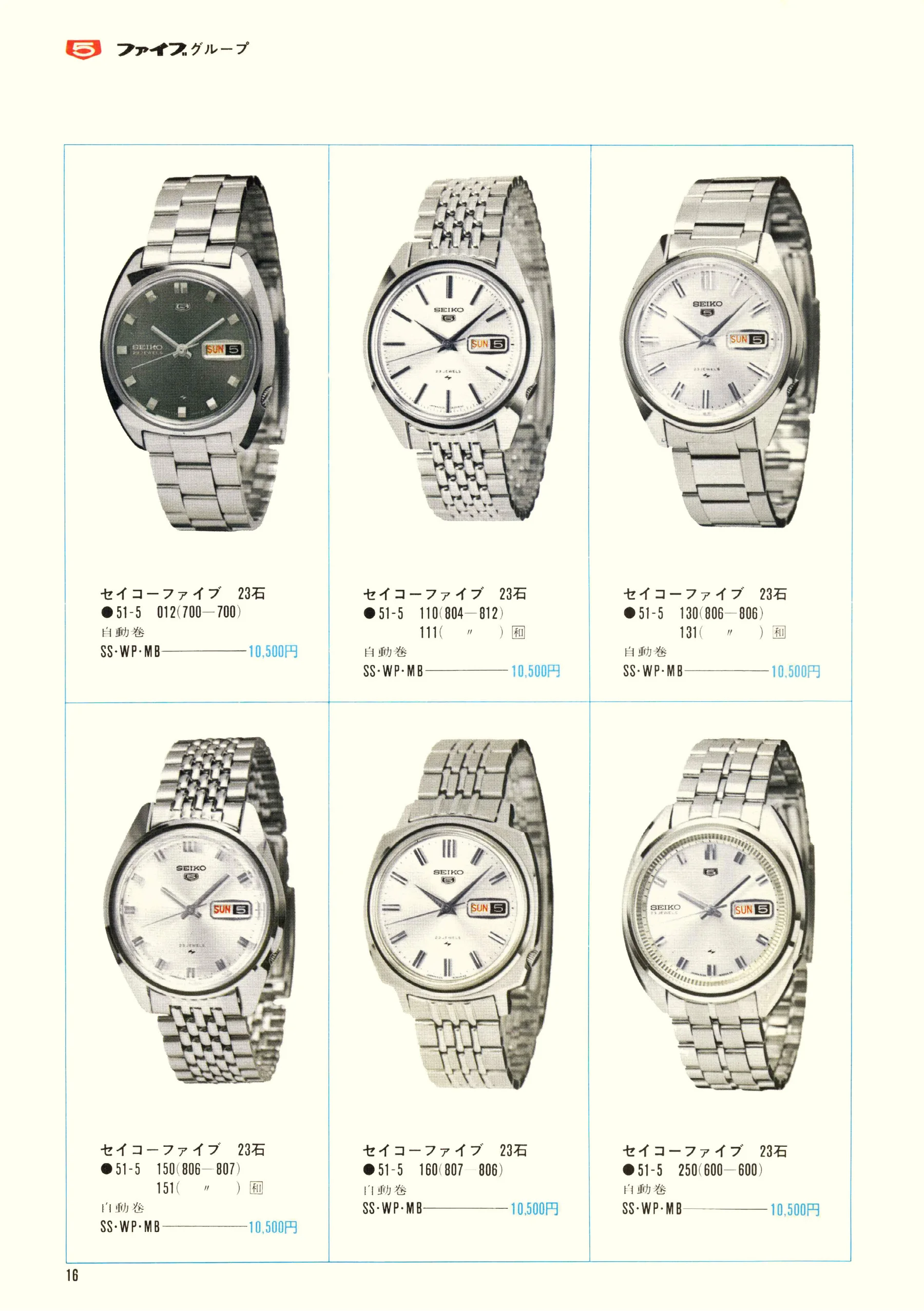
Seiko 1969, Scan page 16. Use the selection controls to identify a watch.
Scan page 16
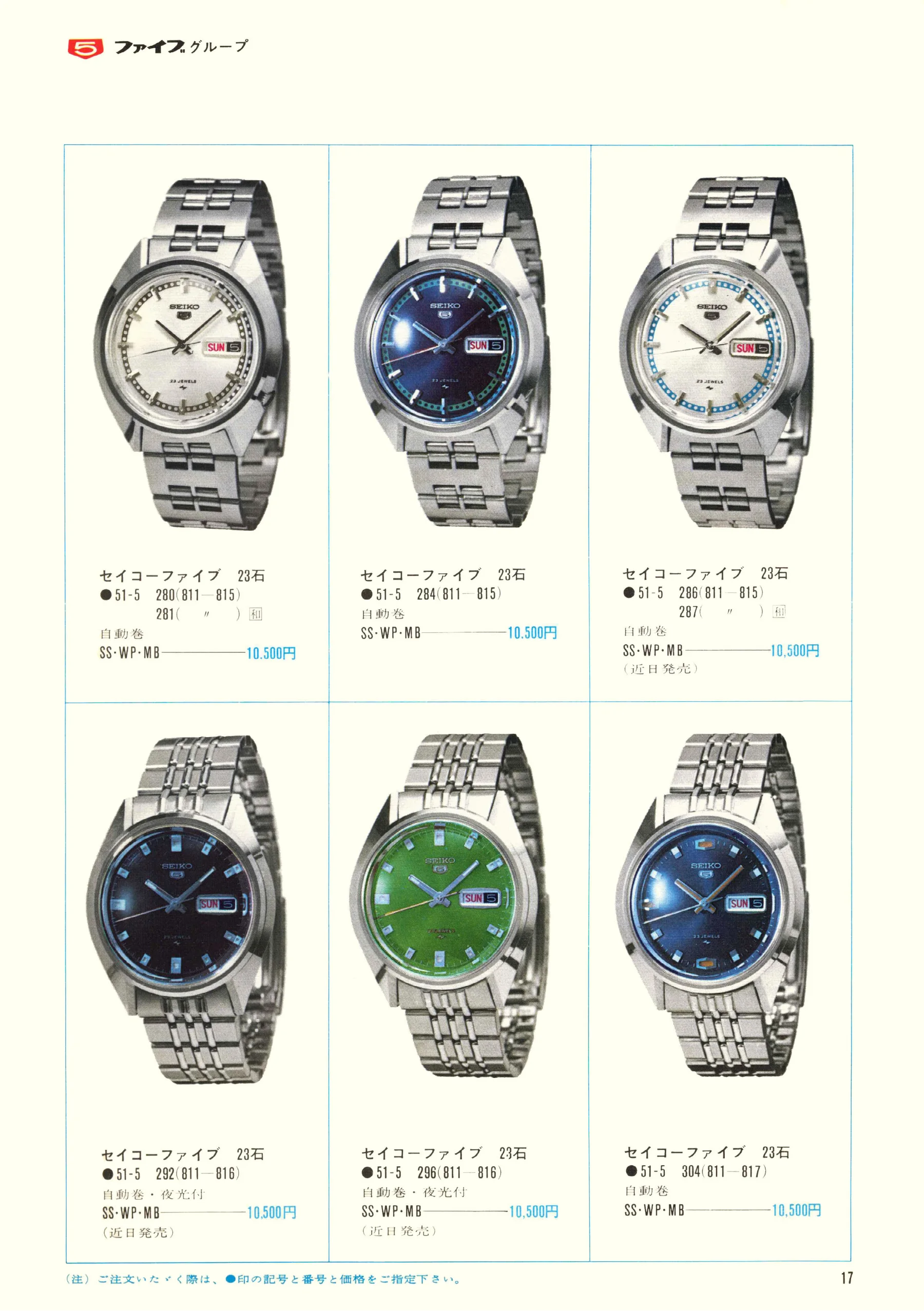
Seiko 1969, Scan page 17. Use the selection controls to identify a watch.
Scan page 17
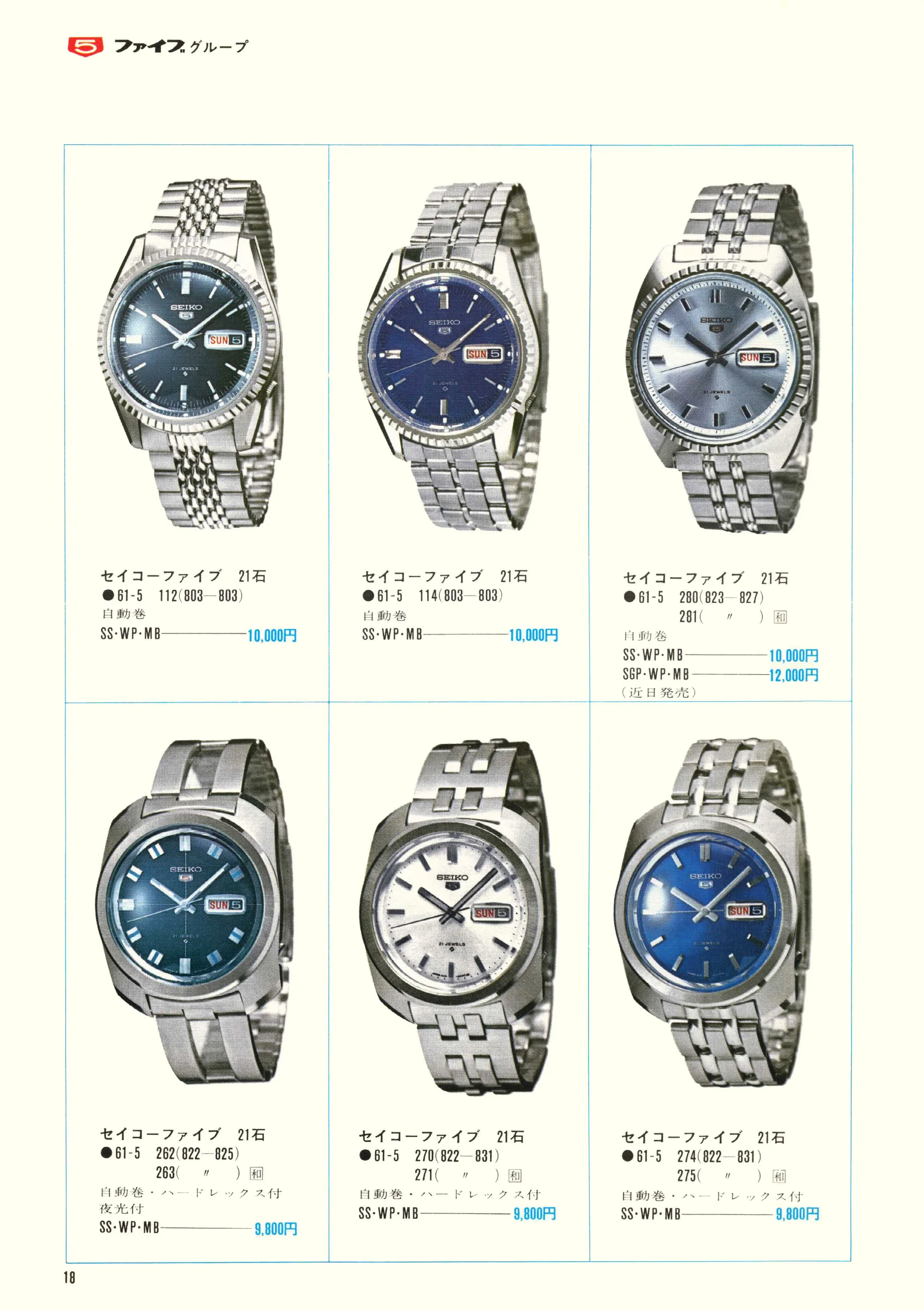
Seiko 1969, Scan page 18. Use the selection controls to identify a watch.
Scan page 18
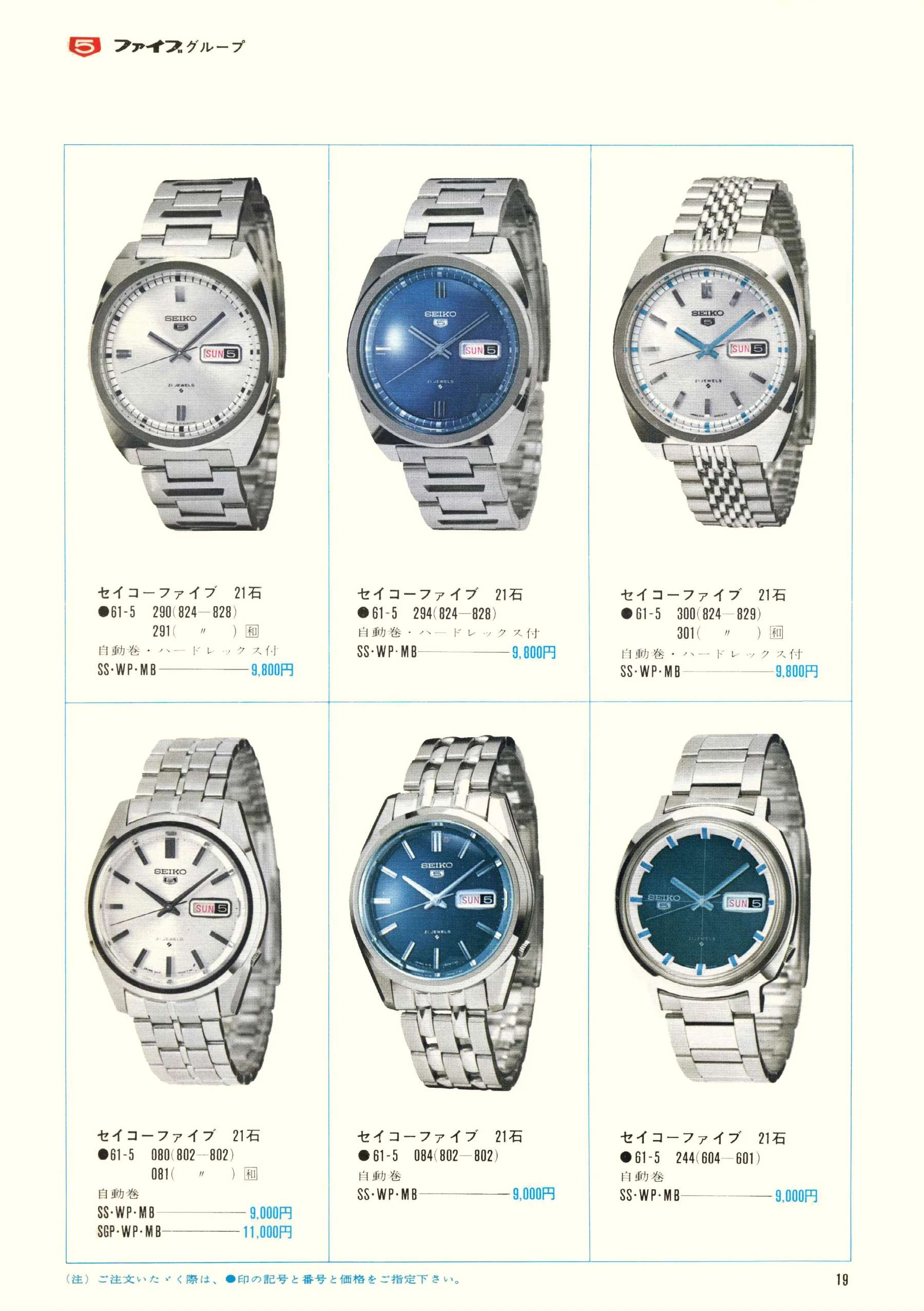
Seiko 1969, Scan page 19. Use the selection controls to identify a watch.
Scan page 19
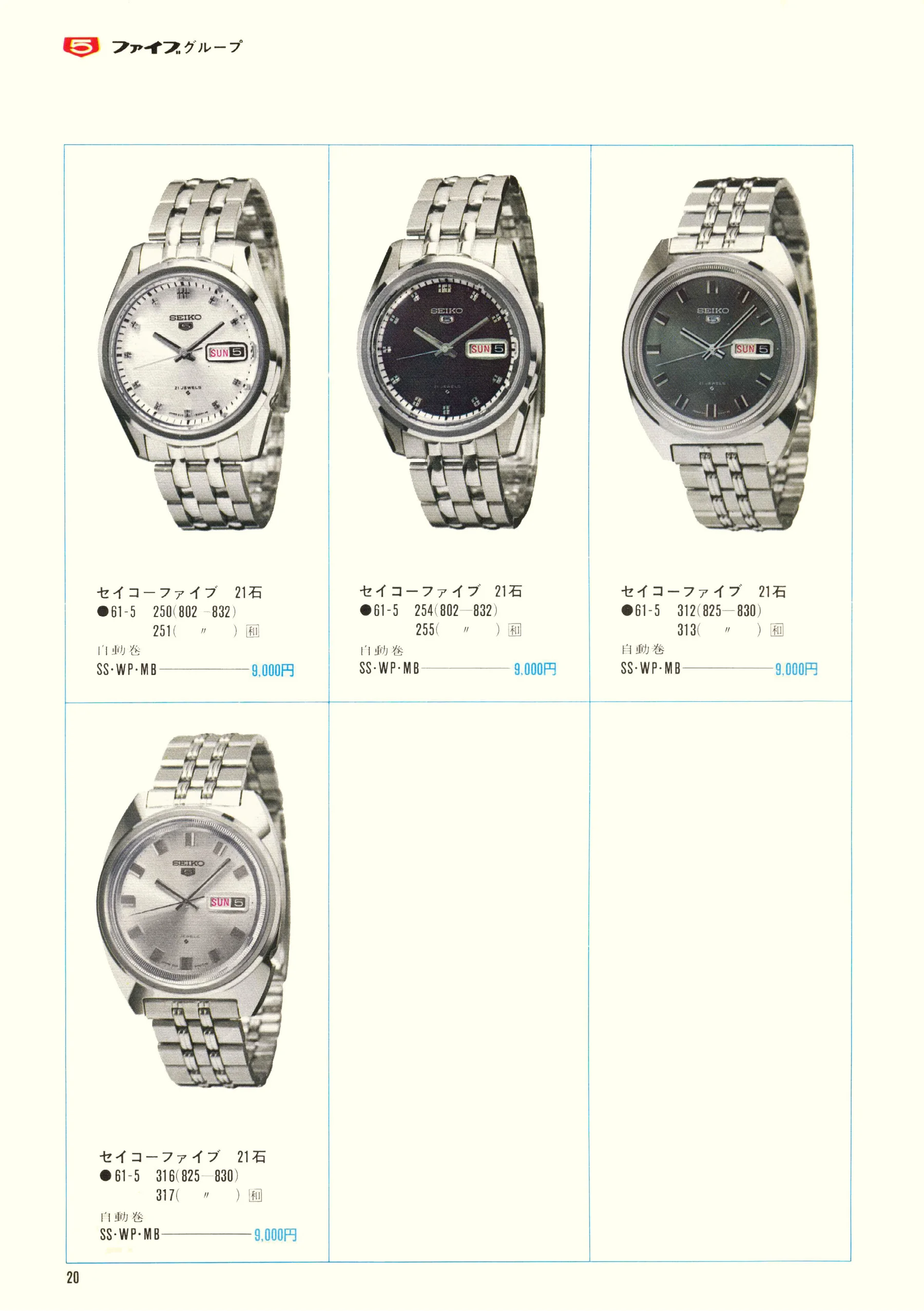
Seiko 1969, Scan page 20. Use the selection controls to identify a watch.
Scan page 20
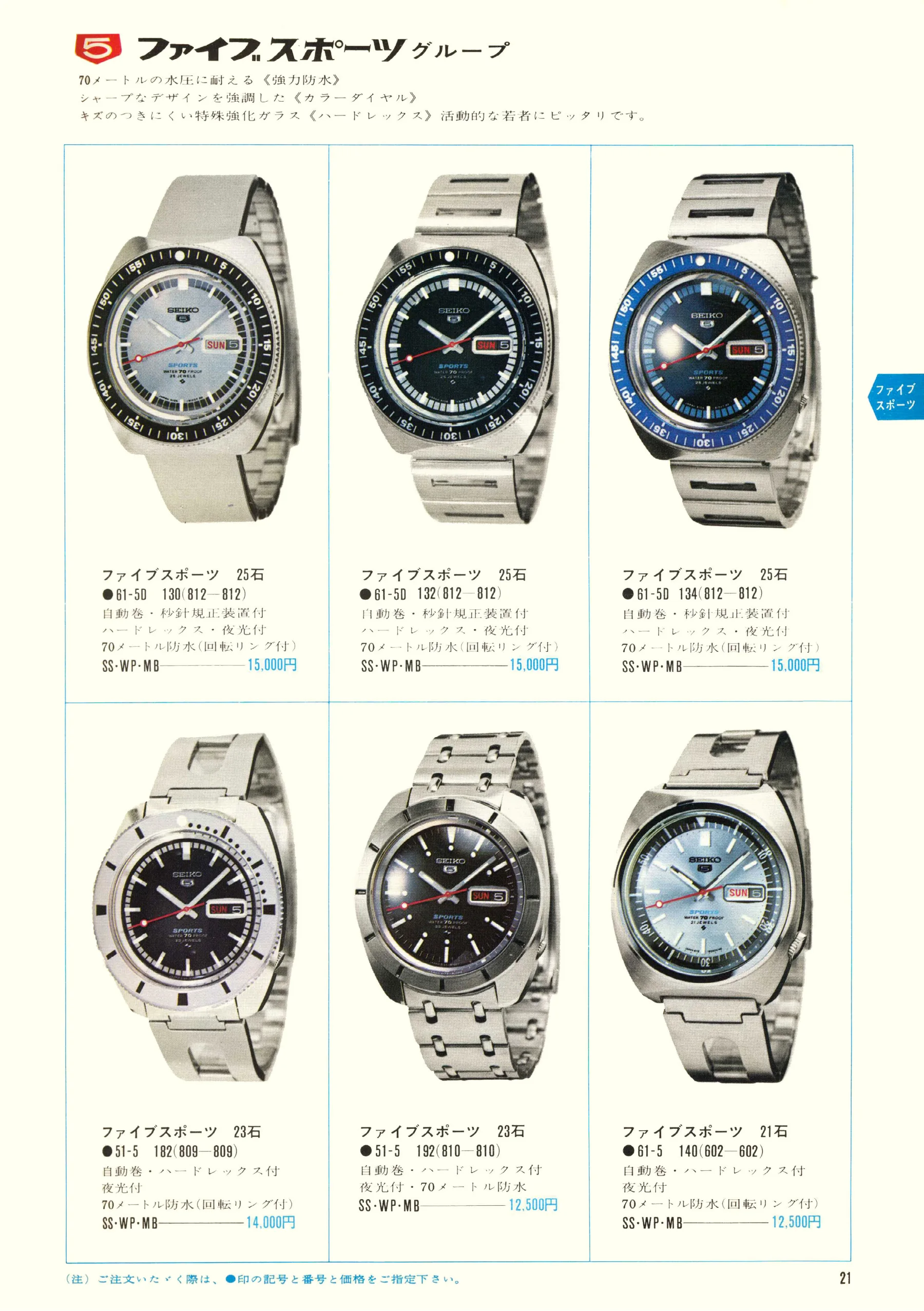
Seiko 1969, Scan page 21. Use the selection controls to identify a watch.
Scan page 21
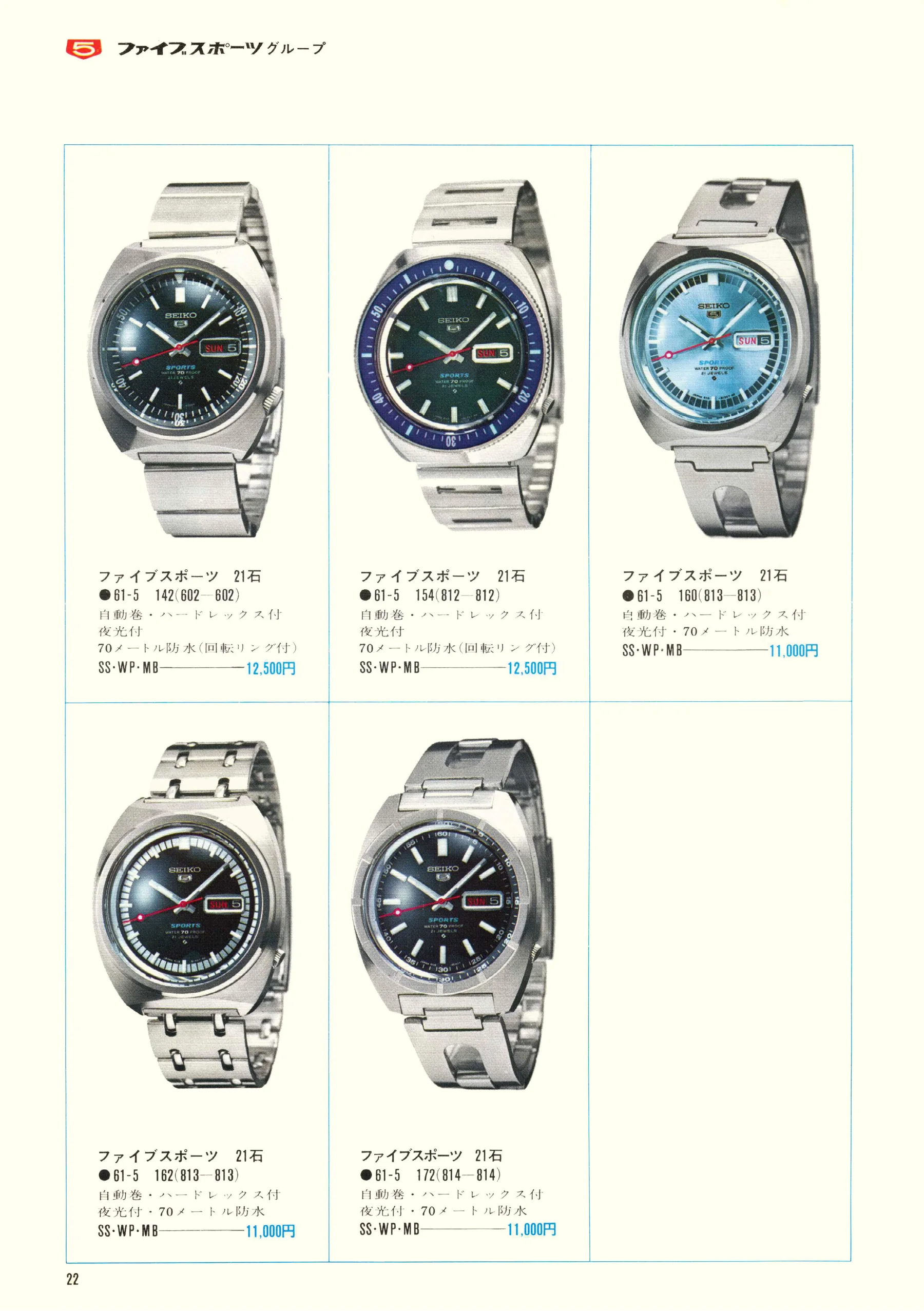
Seiko 1969, Scan page 22. Use the selection controls to identify a watch.
Scan page 22
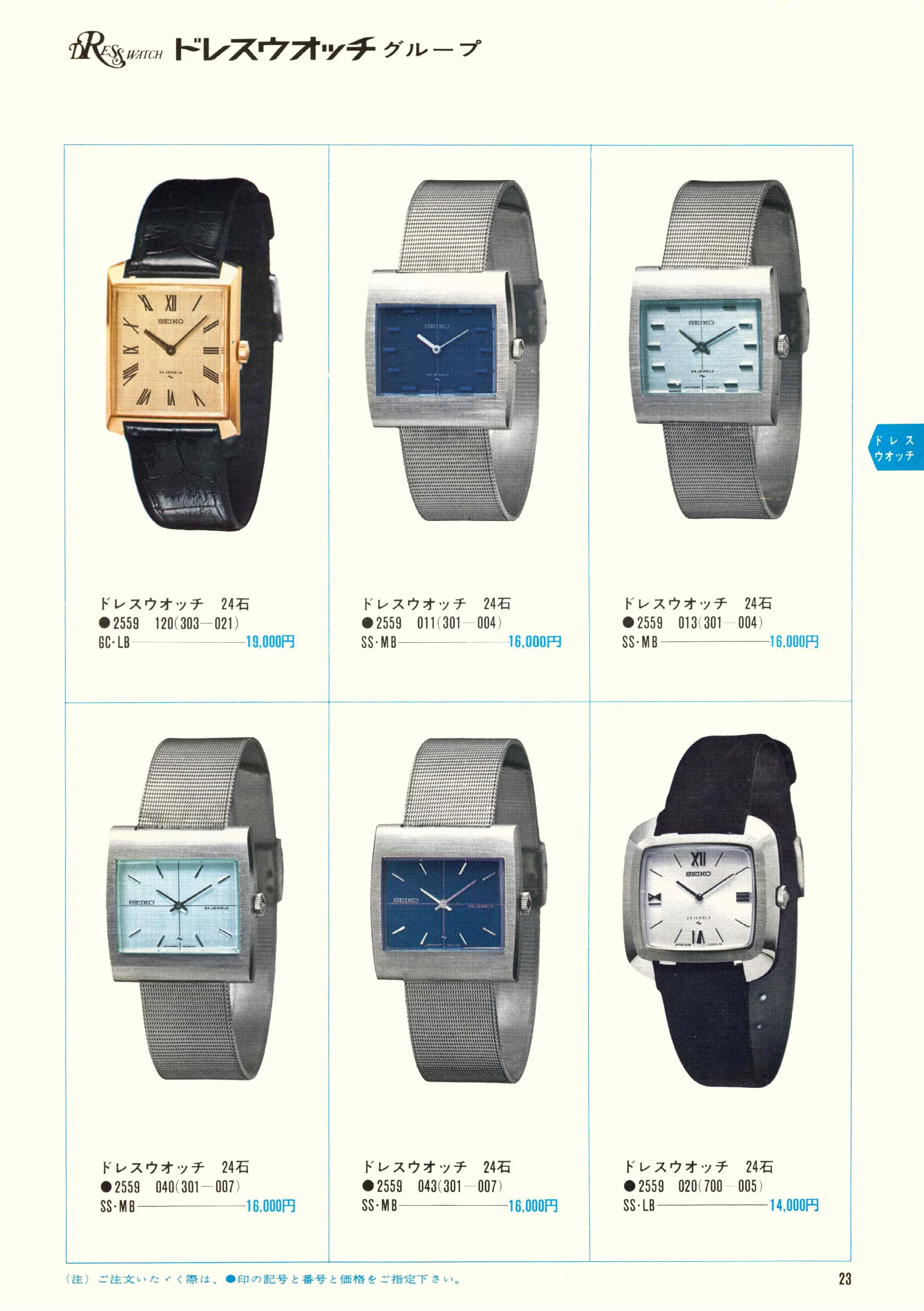
Seiko 1969, Scan page 23. Use the selection controls to identify a watch.
Scan page 23
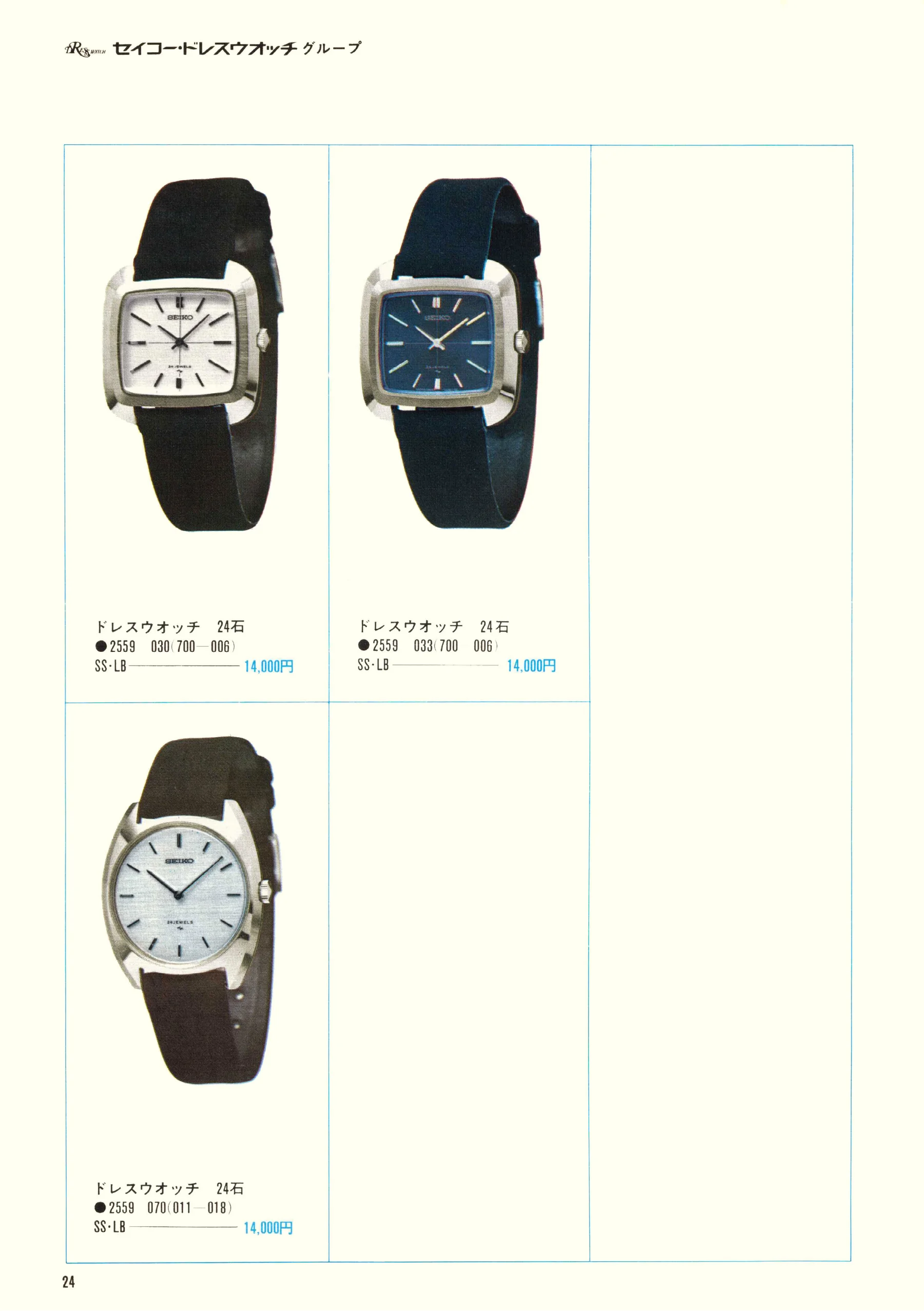
Seiko 1969, Scan page 24. Use the selection controls to identify a watch.
Scan page 24
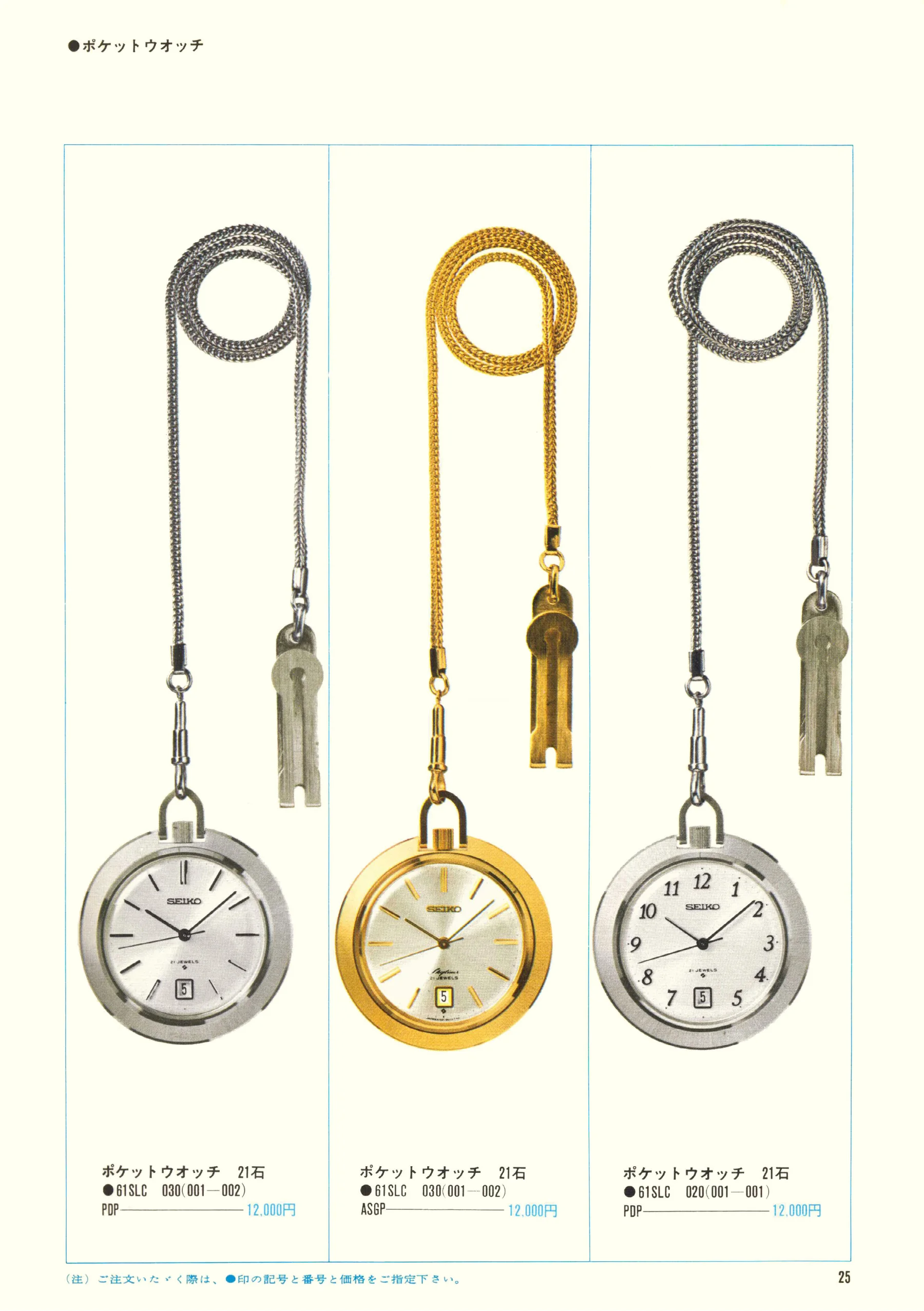
Seiko 1969, Scan page 25. Use the selection controls to identify a watch.
Scan page 25
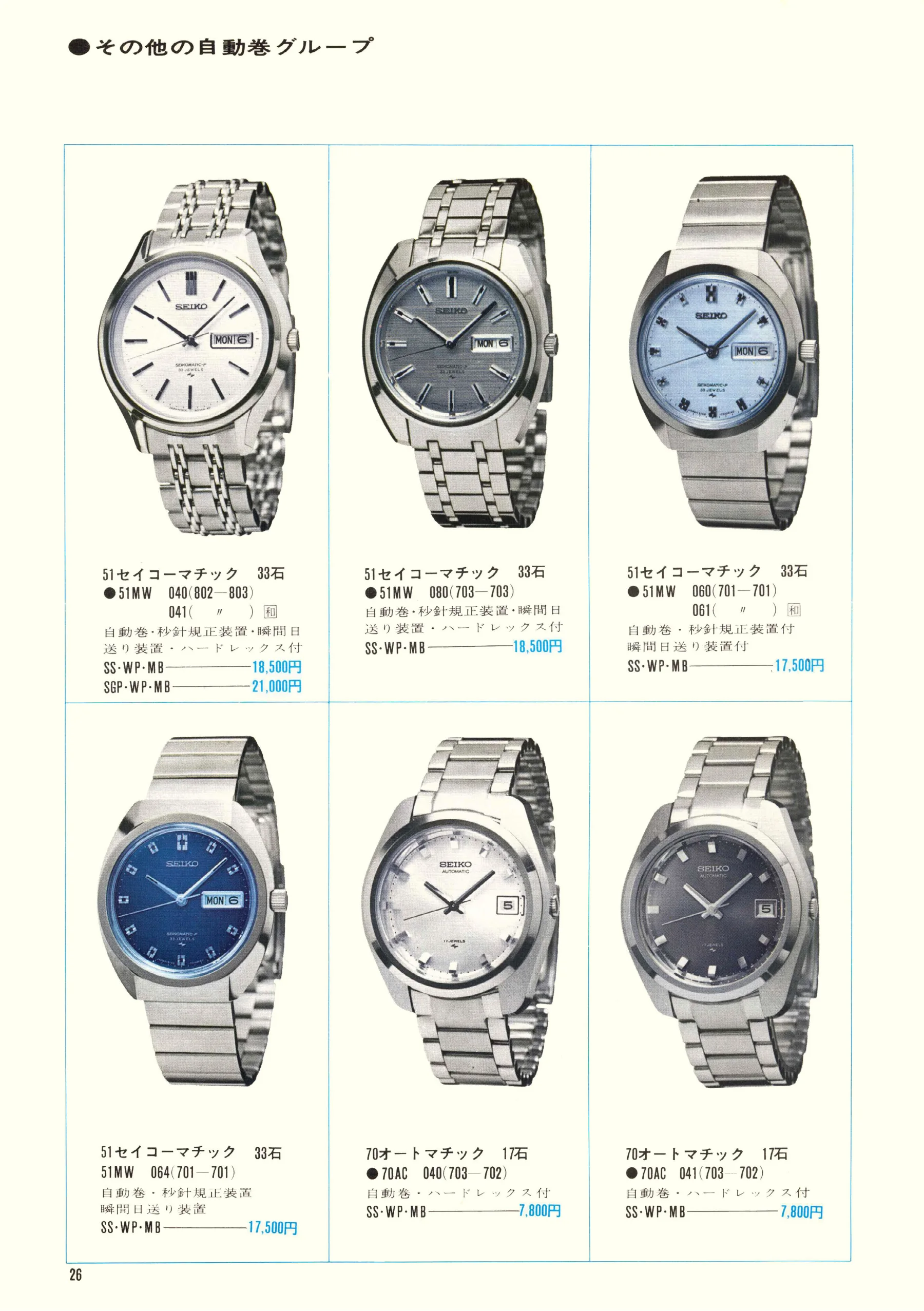
Seiko 1969, Scan page 26. Use the selection controls to identify a watch.
Scan page 26
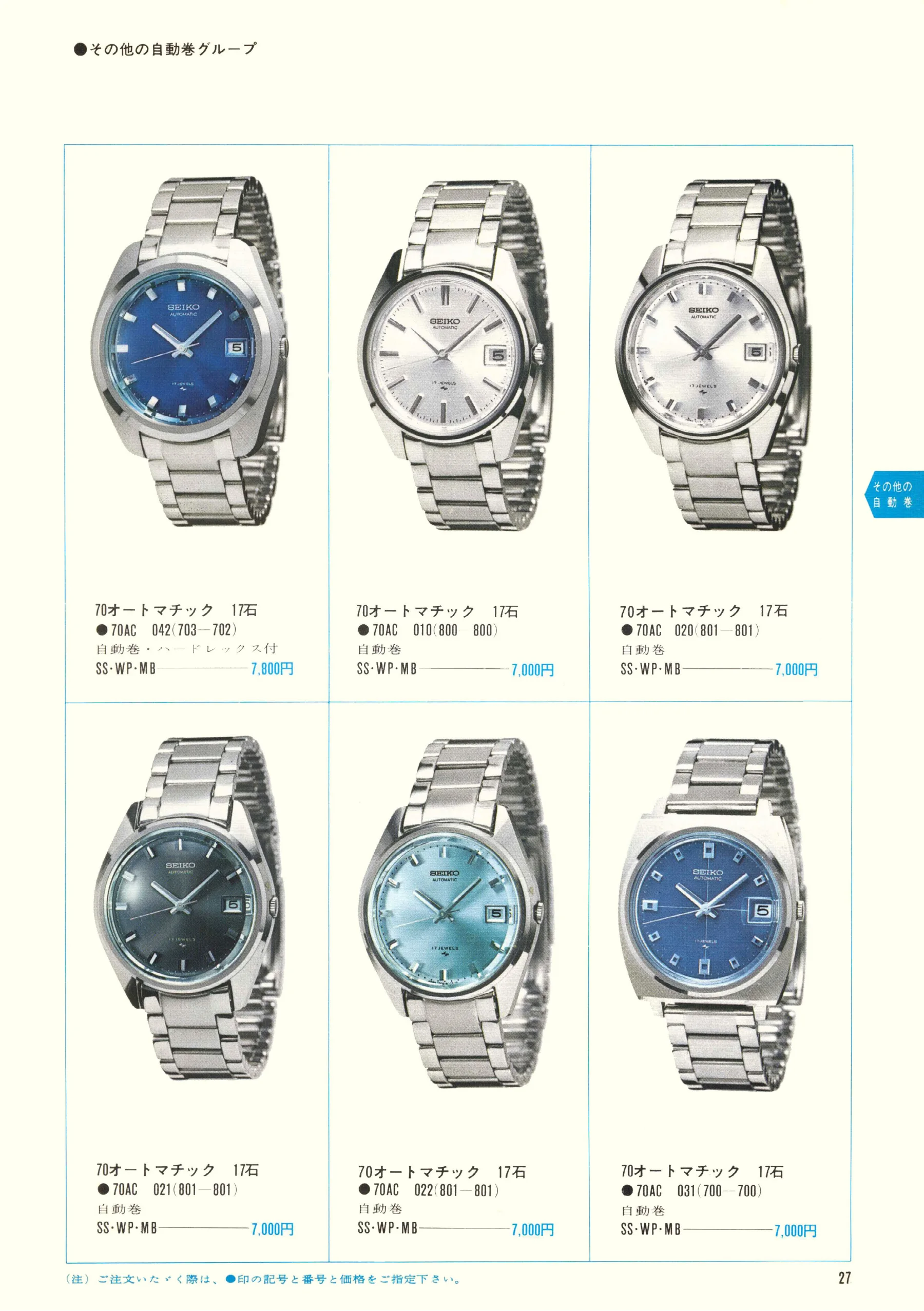
Seiko 1969, Scan page 27. Use the selection controls to identify a watch.
Scan page 27
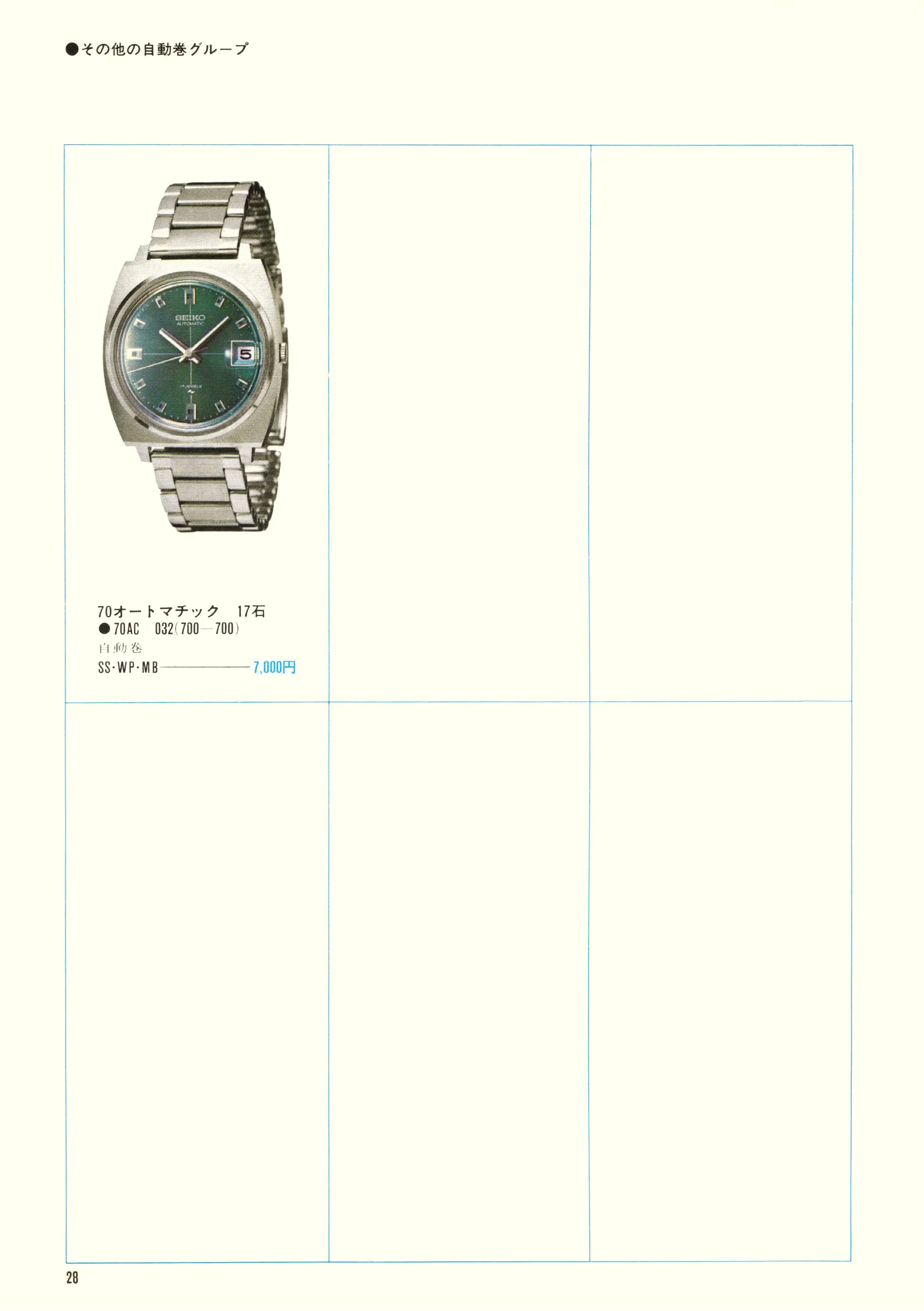
Seiko 1969, Scan page 28. Use the selection controls to identify a watch.
Scan page 28
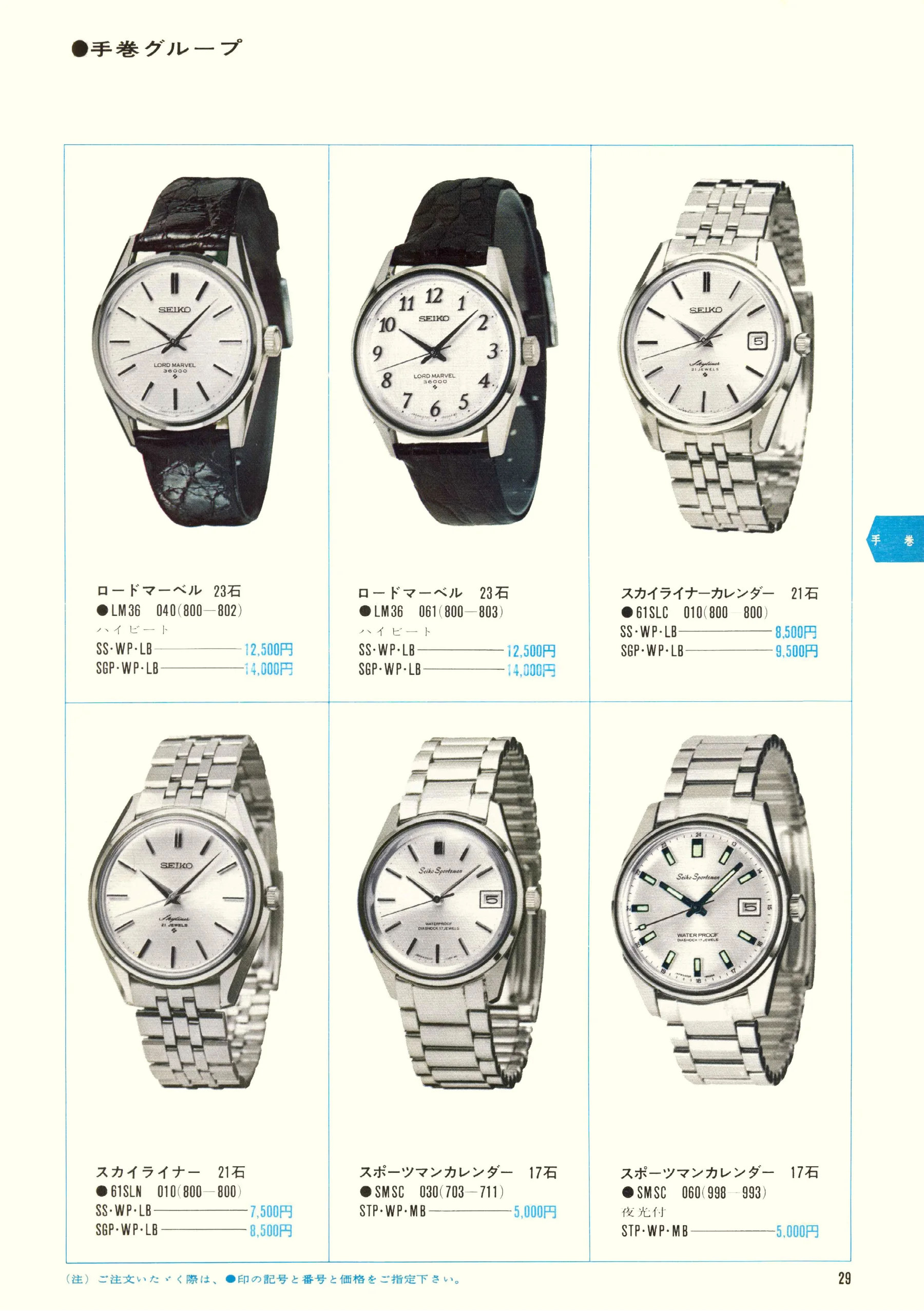
Seiko 1969, Scan page 29. Use the selection controls to identify a watch.
Scan page 29
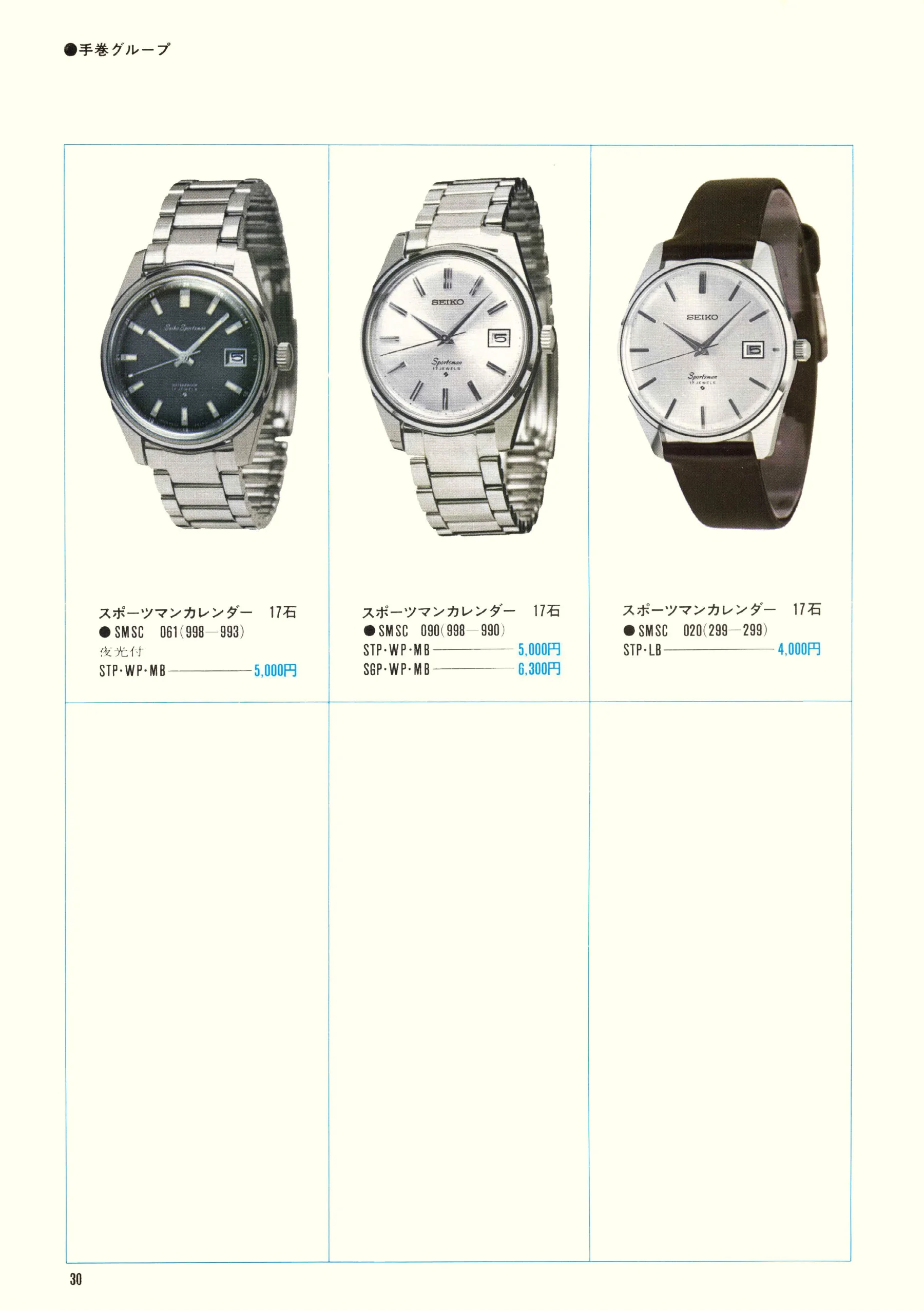
Seiko 1969, Scan page 30. Use the selection controls to identify a watch.
Scan page 30
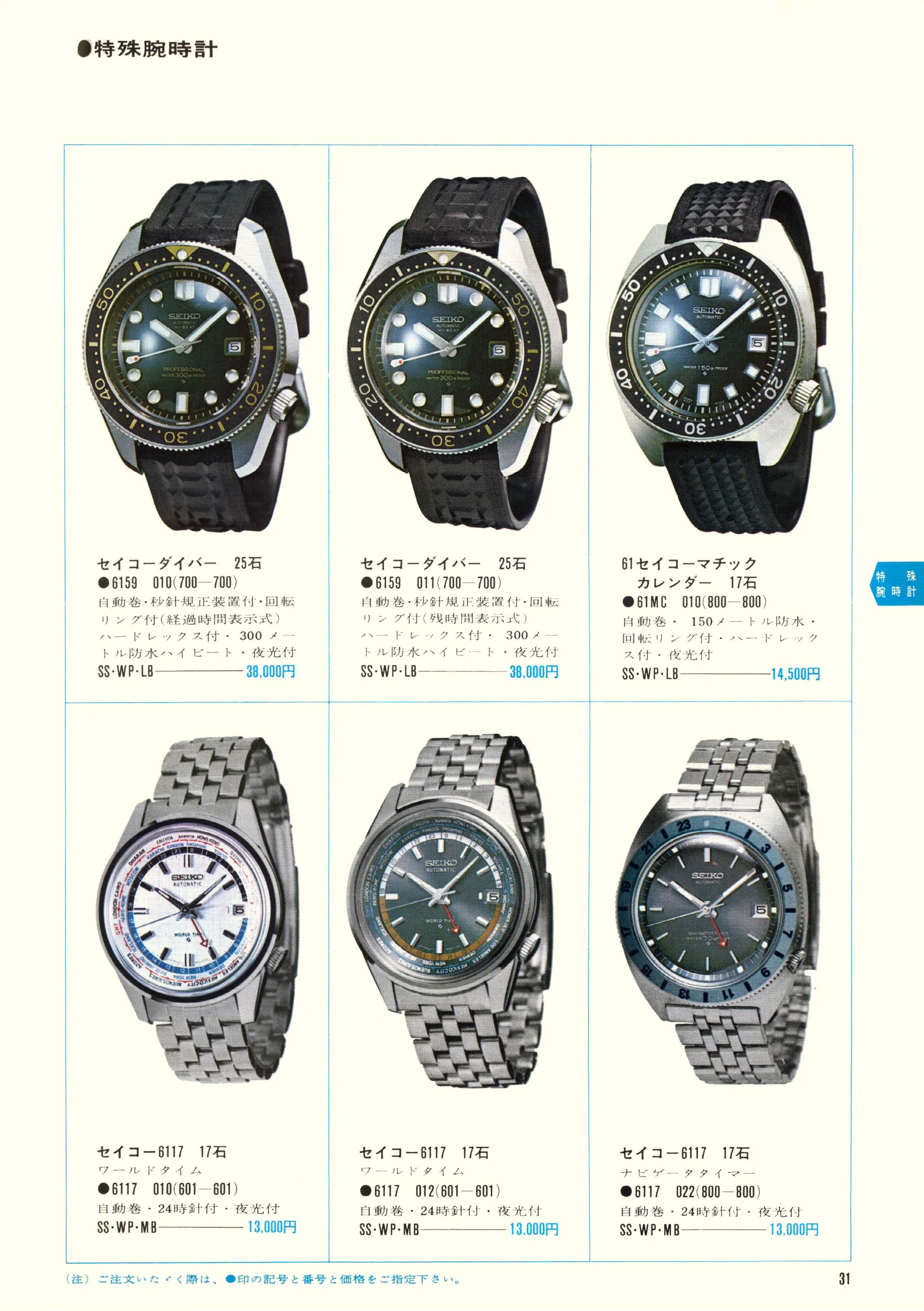
Seiko 1969, Scan page 31. Use the selection controls to identify a watch.
Scan page 31
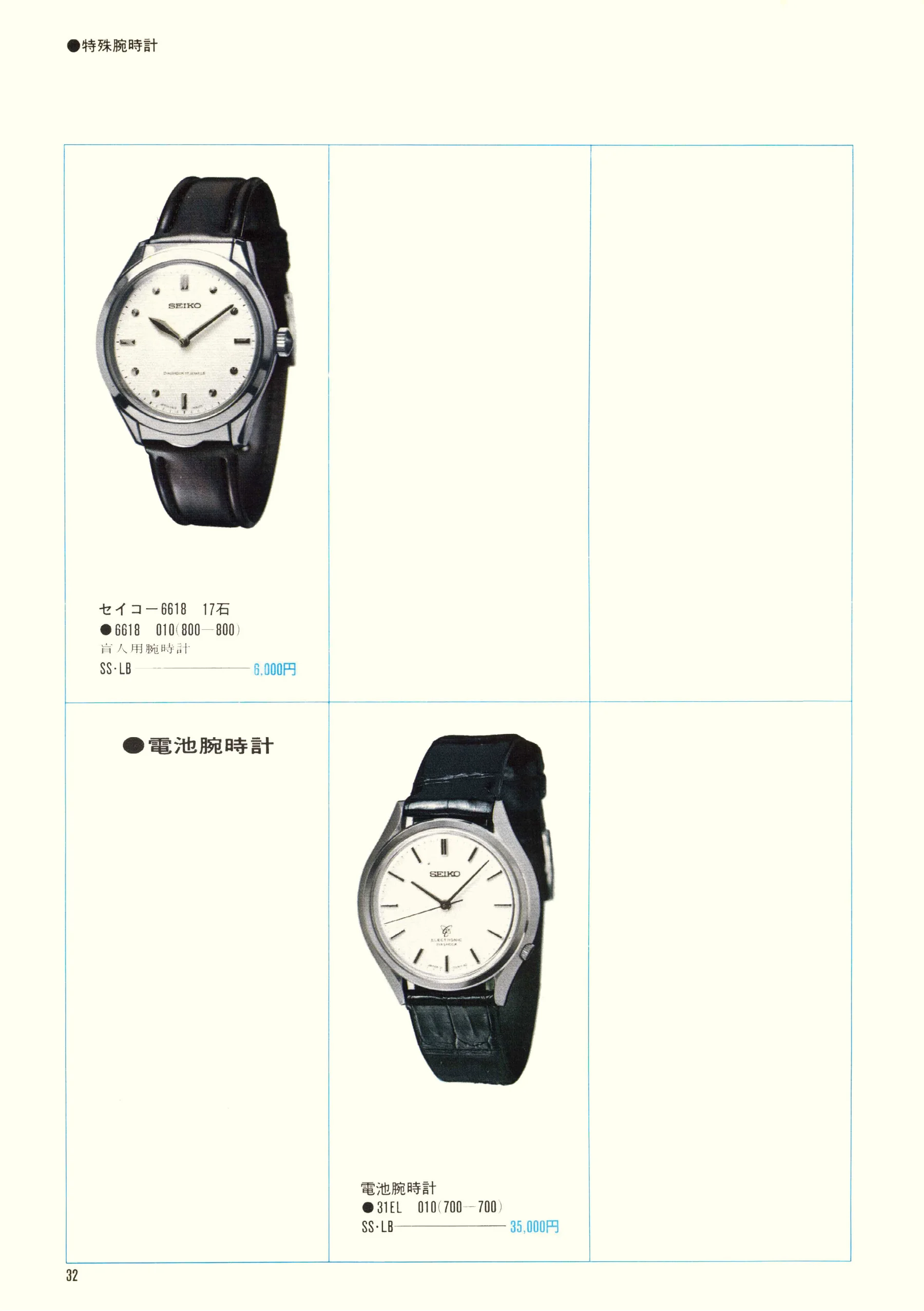
Seiko 1969, Scan page 32. Use the selection controls to identify a watch.
Scan page 32
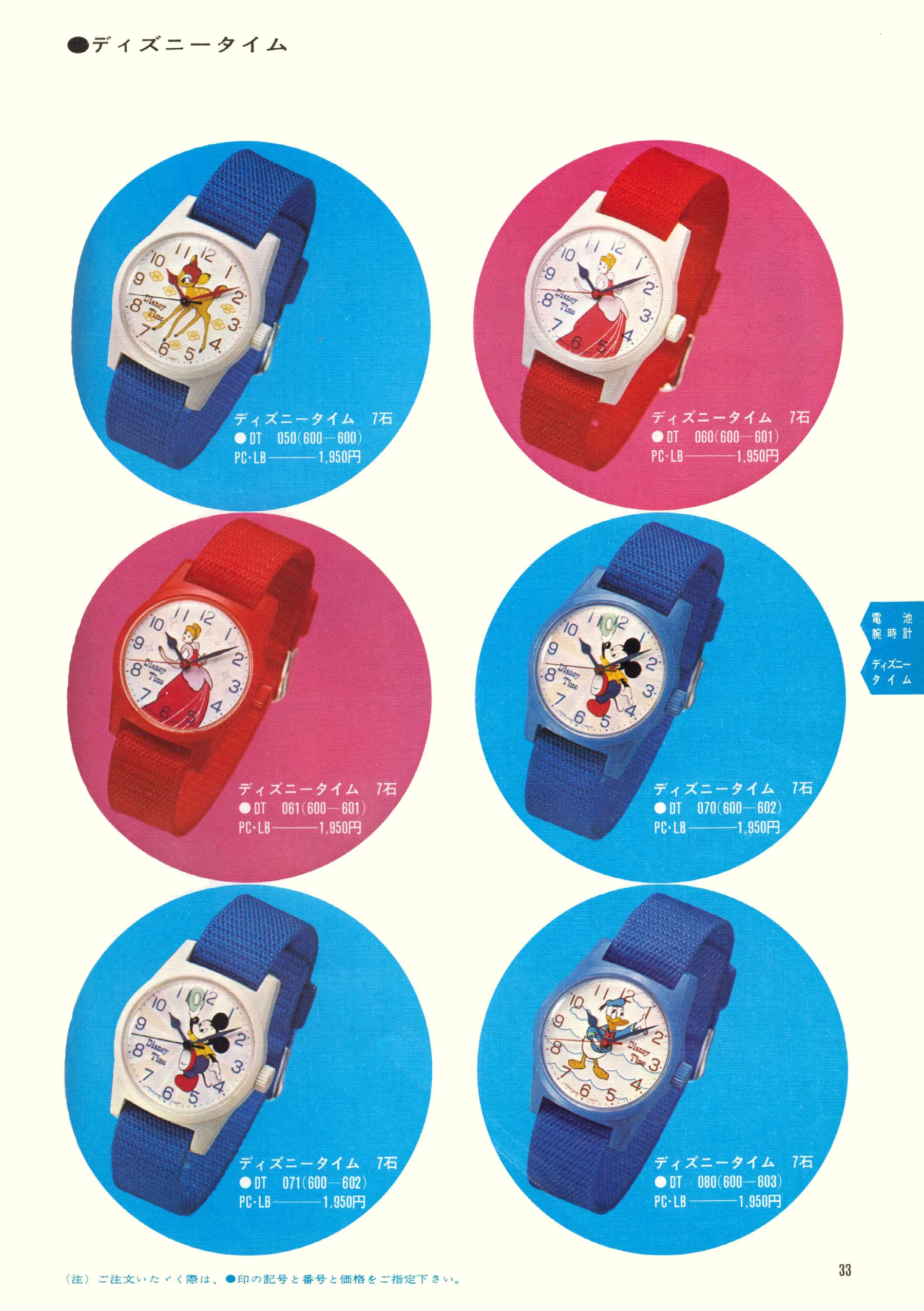
Seiko 1969, Scan page 33. Use the selection controls to identify a watch.
Scan page 33
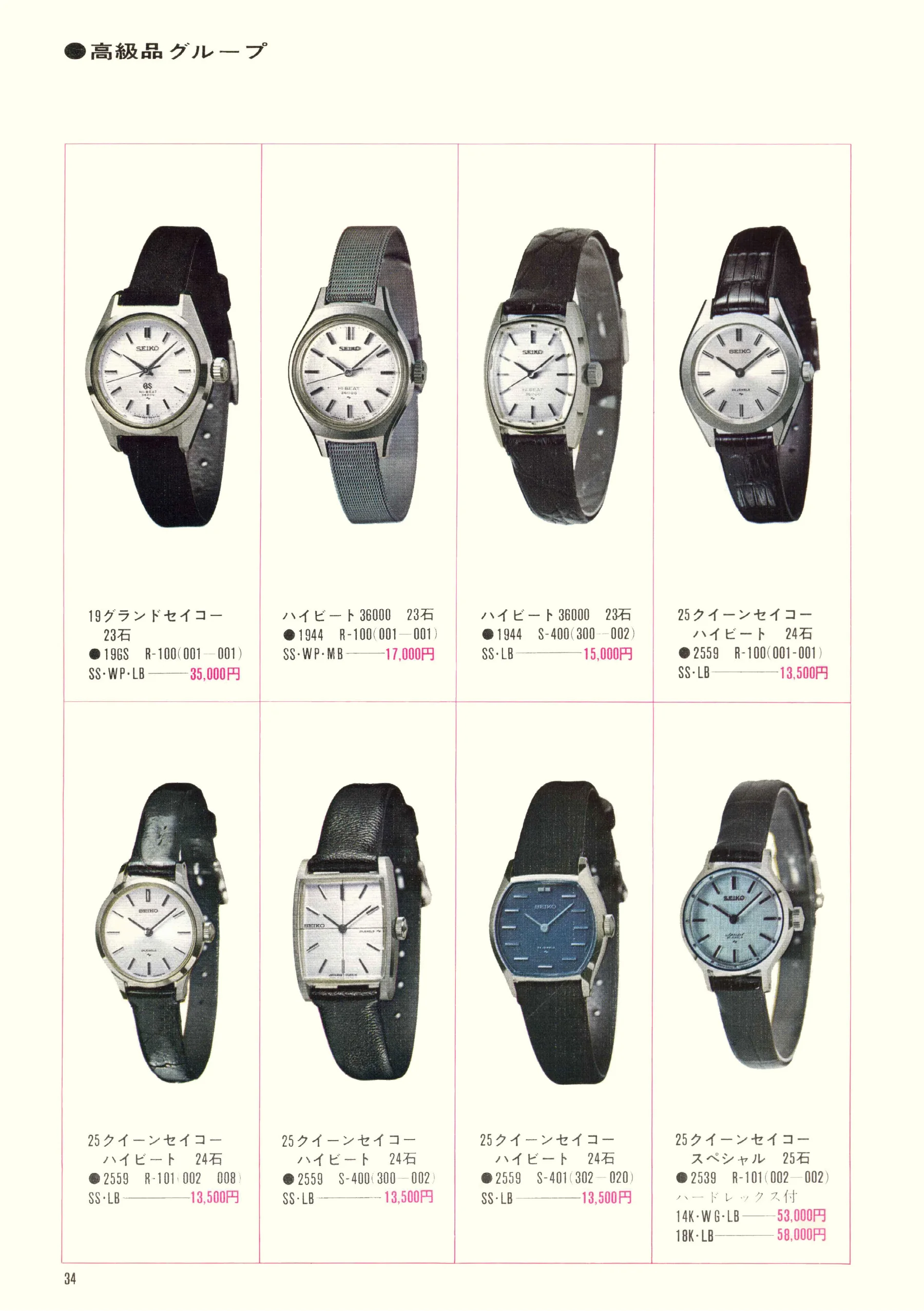
Seiko 1969, Scan page 34. Use the selection controls to identify a watch.
Scan page 34
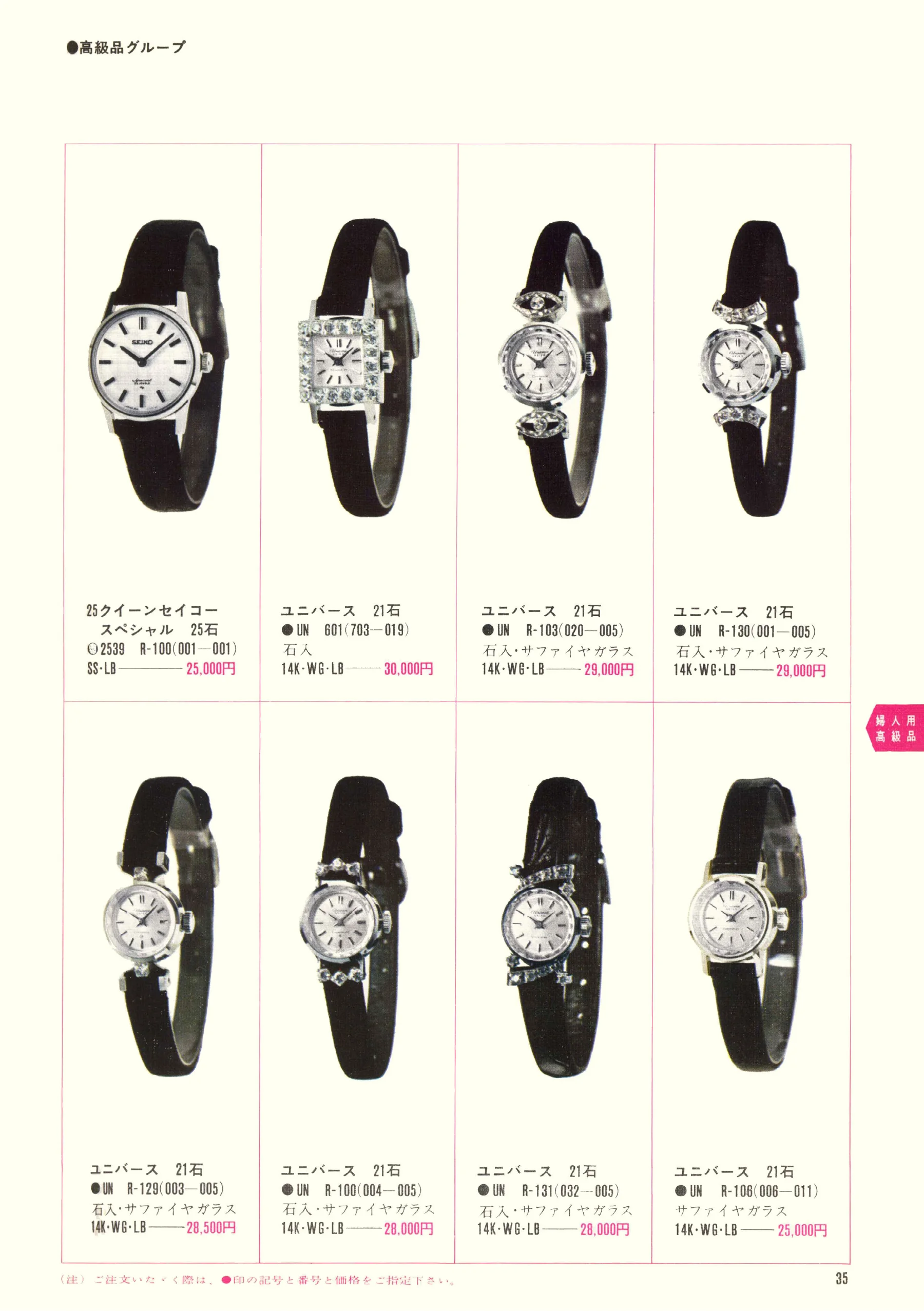
Seiko 1969, Scan page 35. Use the selection controls to identify a watch.
Scan page 35
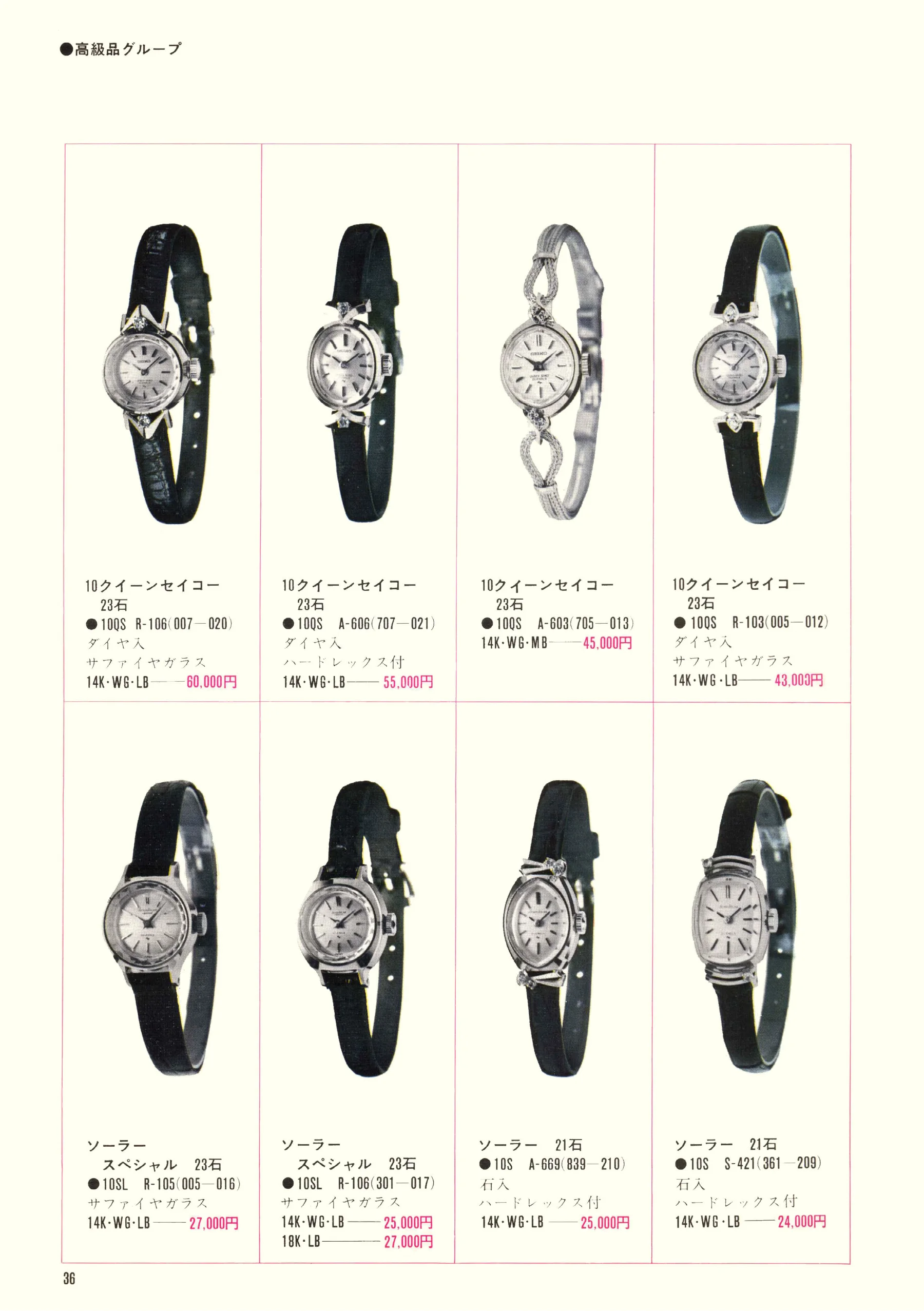
Seiko 1969, Scan page 36. Use the selection controls to identify a watch.
Scan page 36
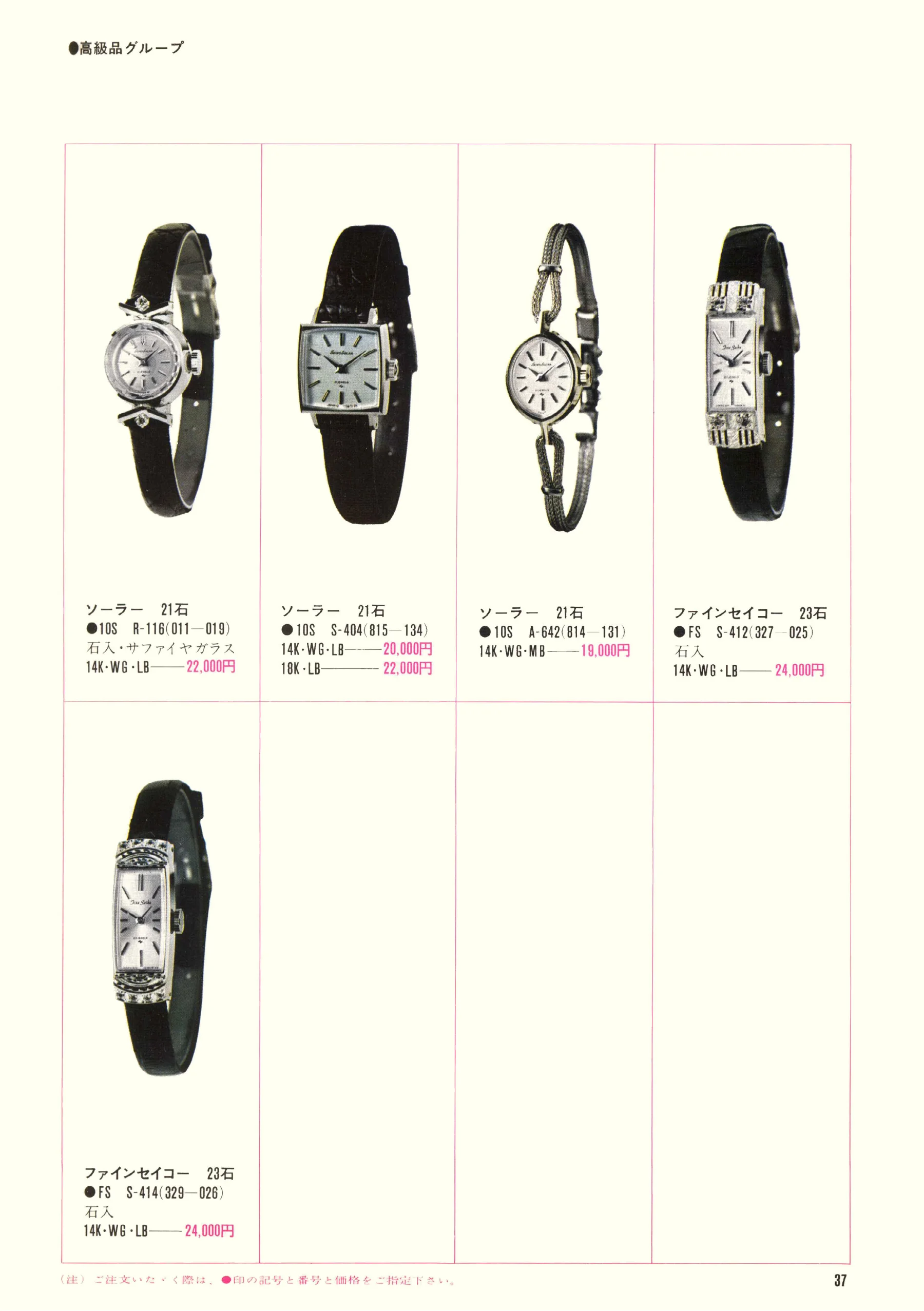
Seiko 1969, Scan page 37. Use the selection controls to identify a watch.
Scan page 37
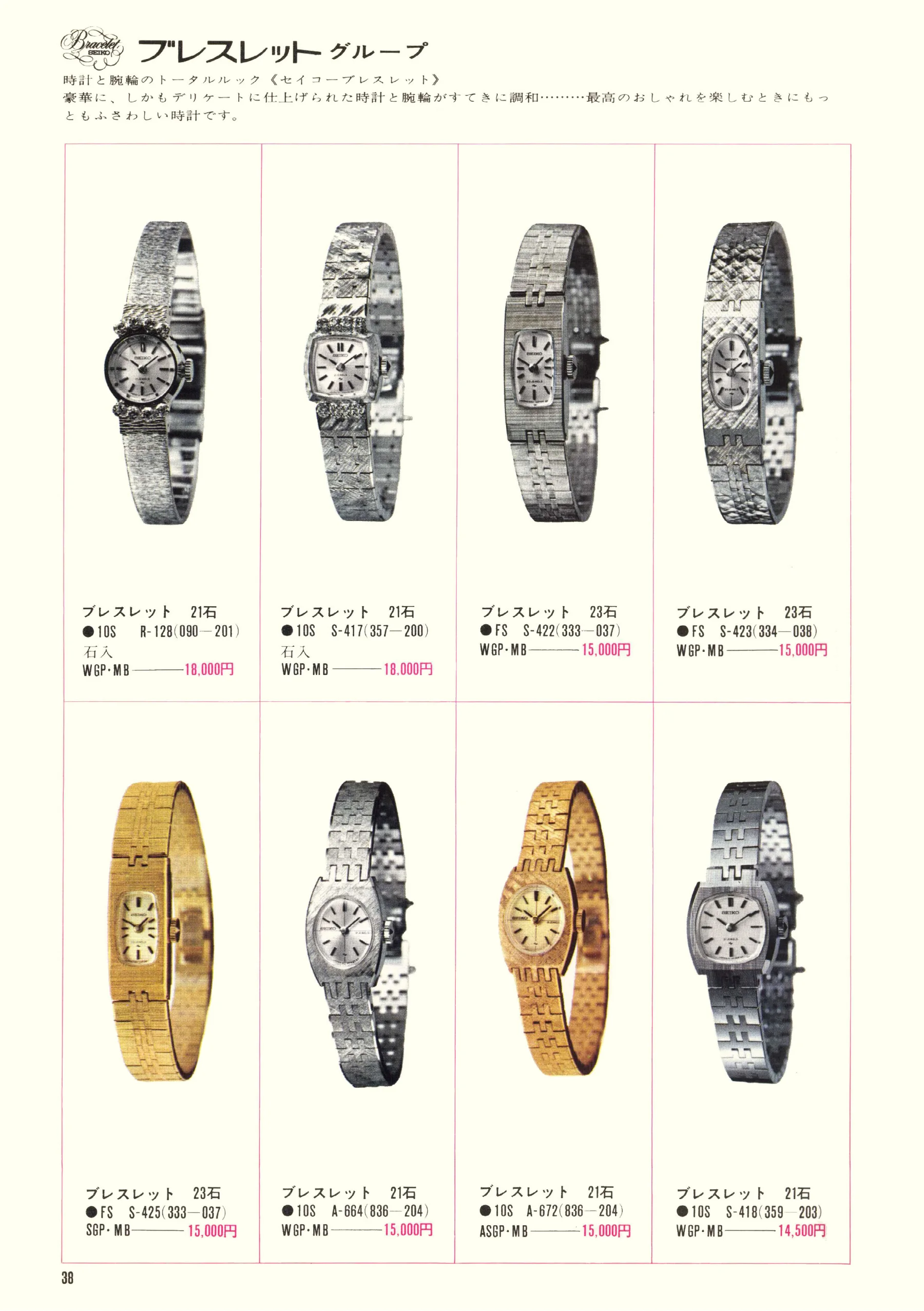
Seiko 1969, Scan page 38. Use the selection controls to identify a watch.
Scan page 38
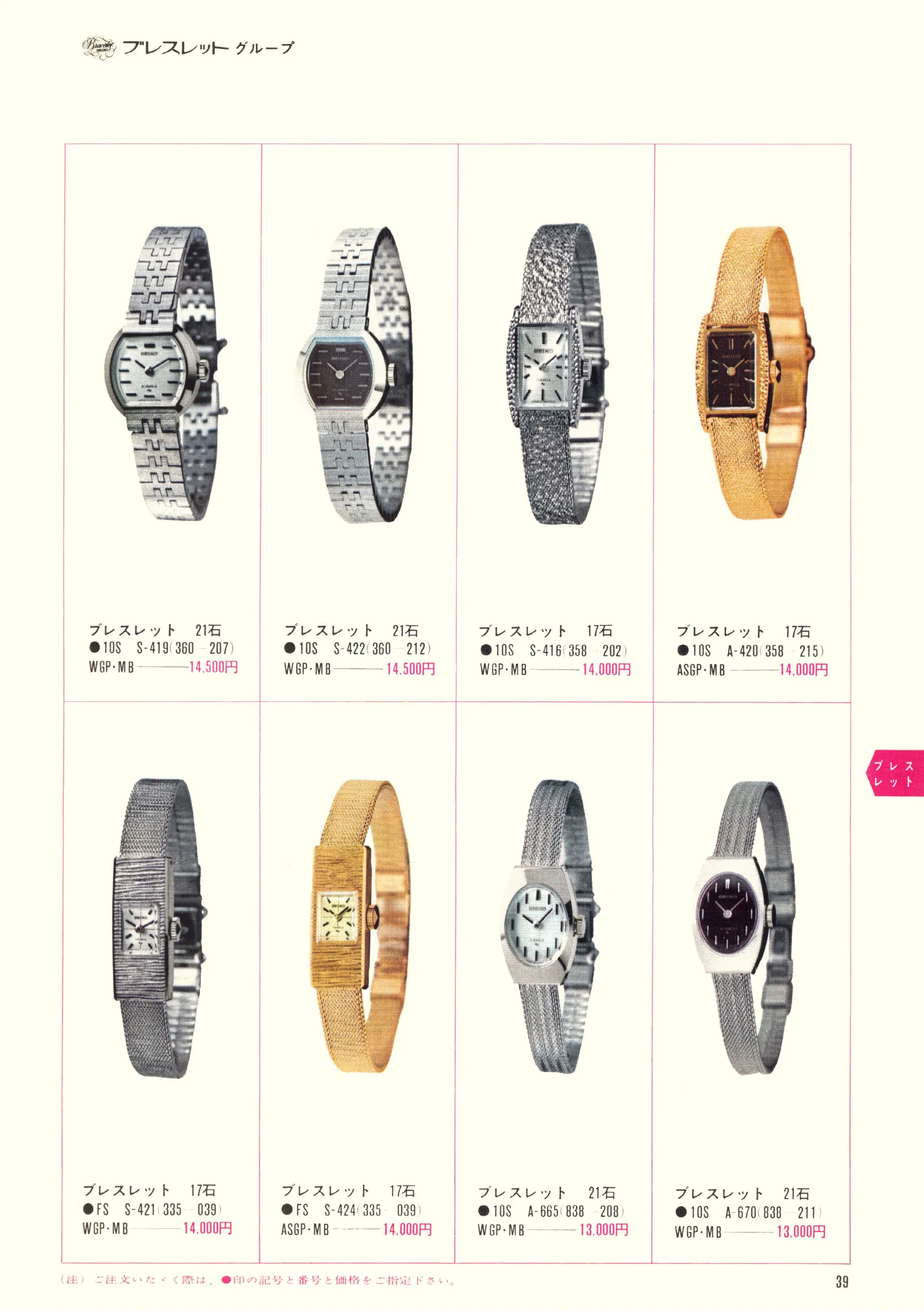
Seiko 1969, Scan page 39. Use the selection controls to identify a watch.
Scan page 39
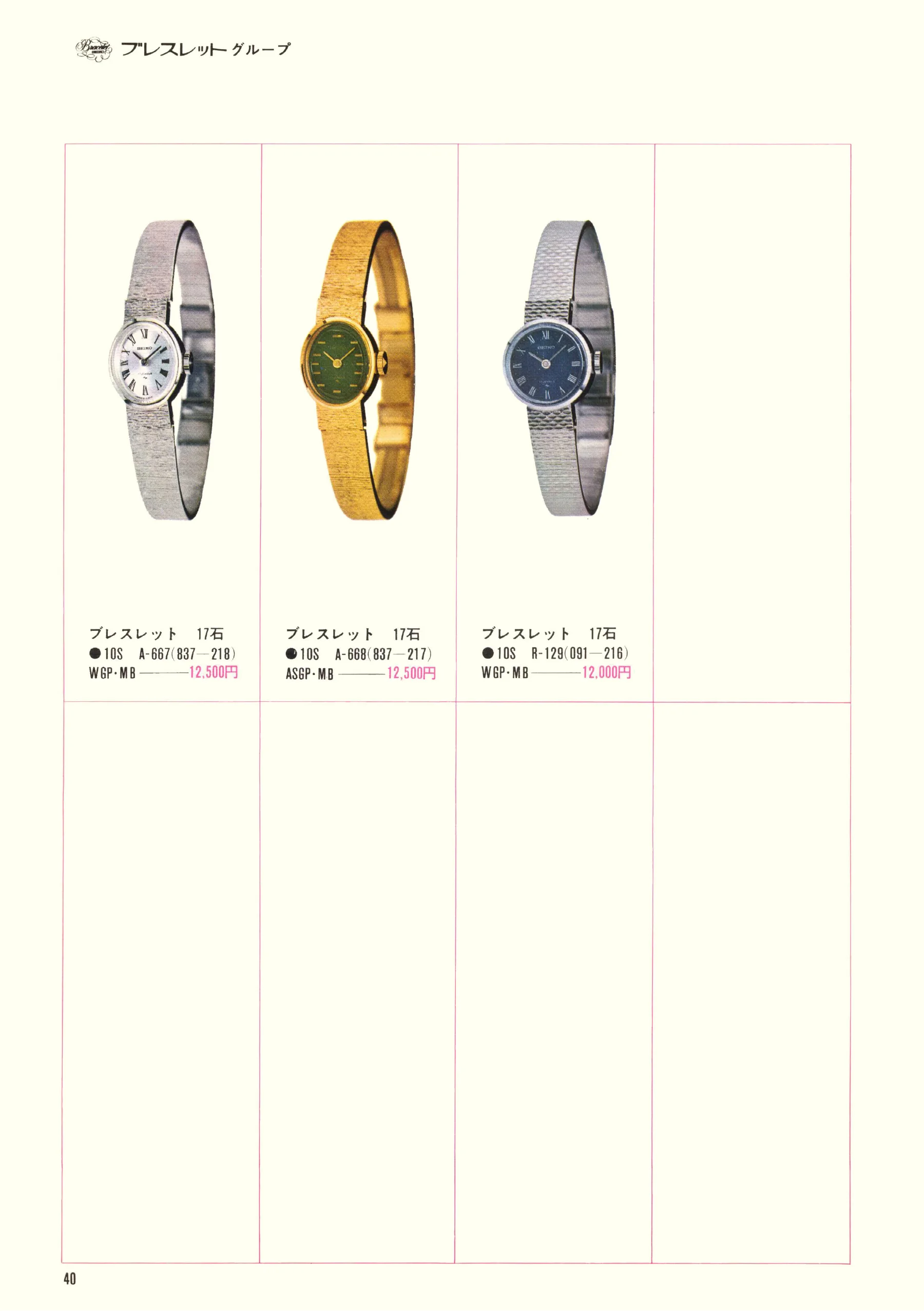
Seiko 1969, Scan page 40. Use the selection controls to identify a watch.
Scan page 40
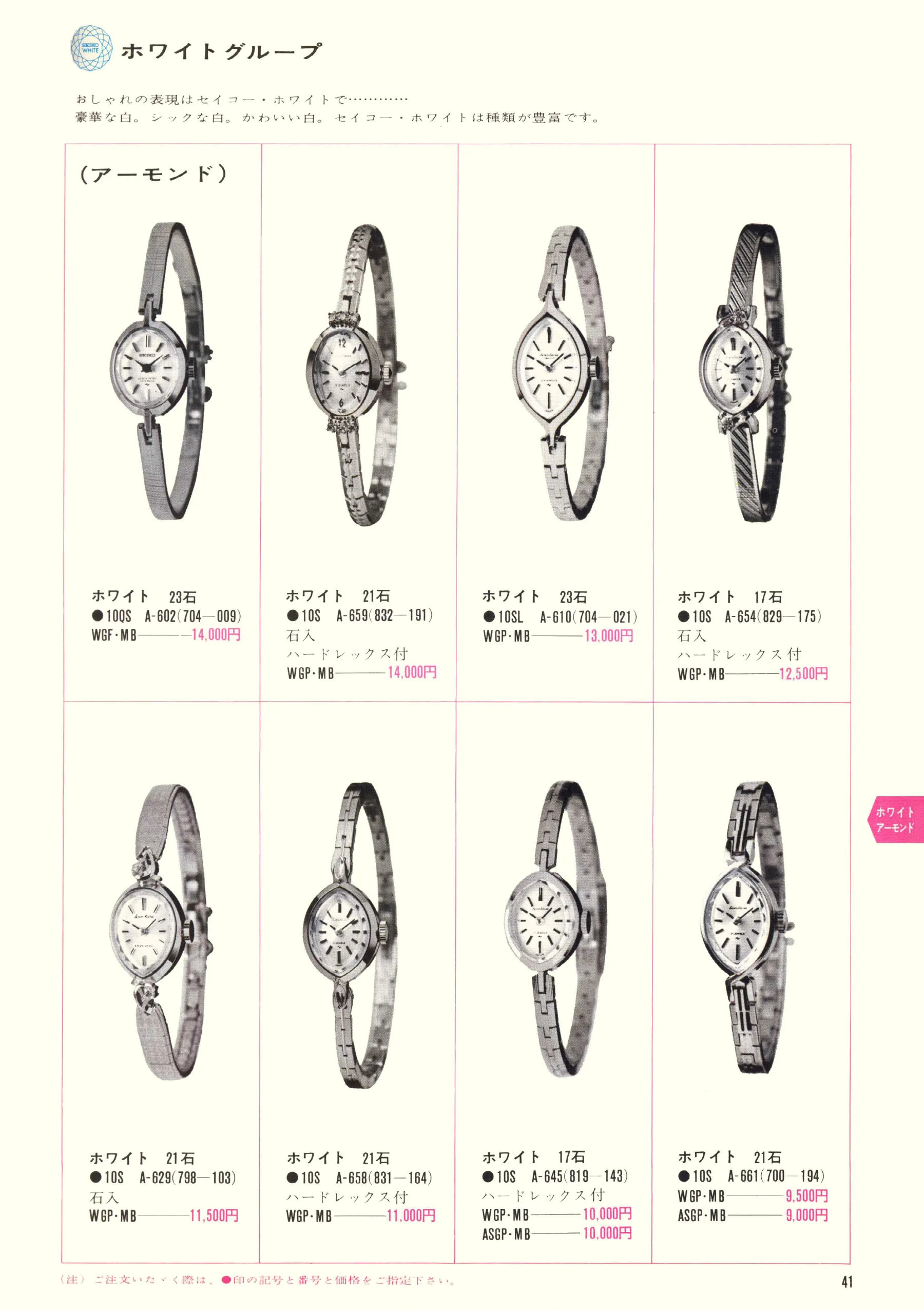
Seiko 1969, Scan page 41. Use the selection controls to identify a watch.
Scan page 41
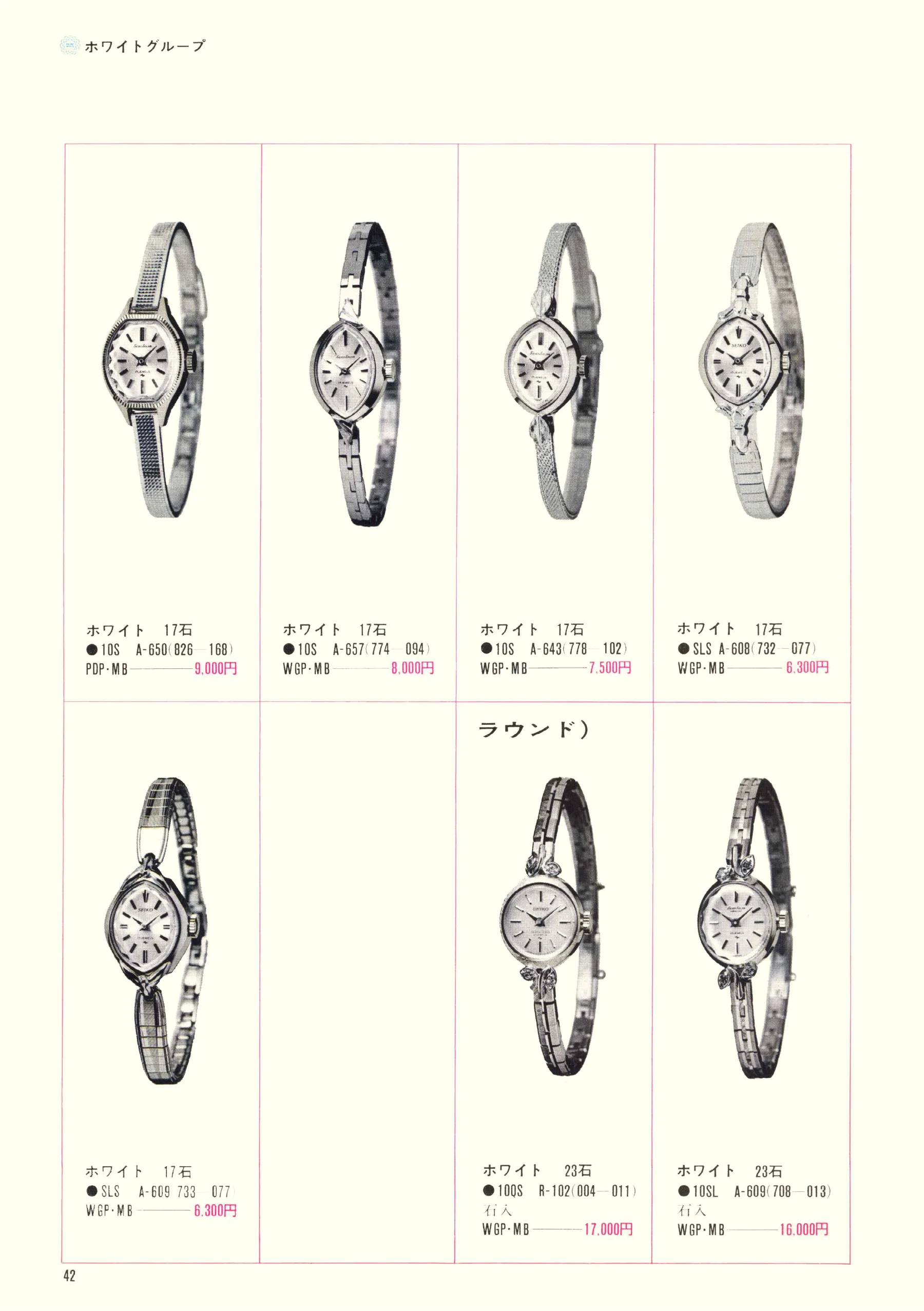
Seiko 1969, Scan page 42. Use the selection controls to identify a watch.
Scan page 42
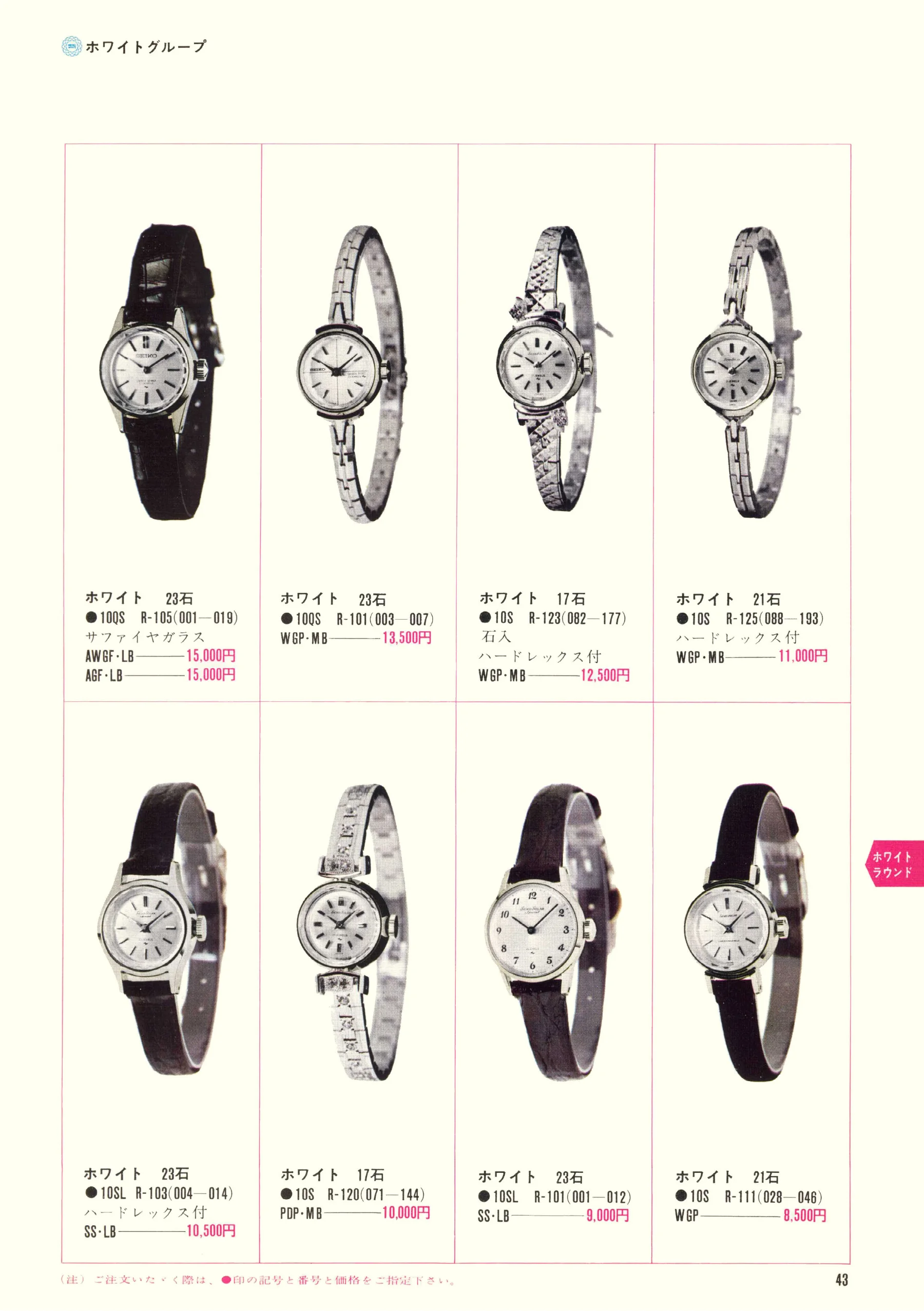
Seiko 1969, Scan page 43. Use the selection controls to identify a watch.
Scan page 43
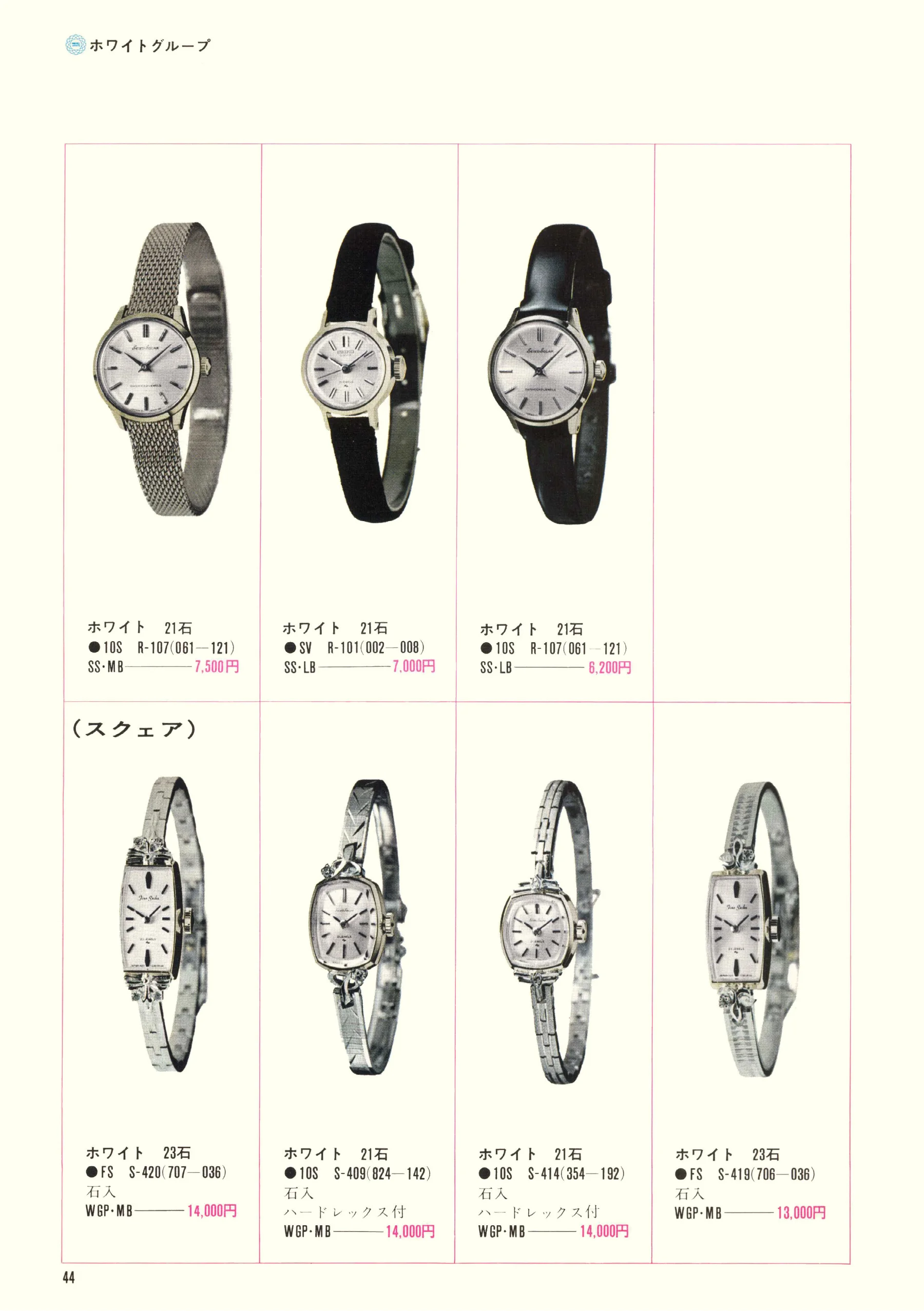
Seiko 1969, Scan page 44. Use the selection controls to identify a watch.
Scan page 44
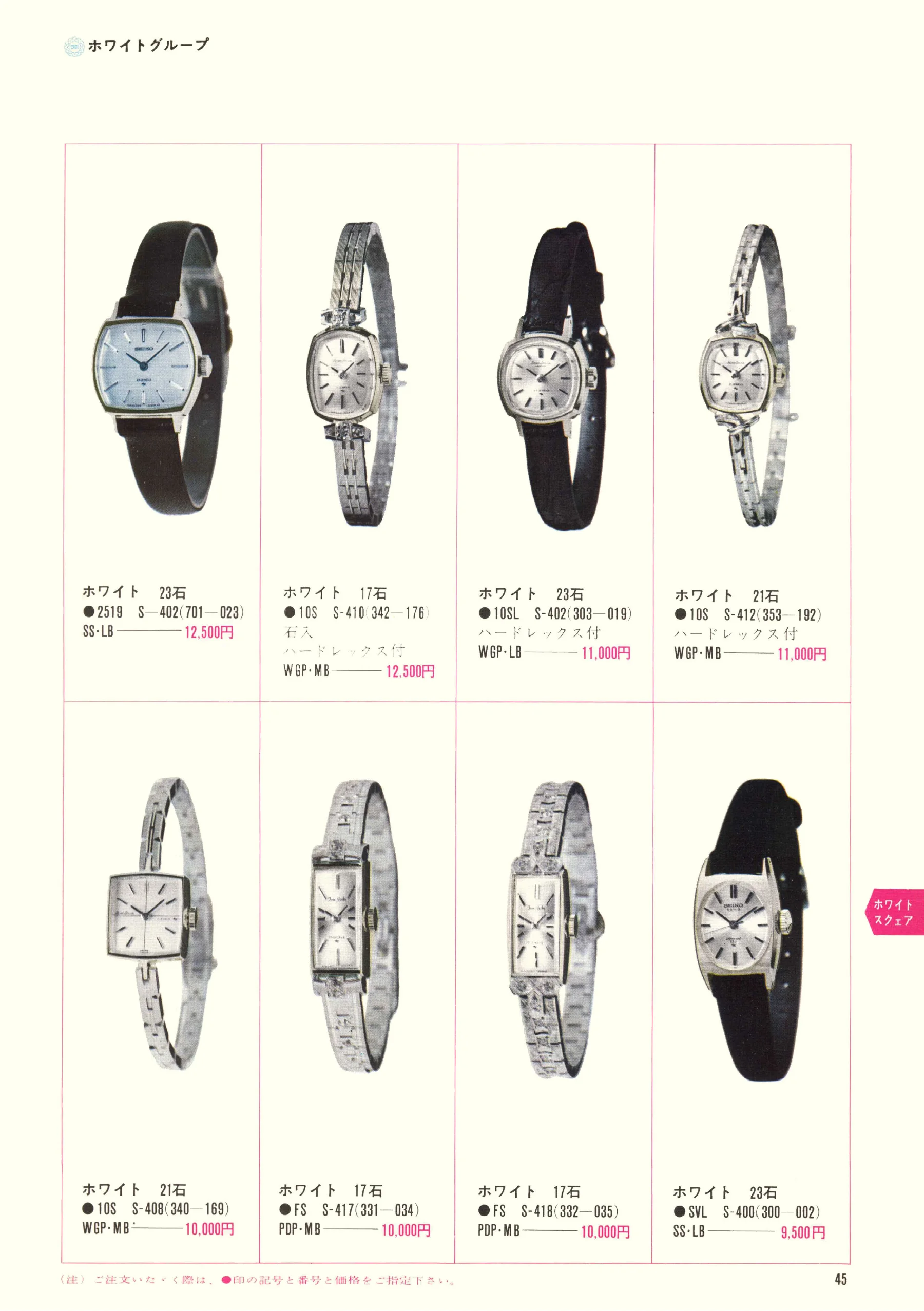
Seiko 1969, Scan page 45. Use the selection controls to identify a watch.
Scan page 45
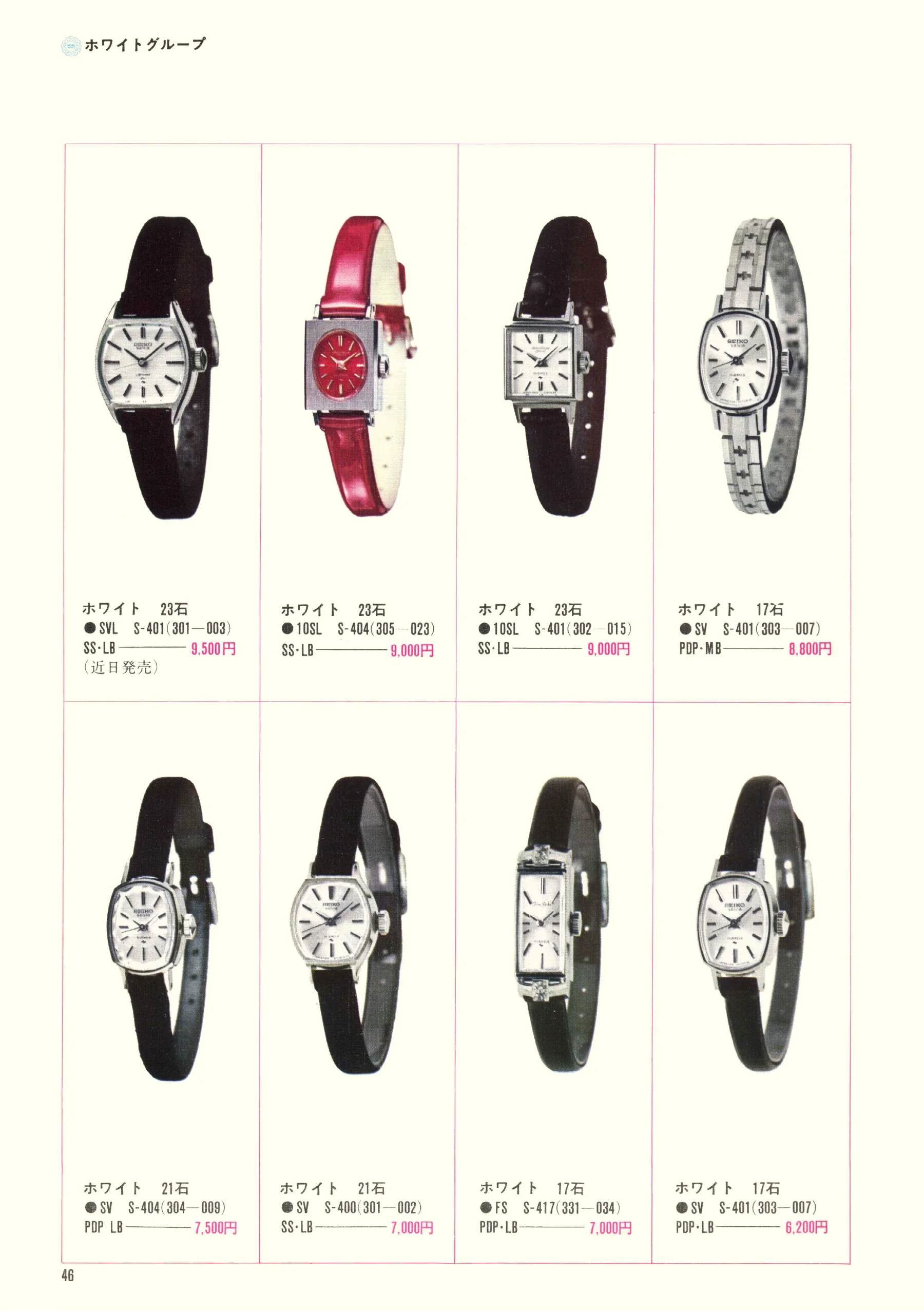
Seiko 1969, Scan page 46. Use the selection controls to identify a watch.
Scan page 46
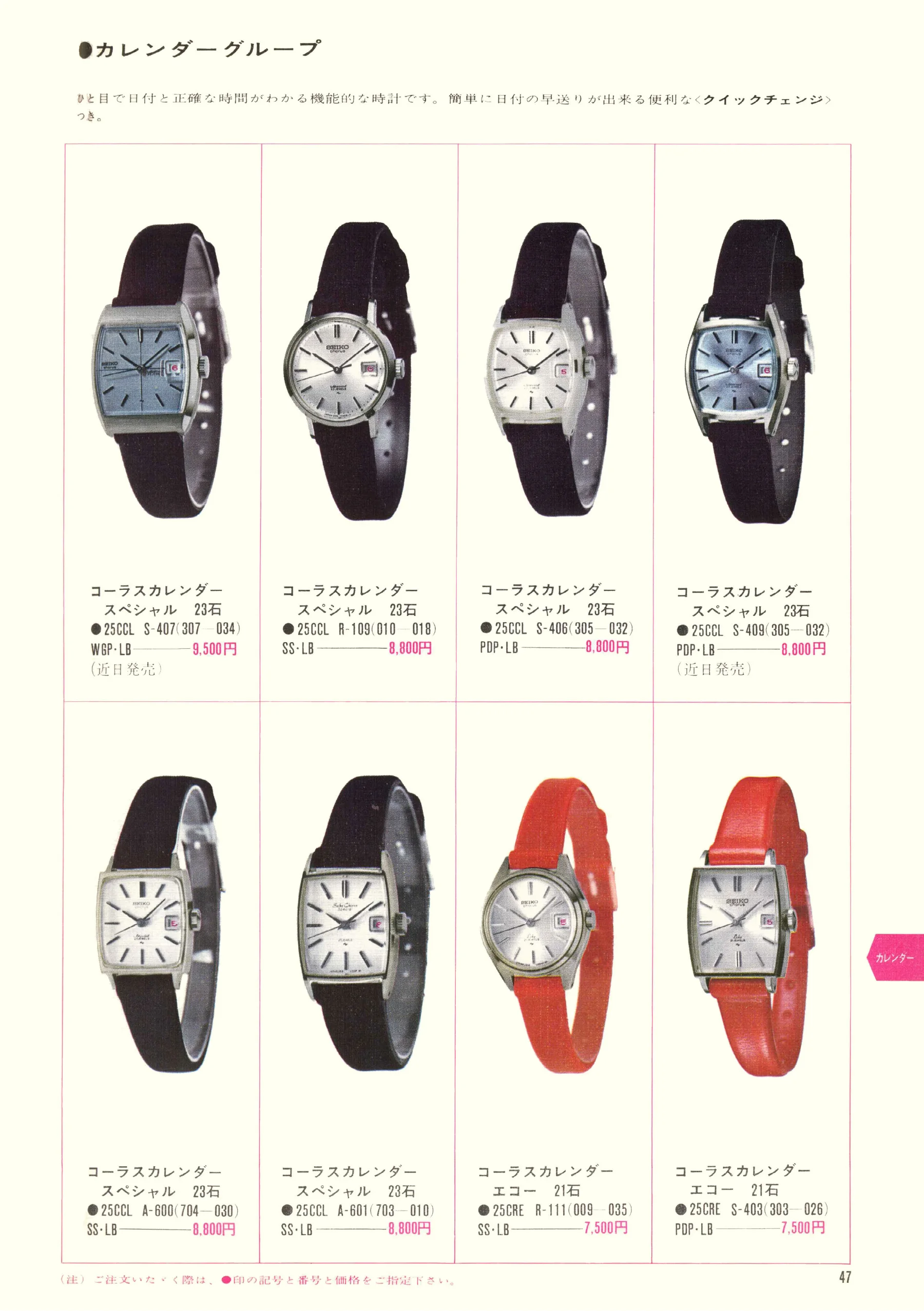
Seiko 1969, Scan page 47. Use the selection controls to identify a watch.
Scan page 47
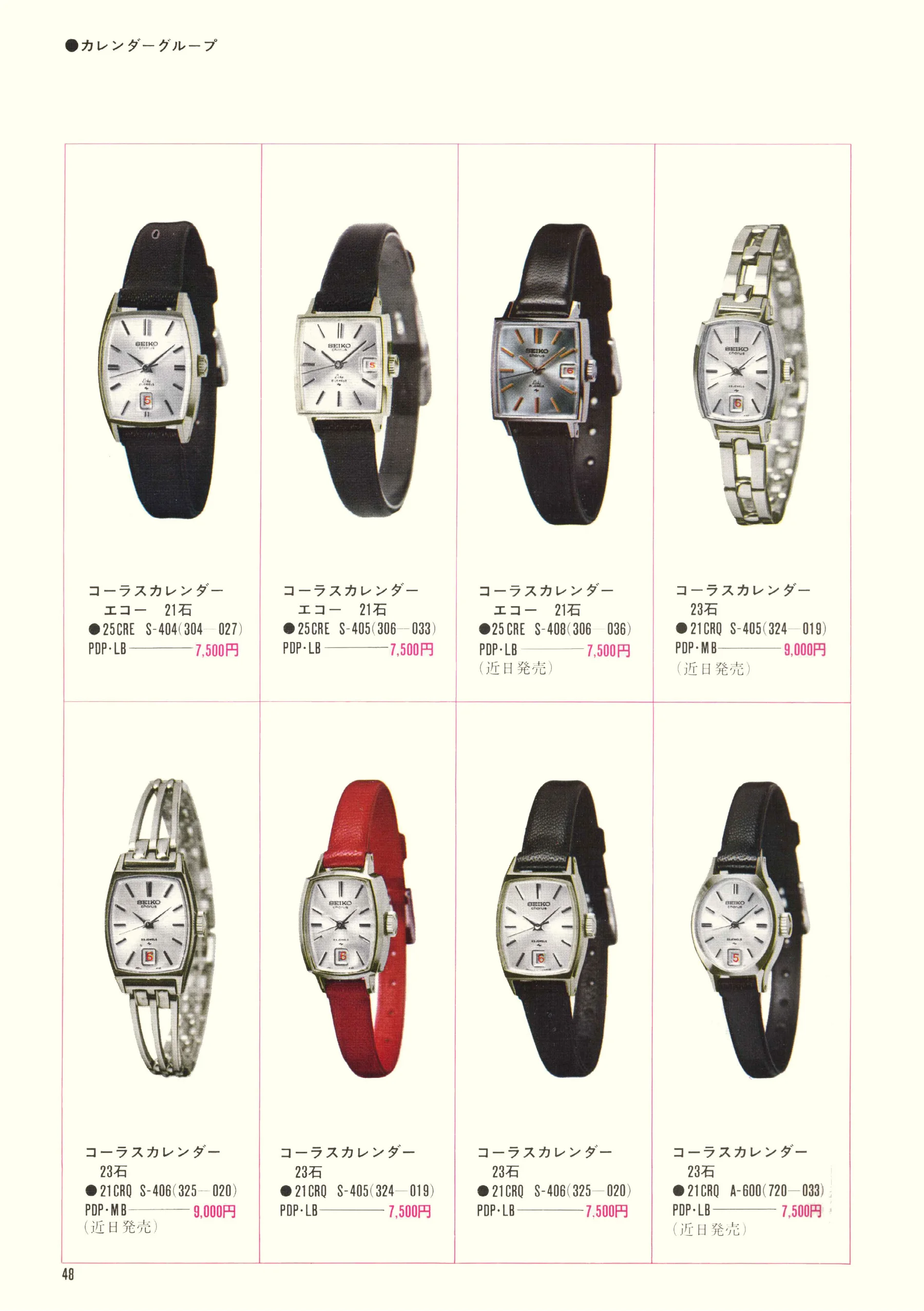
Seiko 1969, Scan page 48. Use the selection controls to identify a watch.
Scan page 48
Seiko 1969, Scan page 49. Use the selection controls to identify a watch.
Scan page 49
Seiko 1969, Scan page 50. Use the selection controls to identify a watch.
Scan page 50
Seiko 1969, Scan page 51. Use the selection controls to identify a watch.
Scan page 51
Seiko 1969, Scan page 52. Use the selection controls to identify a watch.
Scan page 52
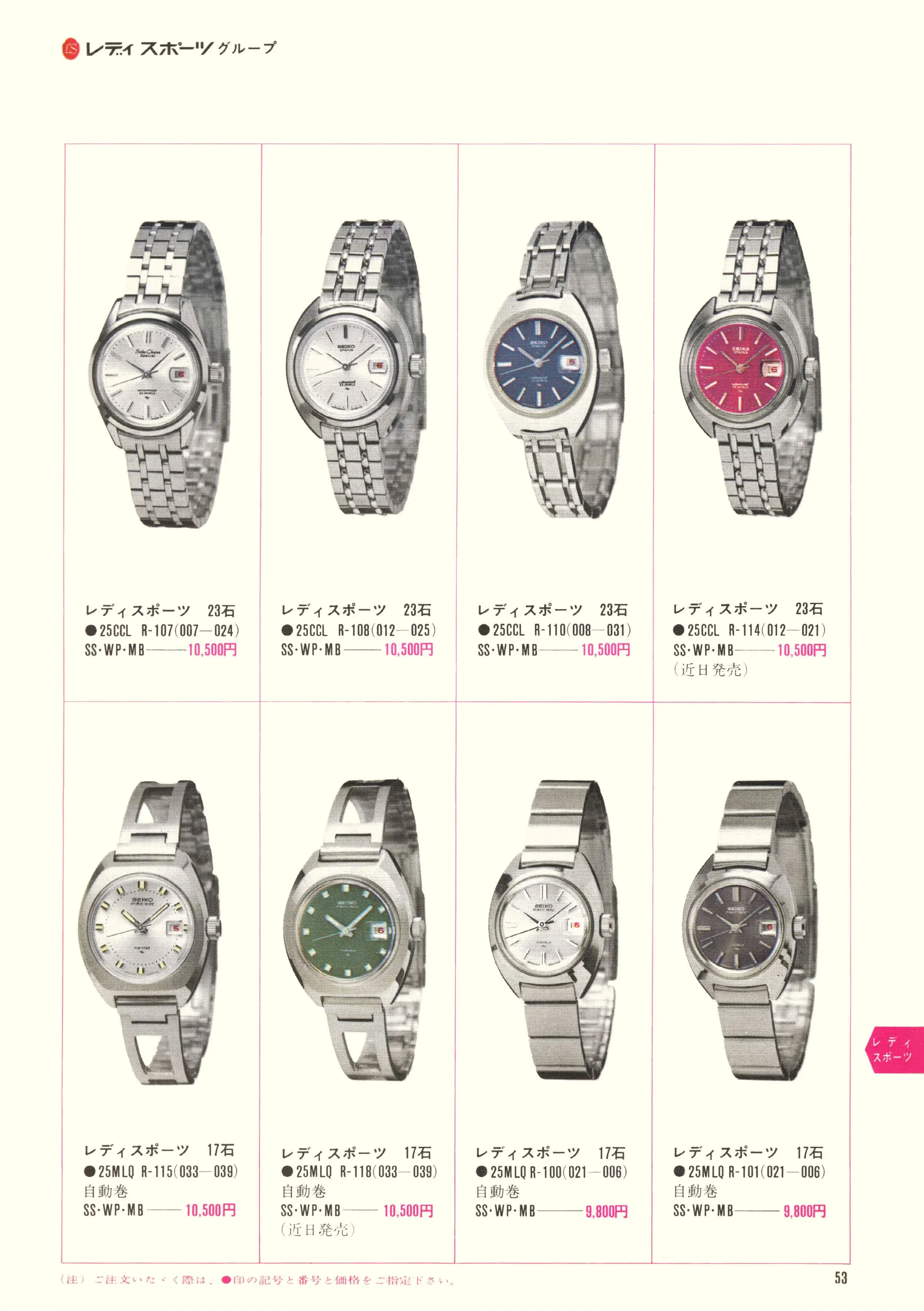
Seiko 1969, Scan page 53. Use the selection controls to identify a watch.
Scan page 53
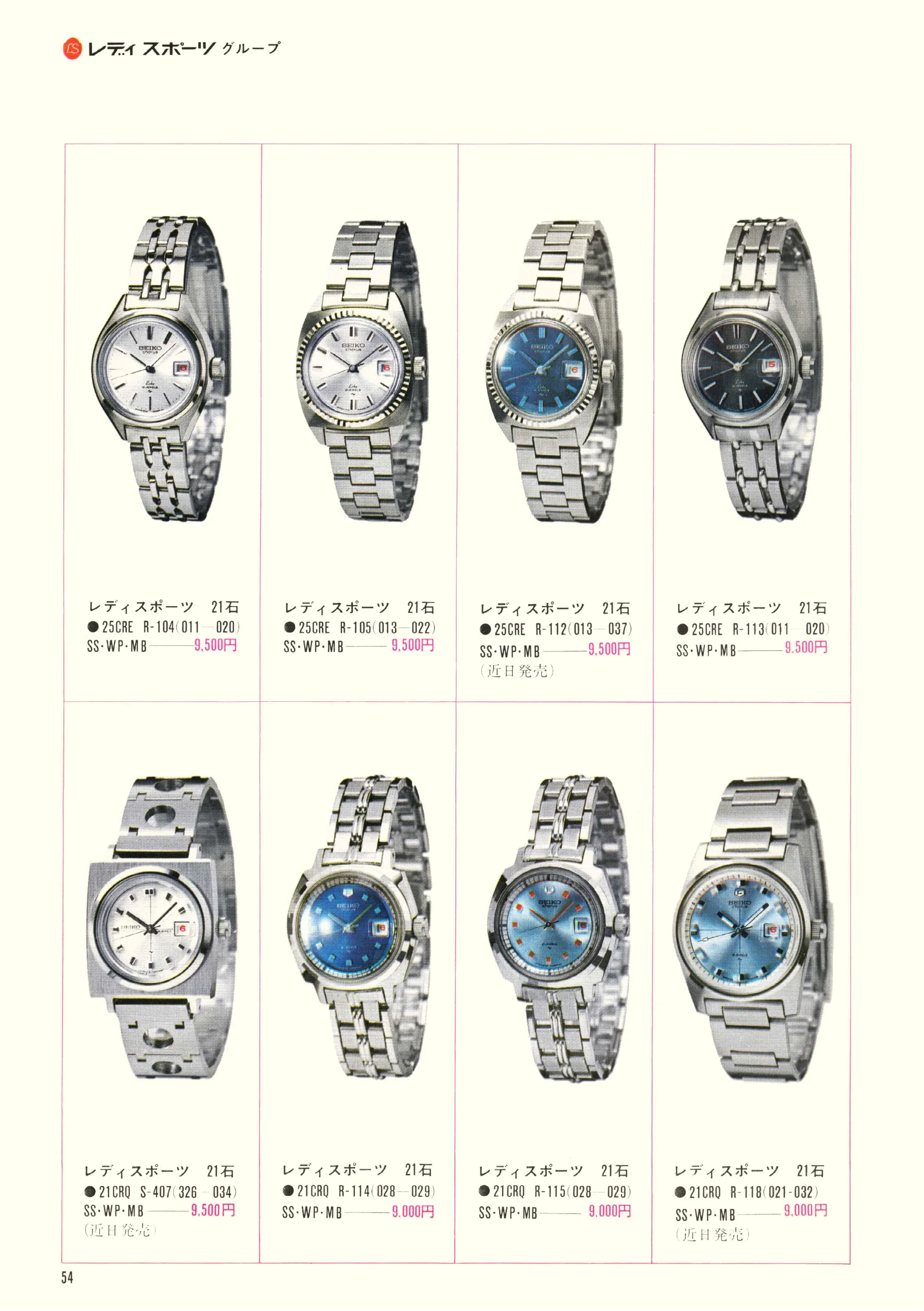
Seiko 1969, Scan page 54. Use the selection controls to identify a watch.
Scan page 54
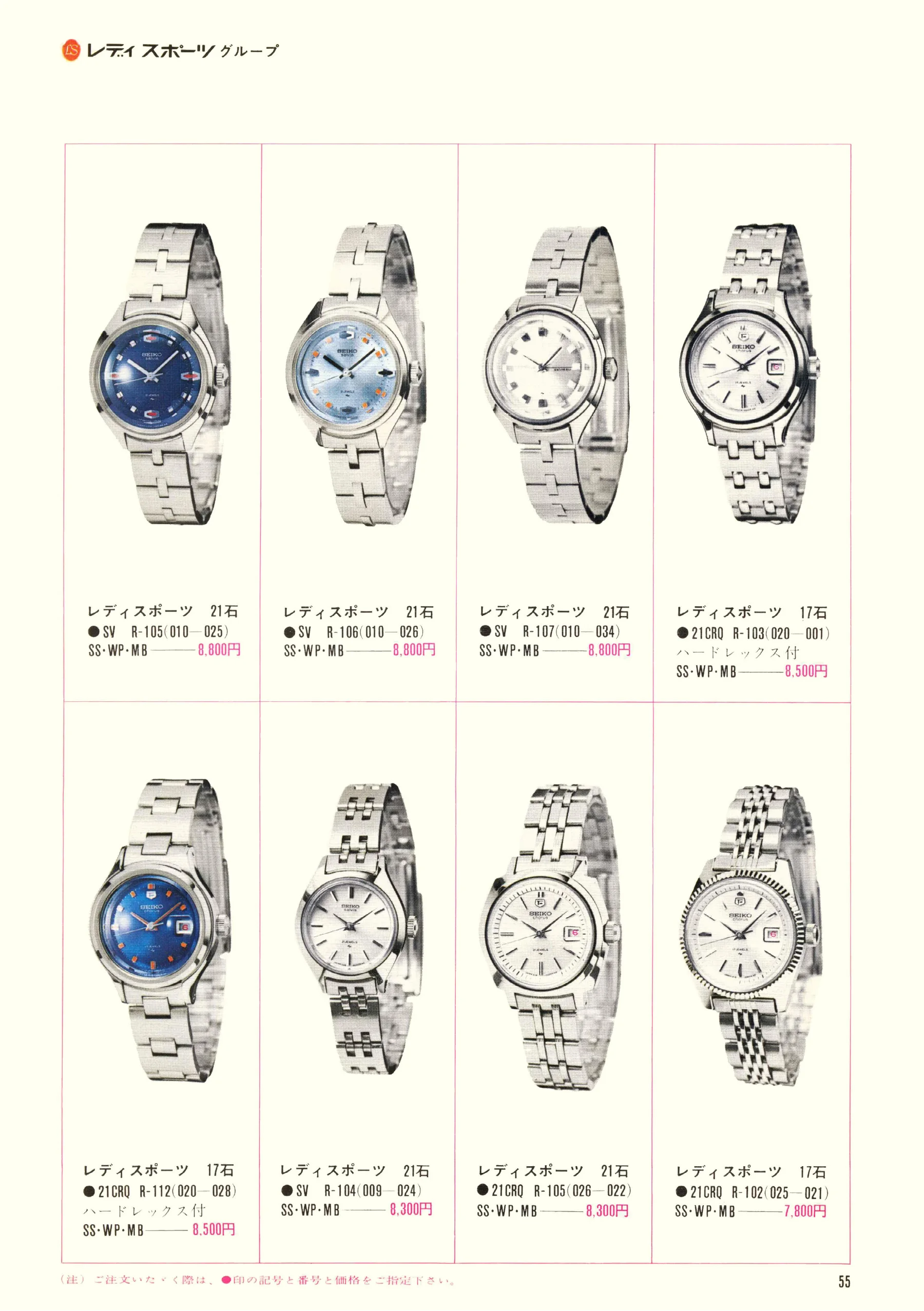
Seiko 1969, Scan page 55. Use the selection controls to identify a watch.
Scan page 55
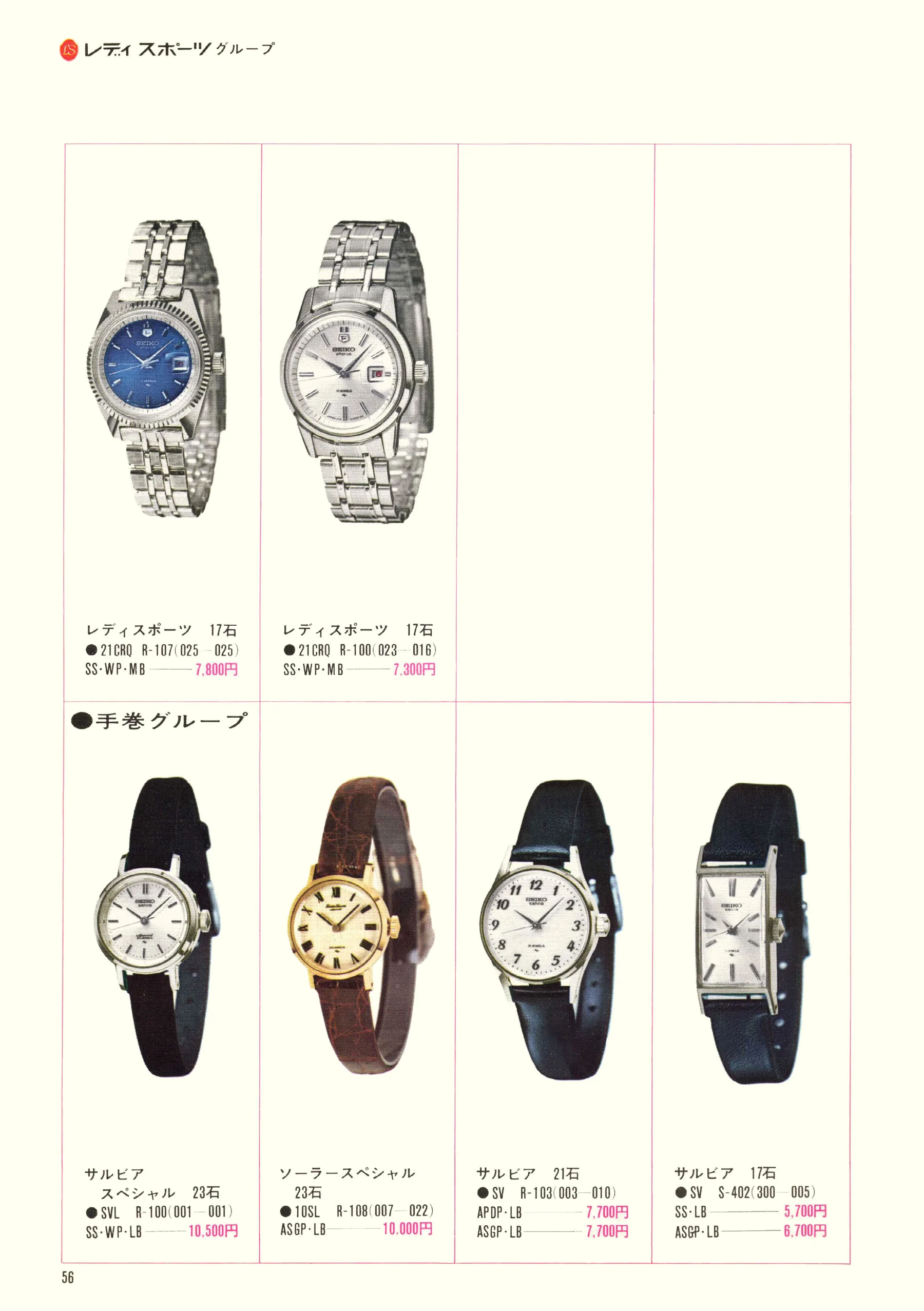
Seiko 1969, Scan page 56. Use the selection controls to identify a watch.
Scan page 56
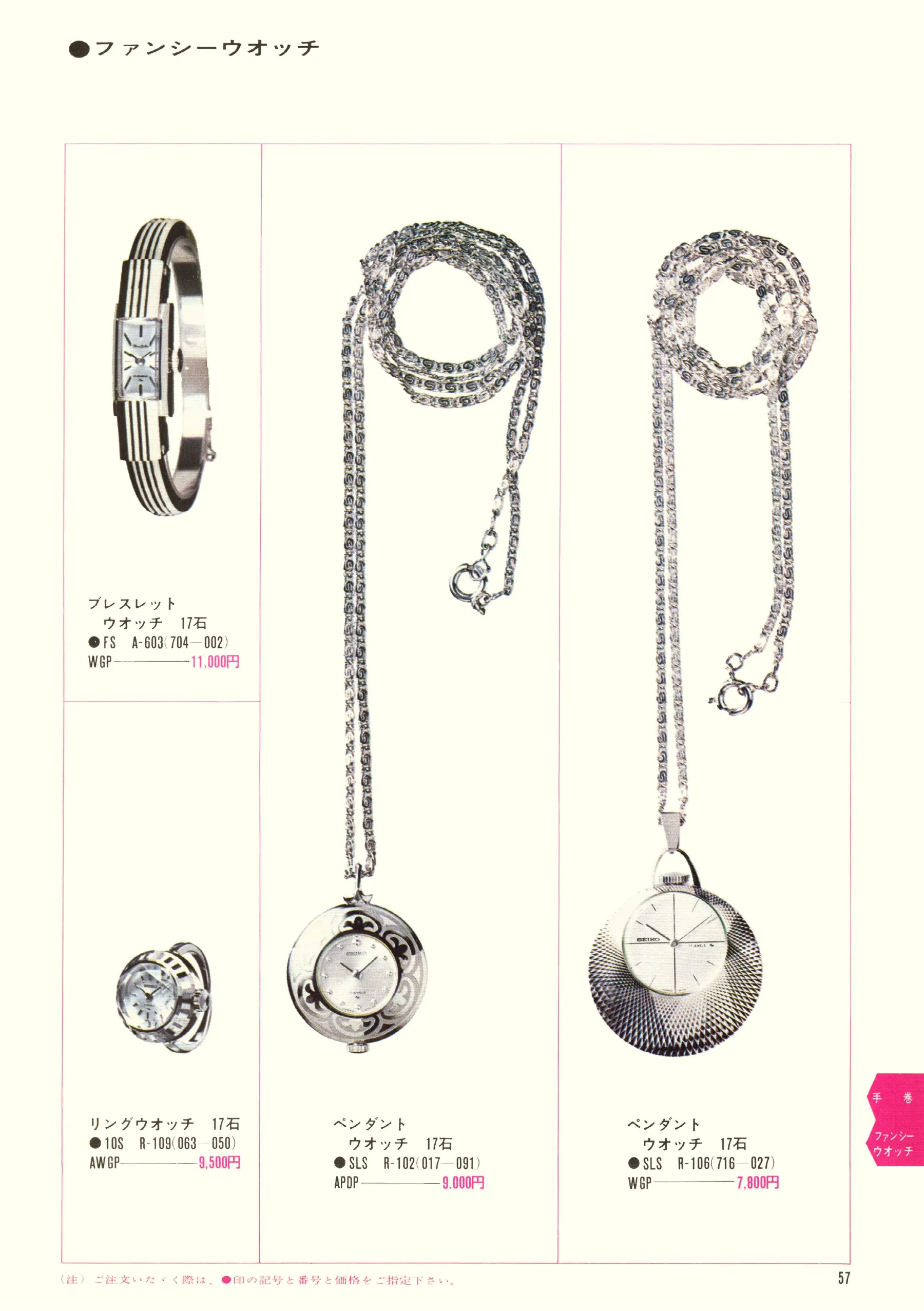
Seiko 1969, Scan page 57. Use the selection controls to identify a watch.
Scan page 57
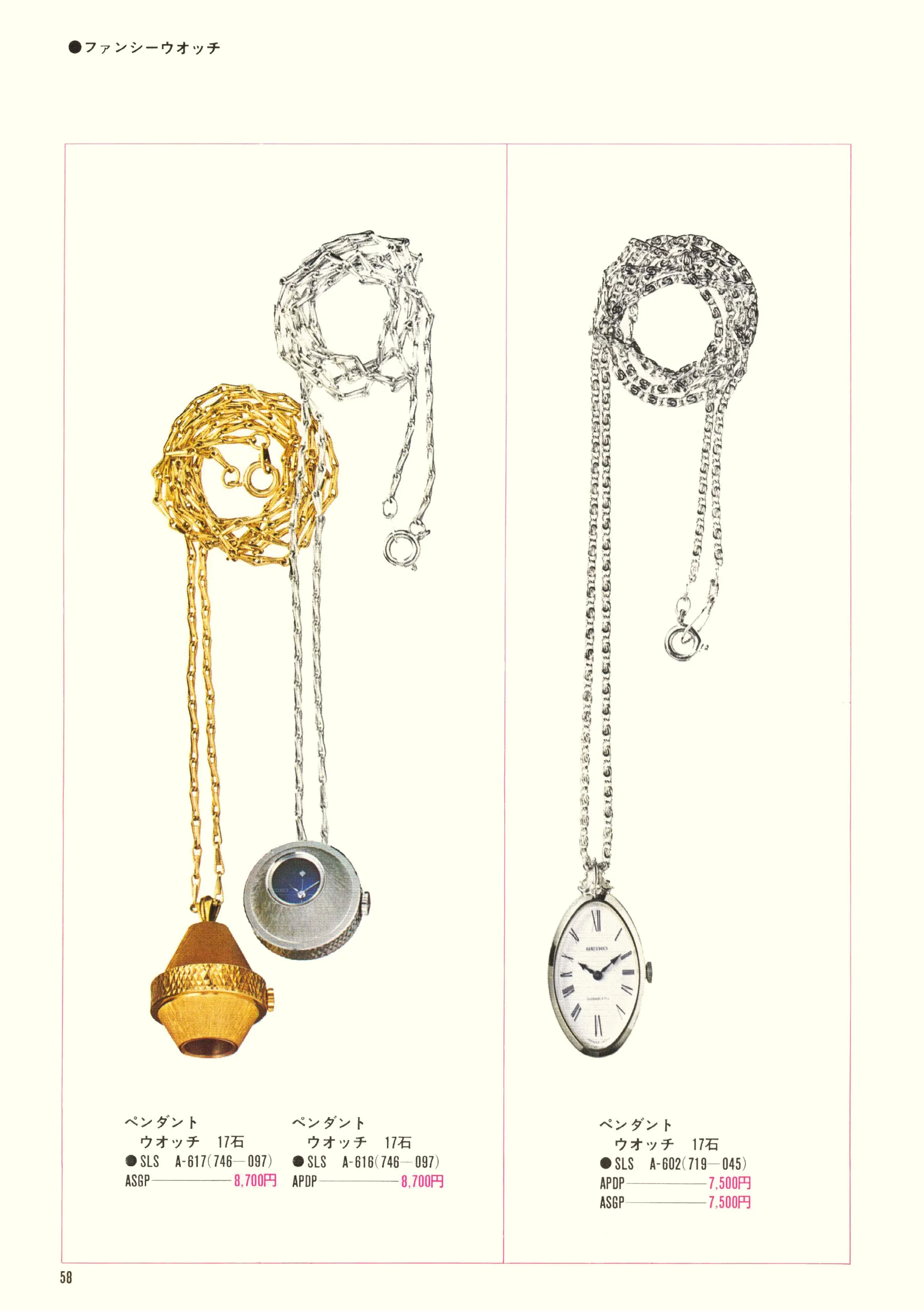
Seiko 1969, Scan page 58. Use the selection controls to identify a watch.
Scan page 58
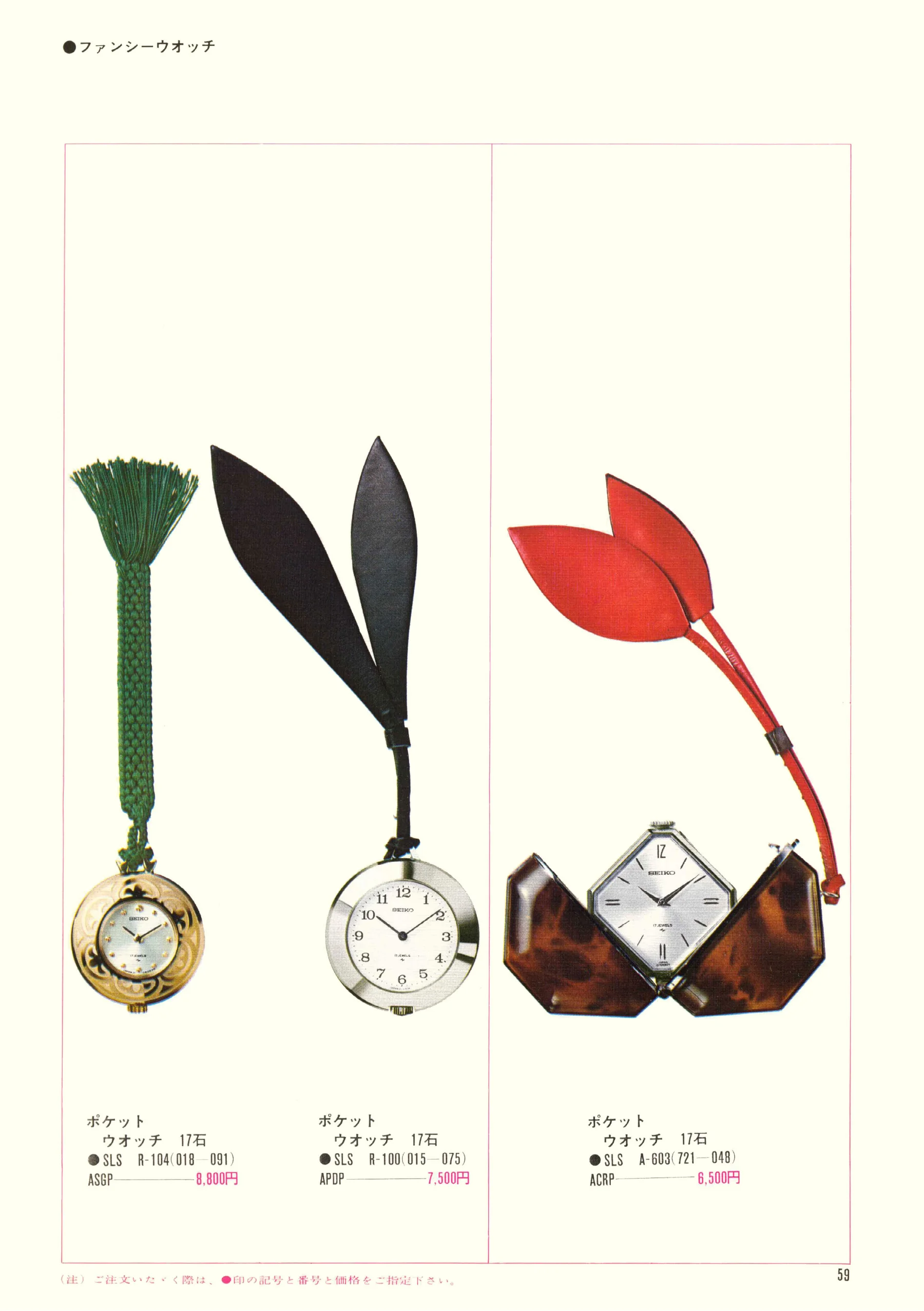
Seiko 1969, Scan page 59. Use the selection controls to identify a watch.
Scan page 59
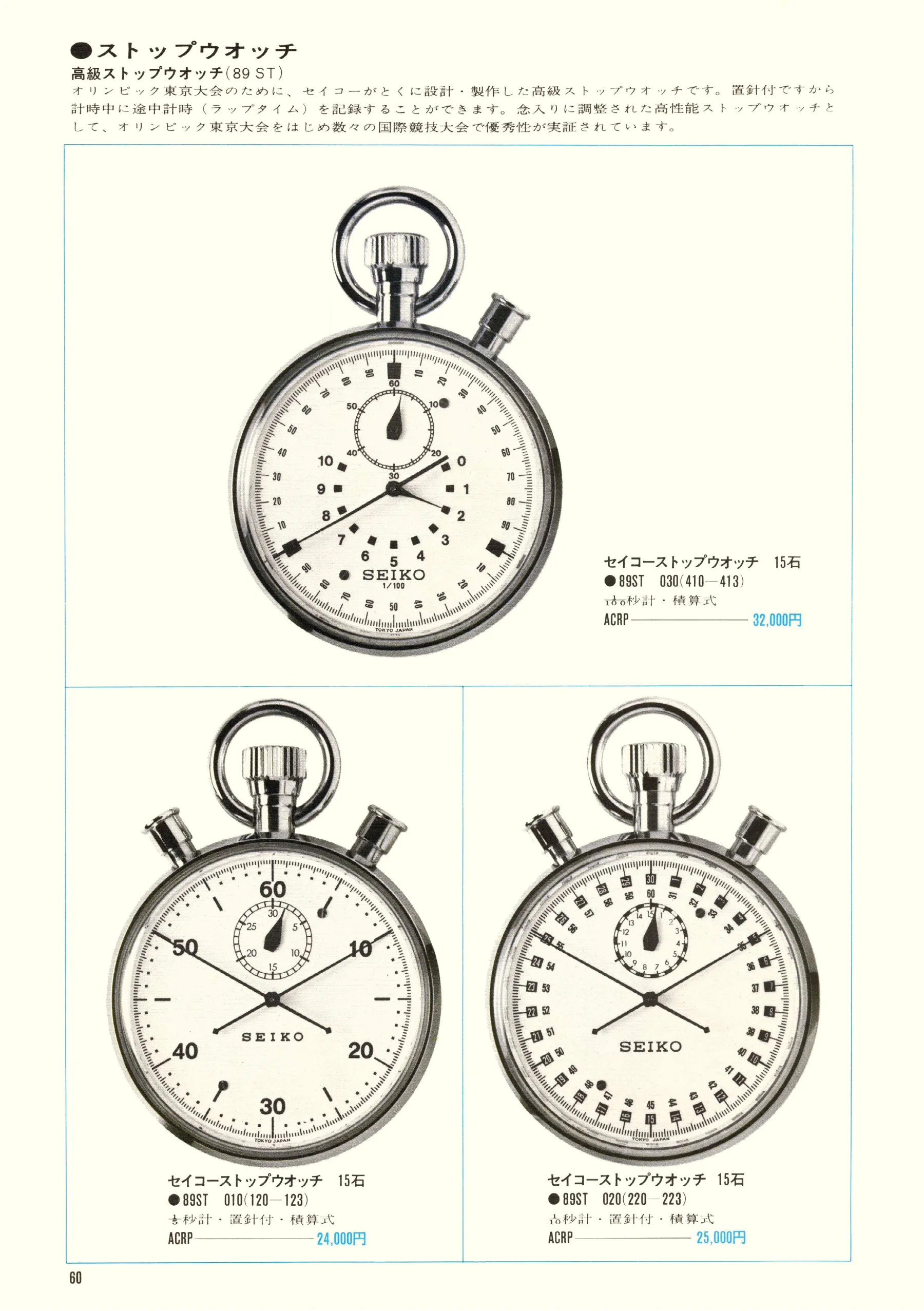
Seiko 1969, Scan page 60. Use the selection controls to identify a watch.
Scan page 60
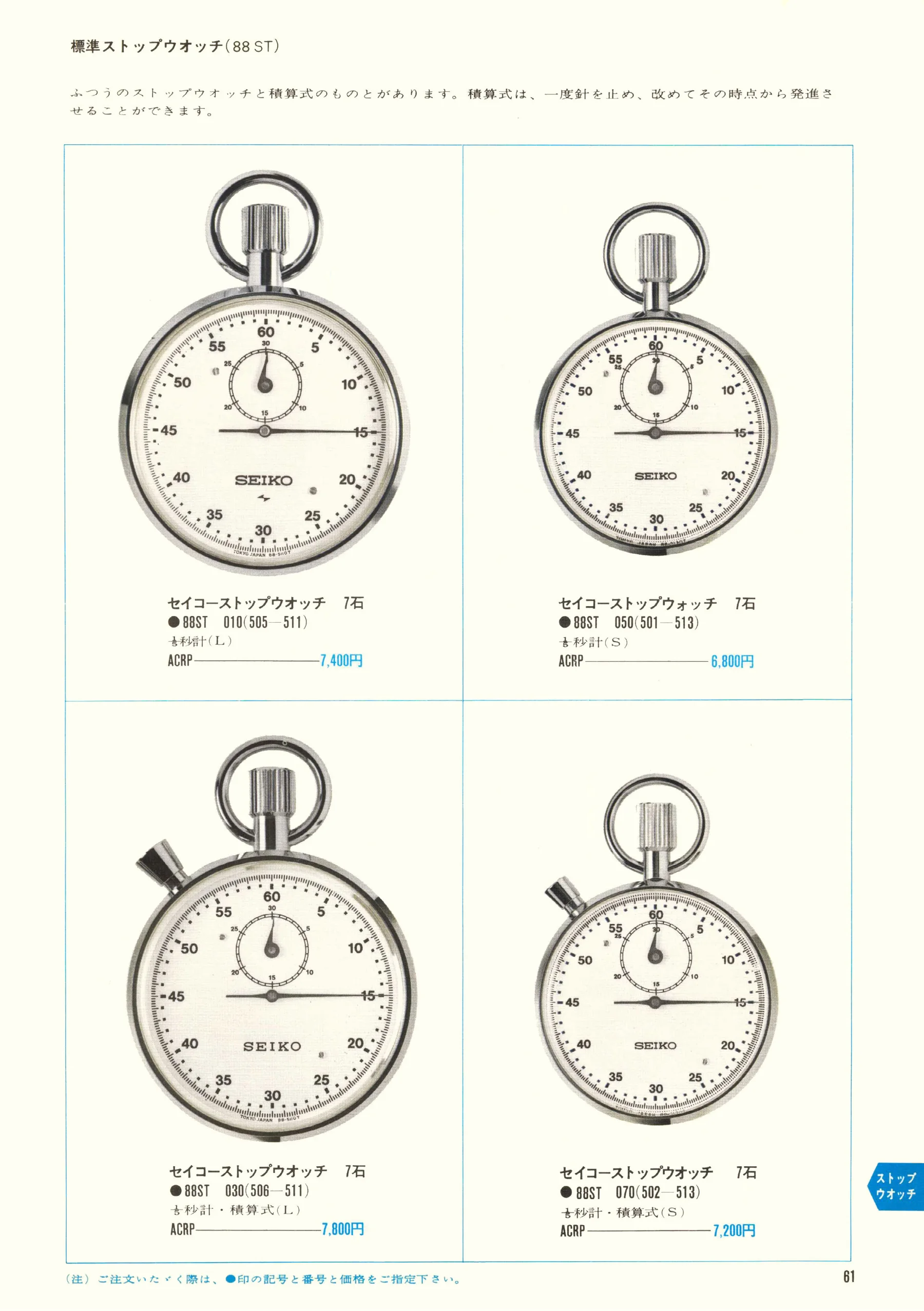
Seiko 1969, Scan page 61. Use the selection controls to identify a watch.
Scan page 61
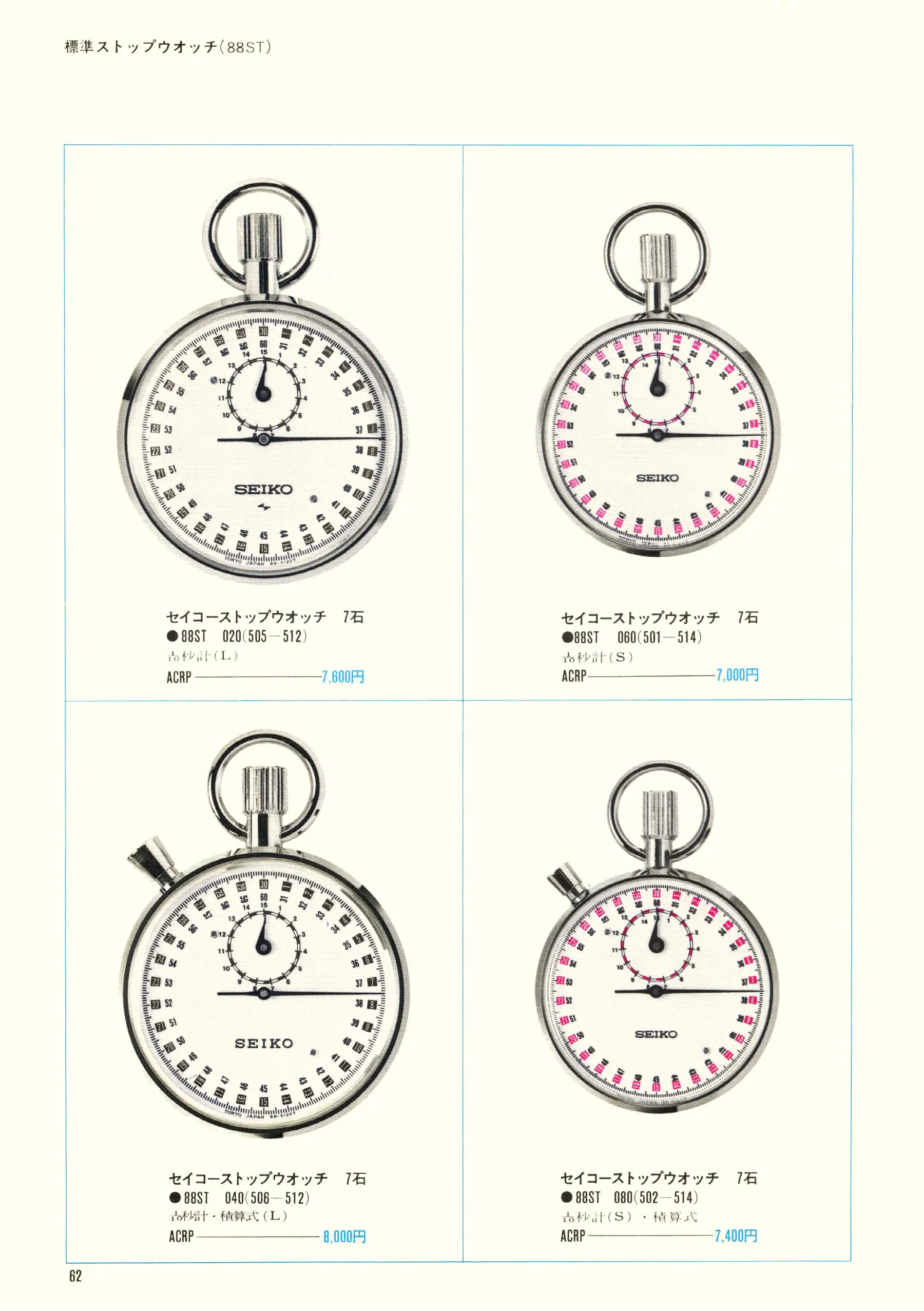
Seiko 1969, Scan page 62. Use the selection controls to identify a watch.
Scan page 62
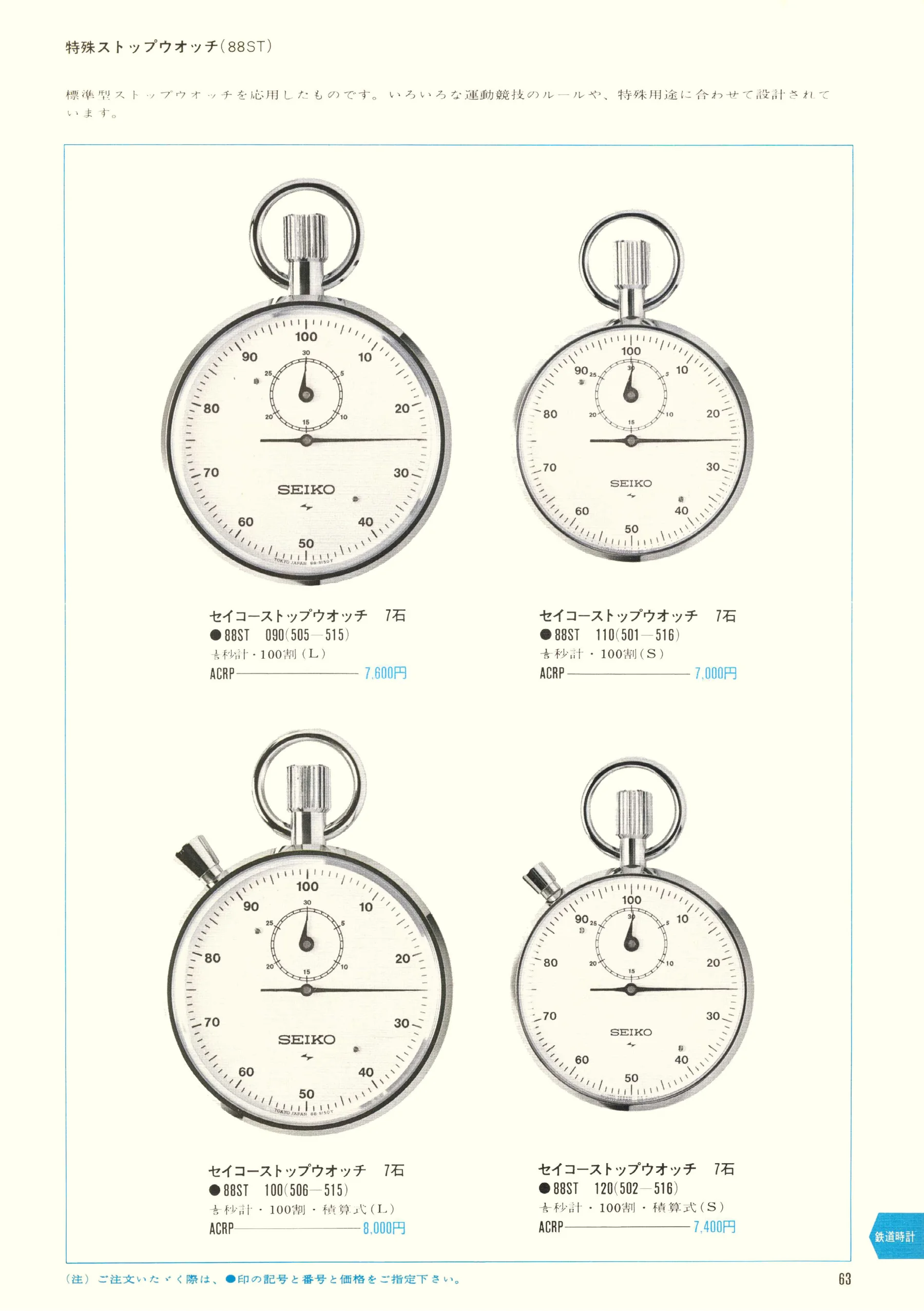
Seiko 1969, Scan page 63. Use the selection controls to identify a watch.
Scan page 63
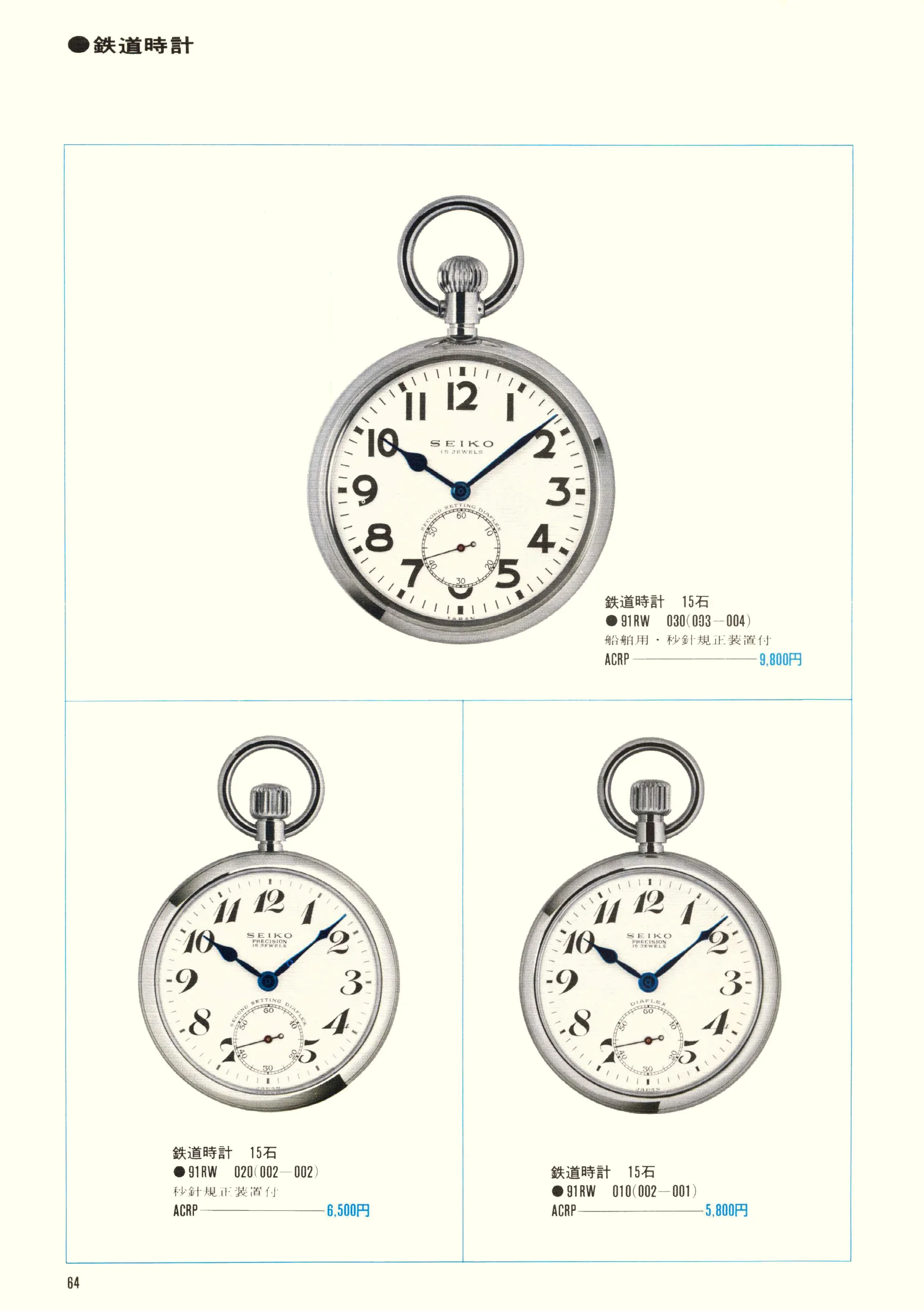
Seiko 1969, Scan page 64. Use the selection controls to identify a watch.
Scan page 64
Seiko 1969, Scan page 65. Use the selection controls to identify a watch.
Scan page 65
Seiko 1969, Scan page 66. Use the selection controls to identify a watch.
Scan page 66
Seiko 1969, Scan page 67. Use the selection controls to identify a watch.
Scan page 67

See one you like?Frame it on page 1 and we’ll look for it.

Viewing scan page 1 of 67. Scroll to leaf through, or use the arrow keys to turn pages. Scan numbers include covers and may differ from printed page numbers.